
Configure Engagement History Features
Engagement History features display marketing engagement data on connected Salesforce records. After you configure Connected Campaigns in Account Engagement, you can add Engagement History components. You can decide which components to include and customize your records in Marketing Setup.
Required Editions
| Available in: Lightning Experience |
| Available in: Account Engagement Growth, Plus, Advanced, or Premium Editions with Salesforce Essentials, Professional, Enterprise, Performance, Unlimited, and Developer Editions |
| User Permissions Needed | |
|---|---|
| To enable Engagement History: | Account Engagement Administrator role |
| To create, edit, and delete Lightning pages in the Lightning App Builder: | Customize Application system permission in Salesforce |
| To create, edit, and delete page layouts: | Customize Application system permission in Salesforce |
To enable Engagement History and add metrics to records, you must use a verified Salesforce connector. However, if you’re using Connected Campaigns, Engagement History is already enabled, so start on Step 4.
-
Open the Connectors page.
- In Account Engagement, select Admin and then select Connectors.
- In the Lightning app, select Account Engagement Settings and then Connectors.
- For the Salesforce.com connector, click the action menu and select Edit Settings.
- Click the Campaigns tab, select Enable Connected Campaigns and Engagement History, and then save.
- From Marketing Setup, in the Quick Find box, enter Engagement, and then select Engagement History.
- To access your campaign page layouts, expand the first item and click Go to Page Layout Setup.
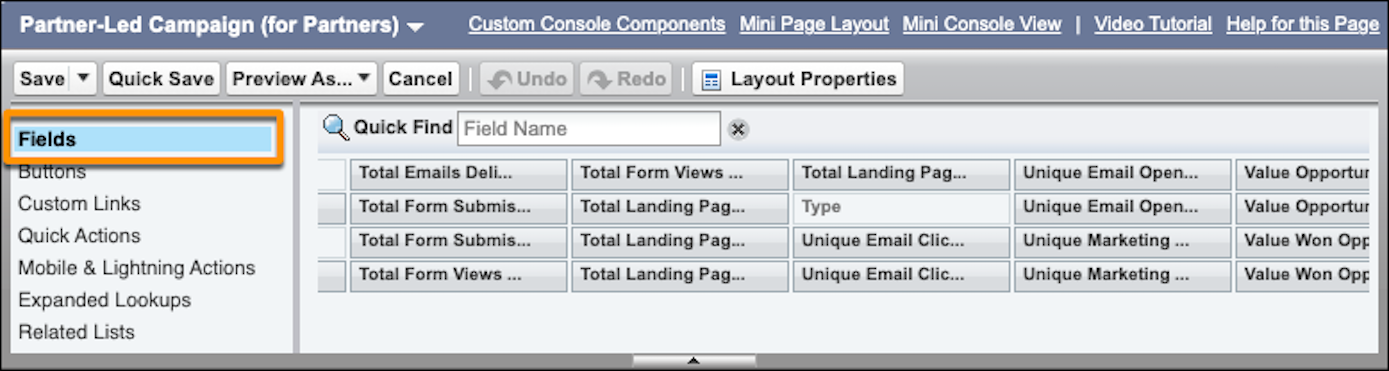
- In the page layout editor, customize related lists.
-
To include metrics fields, create a section on the page layout, and drag in fields from
the Fields section.
- To access your campaign Lightning record pages, click Go to Lightning Record Page Setup.
-
In the Lightning App Builder, create a tab, and then drag in the components that you
want to use, such as Engagement Metrics or Engagement History
Dashboard.
If the Engagement History Dashboard component doesn’t appear in the Lightning App Builder, enable the feature on the Engagement History setup page.
- Save and activate the Lightning record page for users.
Links from the Engagement History setup page take you only to campaign object settings. To add related lists, fields, or components to other supported records, edit that object’s settings in Object Manager. The comparison table indicates which records support Engagement History features.
