
You are here:
Requirements for the Account Engagement Lightning App
Review requirements and prepare your Salesforce org before you enable the Account Engagement Lightning App.
General
To enable the Account Engagement Lightning App, your org must meet these requirements.
- Lightning Experience is enabled in Salesforce.
- Account Engagement includes a verified Salesforce connector.
- If your business unit was created before February 12, 2019, see Salesforce Connector Implementation Guide (PDF) for help.
- If your business unit was created after February 12, 2019, see Salesforce Connector v2 Implementation Guide (PDF) for help.
- If you manage multiple business units, see Multiple Business Units Implementation Guide (PDF) for help.
User Access
To access the Account Engagement Lightning App, users must have a Salesforce or Identity license. Other licenses, such as Salesforce Platform and Salesforce Platform One, don’t provide the right access.
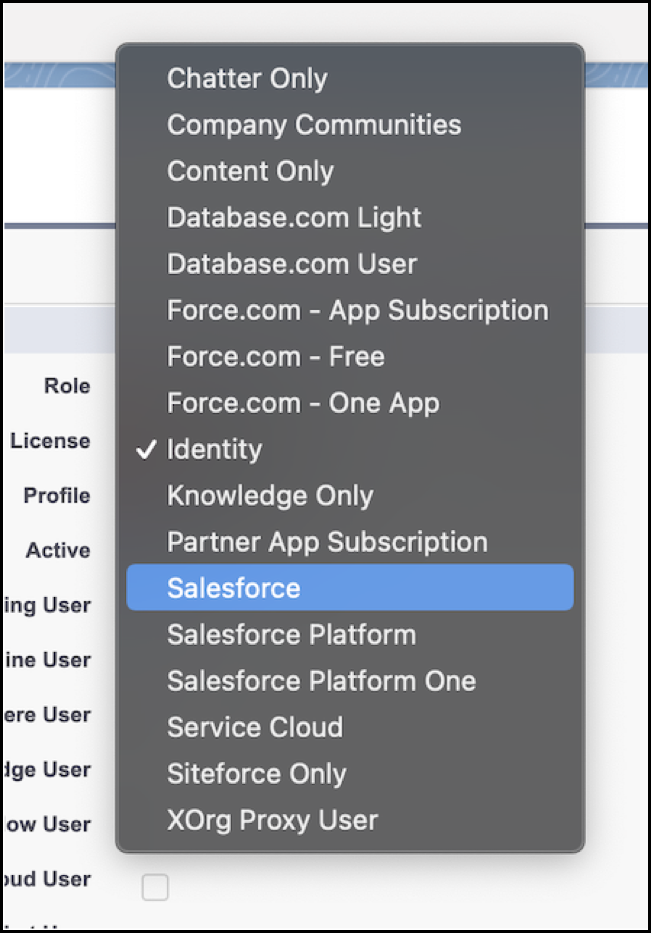
Sales or Identity licensed users also need one of the following permission sets:
- Account Engagement User—Grants access to the app only. Doesn’t include full access to campaigns. Available for all Account Engagement editions purchased or upgraded after February 12, 2019.
- Sales Cloud User, Service Cloud User, or CRM User—Grants full Salesforce access, including the Account Engagement Lightning App. Available for all Account Engagement editions.
Did this article solve your issue?
Let us know so we can improve!
