
As of Winter ’22, Account Engagement Lightning App users can choose which experience
to use when creating landing pages. The enhanced landing page experience uses a
drag-and-drop editor and can be accessed from Account Engagement Lightning App only. It’s
built on Salesforce, and supports list views, actions, reporting, and other functionality
that comes with Salesforce Lightning Experience.
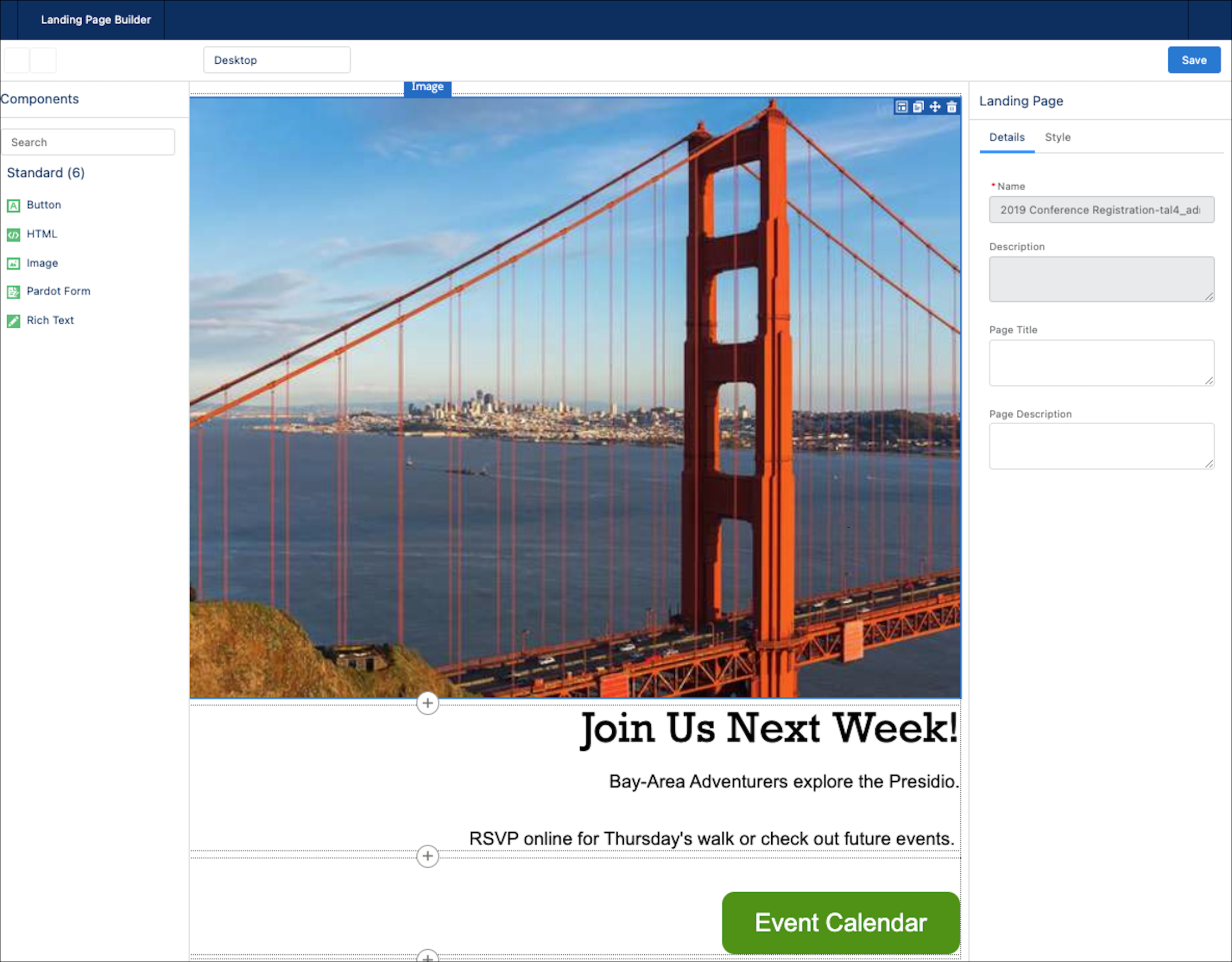
To use the enhanced landing page experience, click the Landing
Pages tab. Create or open a landing page record, and click
Edit in Builder. Landing pages created in the enhanced
experience are called enhanced landing pages.
Set Up the Enhanced Landing Page Experience The enhanced landing page experience is automatically enabled at the same time as the enhanced email experience. If you’ve already set up one of these features in Account Engagement, no other setup is needed.
Create an Enhanced Landing Page When you create an enhanced landing page, you associate it with a campaign and then edit the content. Drag in templates from the Layout section to quickly insert rows and columns. Then you can add these component types: Image, Pardot Form, Rich Text, Button, and HTML.
Edit an Enhanced Landing Page You can edit a published landing page at any time. Two parts of a landing page are editable: record details and content.
Publish an Enhanced Landing Page When you finish designing an enhanced landing page, you can publish it to the web. Before publishing, add settings such as vanity URL, unpublish redirect URL, and search engine indexing on the landing page record.
Enhanced Landing Page Record Fields Enhanced landing pages in Account Engagement include a variety of fields that contain content, redirect instructions, and other helpful information. Sections include Information, Engagement Metrics, Publication Information, System Information, and Content and Settings tabs.
Did this article solve your issue?
Let us know so we can improve!

Loading
Salesforce Help | Article
Cookie Consent Manager
General Information
Required Cookies
Functional Cookies
Advertising Cookies
General Information
We use three kinds of cookies on our websites: required, functional, and advertising. You can choose whether functional and advertising cookies apply. Click on the different cookie categories to find out more about each category and to change the default settings.
Privacy Statement
Required Cookies
Always Active
Required cookies are necessary for basic website functionality. Some examples include: session cookies needed to transmit the website, authentication cookies, and security cookies.
Functional Cookies
Functional cookies enhance functions, performance, and services on the website. Some examples include: cookies used to analyze site traffic, cookies used for market research, and cookies used to display advertising that is not directed to a particular individual.
Advertising Cookies
Advertising cookies track activity across websites in order to understand a viewer’s interests, and direct them specific marketing. Some examples include: cookies used for remarketing, or interest-based advertising.