
Prospect Table Actions
Apply mass actions to the prospect table without having to use an automation rule. You can select the entire table or individual prospects.
Required Editions
| Available in: All Account Engagement Editions |
Select an action from the dropdown that’s located under the prospect table.
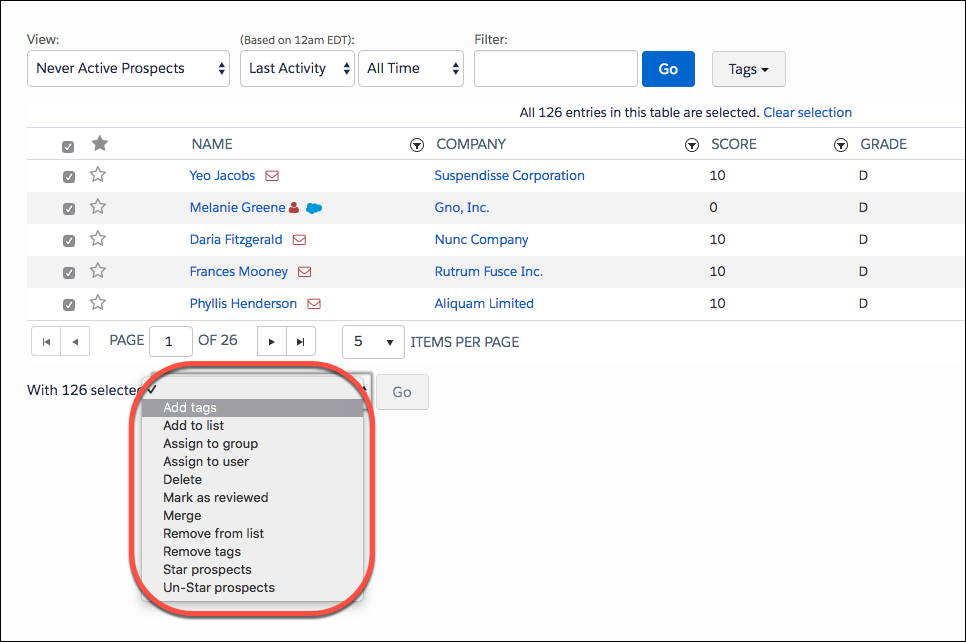
| Action | Description |
|---|---|
| Add tags | Applies a tag to the selected prospects. Specify tags in the text box next to the dropdown. |
| Add to list | Adds prospects to a list. |
| Assign to group | Assigns the selected prospects to a group. |
| Assign to user | Assigns the selected prospects to a user. Prospects who already have an owner aren’t reassigned. Business units that are connected to Salesforce immediately sync a new prospect with the CRM after user assignment. If the prospect has an assigned user in the CRM, they aren’t reassigned. |
| Delete | Moves selected prospects to the recycle bin. |
| Mark as reviewed | Marks the selected prospects as reviewed on the prospect record. |
| Merge | Opens the Prospect Merge page. Choose which fields to keep on the new prospect record. |
| Remove from list | Removes selected prospects from a list. |
| Remove tags | Removes specified tags from selected prospects. Specify tags in the text box next to the dropdown. |
| Star prospects | Favorites the selected prospects. The My Starred Prospects table view shows all starred prospects. |
| Un-Star prospects | Removes the star from selected prospects. |
Did this article solve your issue?
Let us know so we can improve!
