You are here:
Configure the Example Personalization Point
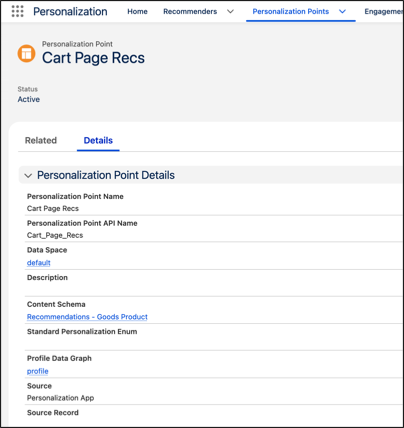
This personalization point is for use on a website cart or checkout page, providing recommendations to site visitors who have added items to their carts.
-
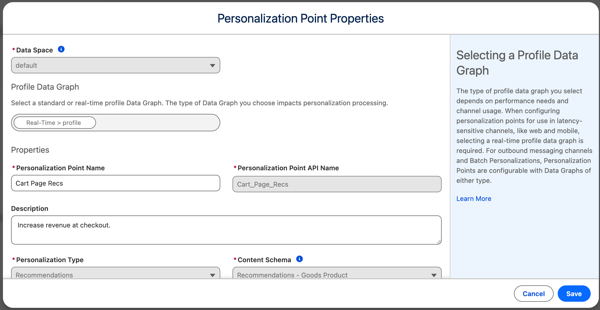
Define the personalization point properties and click
Next.
Parameter Example Setting Data Space default Profile Data Graph Real-Time>profile Personalization Point Name Cart Page Recs Personalization Point API Name Cart_Page_Recs Description Increase revenue at checkout Personalization Type Recommendations Content Schema Recommendations - Goods Product Maximum Number of Recommendations 3 Source Personalization App Authentication Required Unchecked - Save your work.
After creating the cart page recommendation personalization point, you can use it to test personalization experiences on site pages. For example, you can select a personalization point using Web Personalization Manager to base a personalization experience on.
Did this article solve your issue?
Let us know so we can improve!
