You are here:
Configure the Example Content Schema
The content schema (previously called the response template) defines the configuration options marketers can use to build a personalization decision. The content schema also makes sure that all personalization point decision responses return data in the same format. For this example, the personalization point requires a content schema that uses a recommendations personalization type.
-
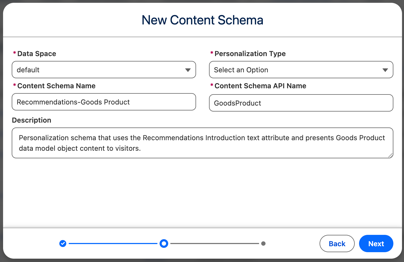
Define the content schema and click Next.
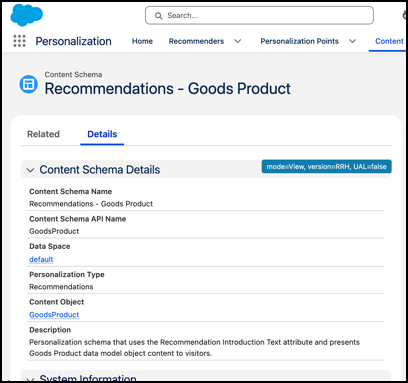
Parameter Example Setting Data Space default Personalization Type Recommendations Content Schema Name Recommendations - Goods Product Content Schema API Name GoodsProduct Description ML Driven Recommender -
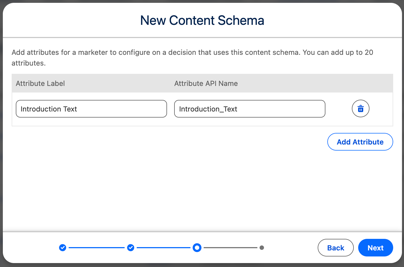
Add a recommendation introduction text attribute that a marketer can populate with
content.
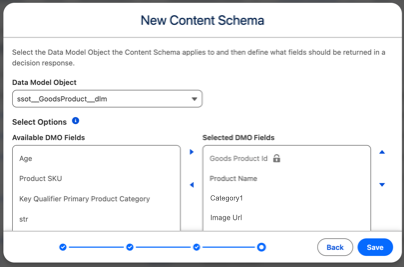
Parameter Example Setting Attribute Label Introduction Text Attribute API Name Introduction_Text - Select the DMO that the content schema applies to and the fields that you want the decision response to return.
- Save your work.
Did this article solve your issue?
Let us know so we can improve!
