You are here:
Configure the Example Rule-Based Recommender
The rule-based recommender provides recommendations for top-selling products based on total sales value.
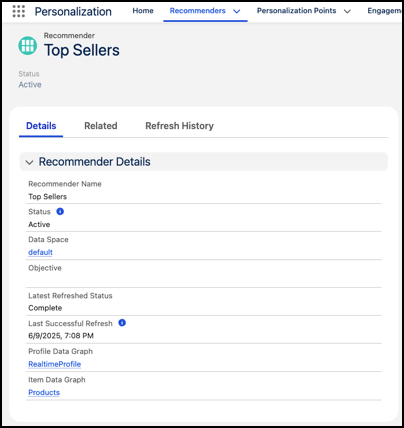
-
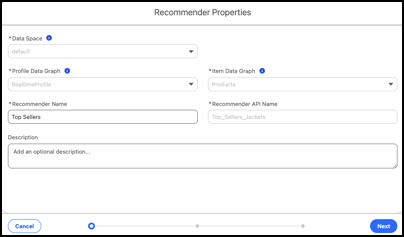
Define the recommender properties and click Next.
Parameter Example Setting Data Space default Profile Data Graph RealtimeProfile Item Data Graph Products Recommender Name Top Selling Products Recommender API Name Top_Selling_Products Description Top selling products - Select Rule-Based Recommendations as the recommender type and click Next.
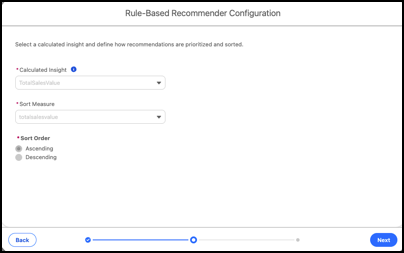
- Define the rule-based recommender configuration and click Next.
-
You can ignore filter configuration for this experiment. Define filters to select what
items you want the recommender to display.
Defining filters enables you to select what items you want the recommender to show. In this experiment, we're testing which recommender method resonates better with site visitors by allowing the recommenders to provide recommendations for all items.
- Save your work.
Did this article solve your issue?
Let us know so we can improve!
