You are here:
Examples of Classic Approval History Reports
See sample reports to learn how you can obtain approval history data.
Required Editions
| Available in: both Salesforce Classic and Lightning Experience |
| Available in: Enterprise, Performance, Unlimited, and Developer Editions |

Report Example: Opportunity Approvals Submitted Within a Date Range
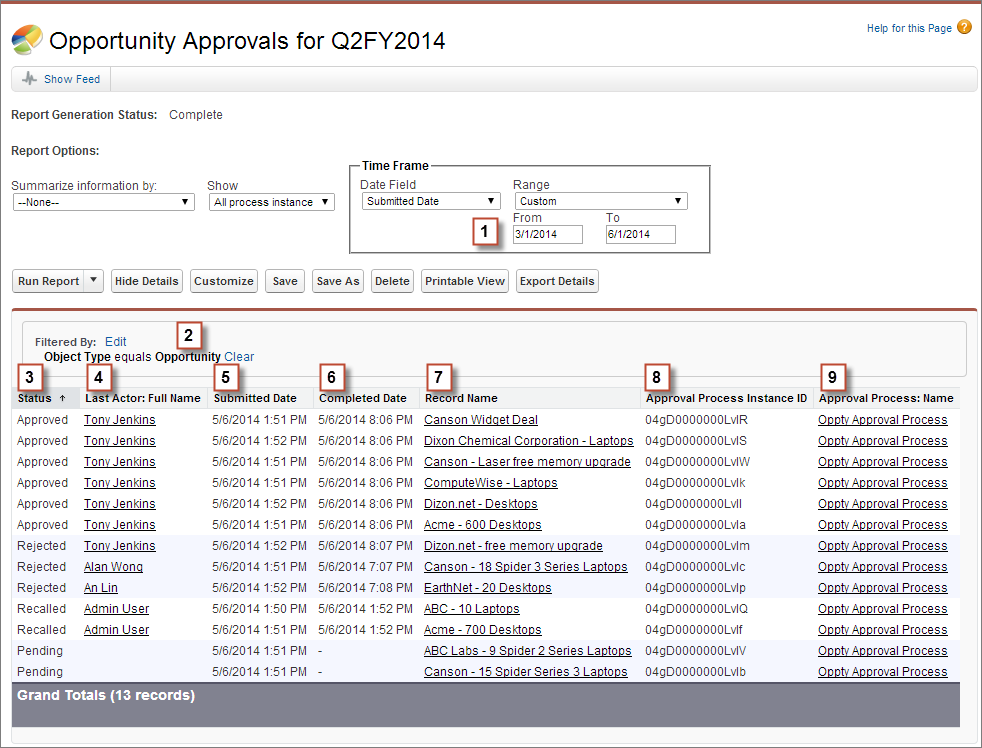
This sample report displays classic approval process instances that were submitted within a specified date range (1) for the Opportunity object (2). The results are sorted by status (3) and include the last actor (4), submitted date (5), completed date (6), record name (7), classic approval process instance ID (8), and classic approval process name (9).
Report Example: Approvals—Elapsed Times
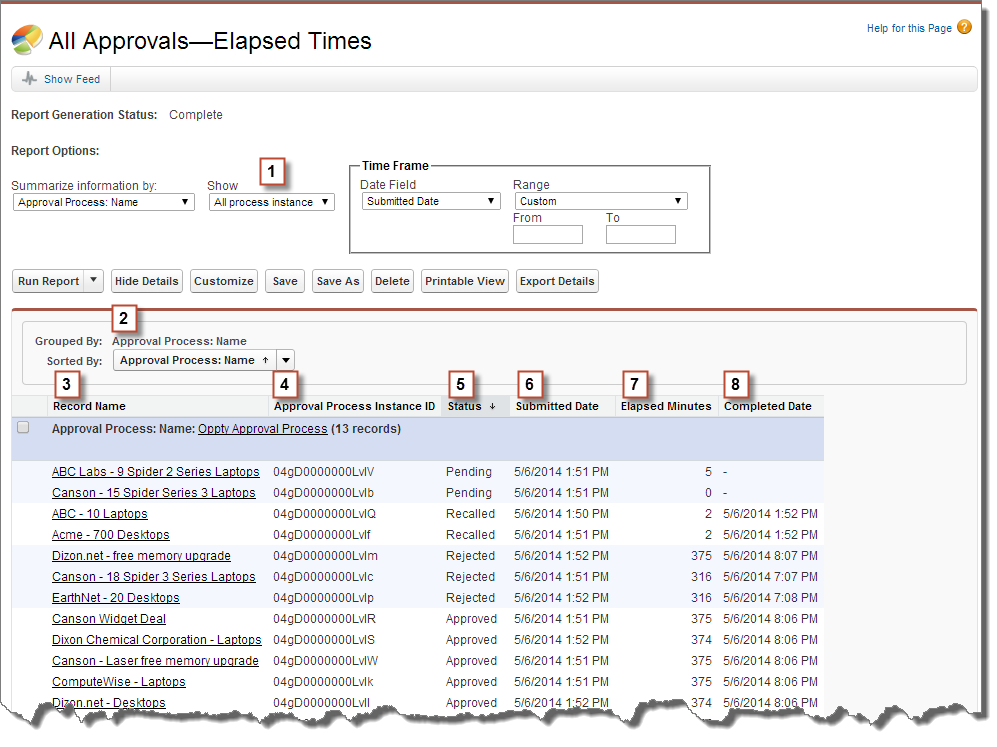
This sample report displays all classic approval process instances (1) and groups results by the classic approval process name (2). The results include the record name (3), classic approval process instance ID (4), status (5), submitted date (6), elapsed minutes (7), and completed date (8).
Report Example: Approval Steps—Elapsed Times
This sample report displays all classic approval process instances (1) and groups results by classic approval process name (2) and record name (3). The results are sorted by step name (4) and include step status (5), step start date (6), step elapsed minutes (7), step completed date (8), and classic approval process instance ID (9).
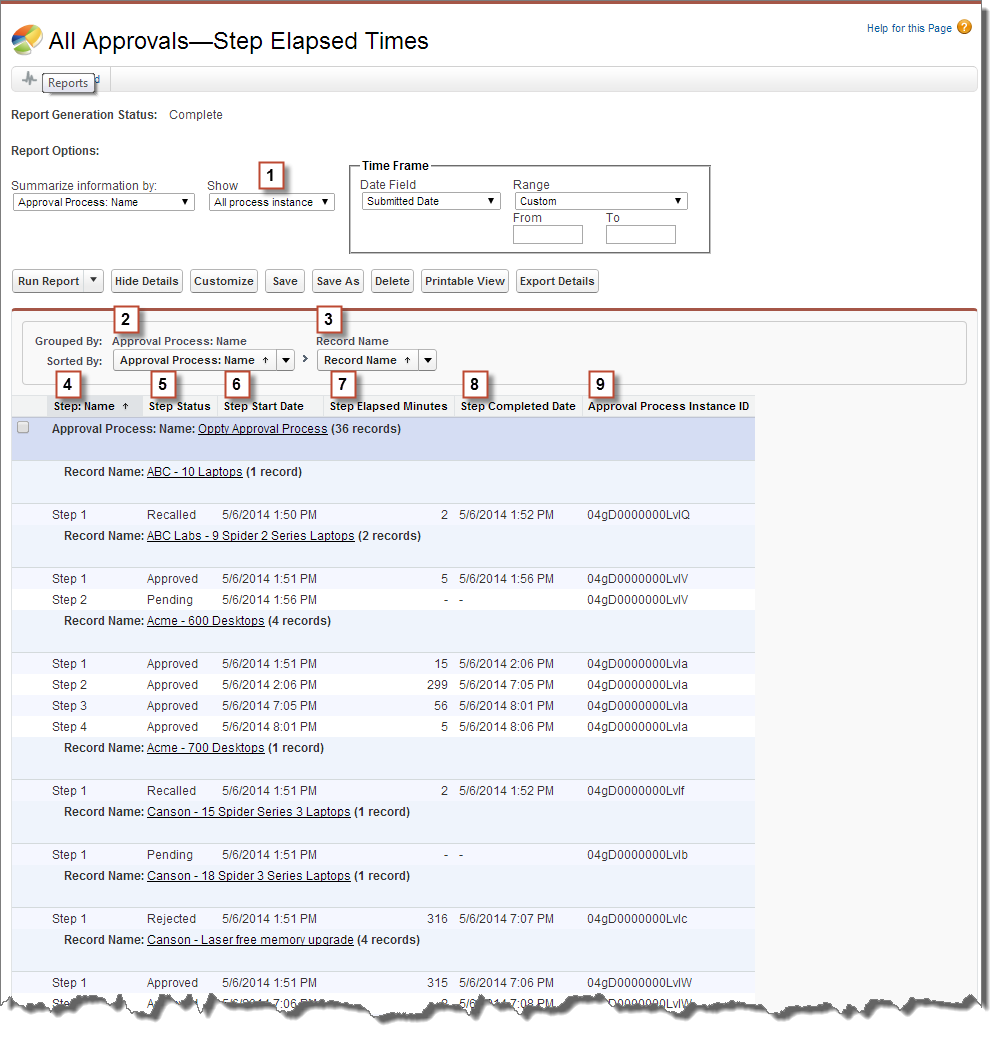
Notice that the previous sample report doesn't include the approvers for each step and the elapsed time for each approval request. To get this information, run a SOQL query by using the classic approval process instance ID from the report. The following sample SOQL query obtains the ActorID (user or queue that received the approval request) and the ElapsedTimeInHours (elapsed time since the approval request was sent) for the first pending step in the report.
SELECT ActorId,ElapsedTimeInHours FROM ProcessInstanceWorkitem where processInstanceId = '04gD0000000LvIV'
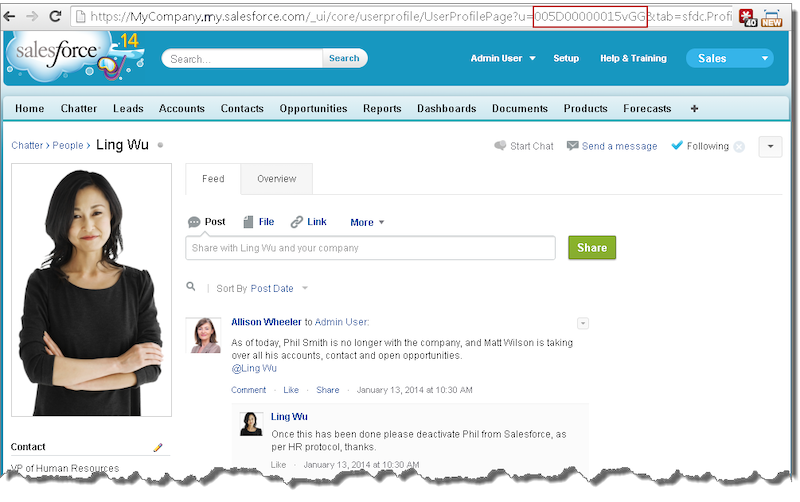
The sample query has only one result, and you can view that approver's user profile page by appending the resulting ActorID to the organization's base URL (https://MyDomainName.my.salesforce.com/005D00000015vGGIAY), which gets redirected to the user profile page.