You are here:
Audience Flows
An audience flow runs on a schedule and sends messages to a specified audience. Select a data source—segment, list, record, or campaign—when you create the flow.
Required Editions
| Available in: Lightning Experience |
| Available in: Enterprise and Unlimited Editions with Marketing Cloud Growth or Advanced Edition |
| Available in: All editions supported by Data 360. See Data 360 edition availability |
What Is an Audience Flow
Audience Flow is the unified flow creation experience for all audience-based, scheduled marketing flows. In Flow Builder, selecting Audience Flow lets you choose one of four audience sources. The source you select determines which flow type is created and how the audience is defined.
| Audience source | Audience type | When to use |
|---|---|---|
| Segment | Data 360 segment members | Reach people based on profile data and attributes |
| List | Actionable list members | Reach a specific, user-managed group |
| Record | Records matching specified criteria | Reach contacts or leads based on field values |
| Campaign | Campaign members | Reach people associated with a campaign |
When to Use Audience Flows
Use an audience flow to reach a defined group of people on a schedule. Here are some examples:
- Send a promotional email to all customers who made a purchase in the last 30 days (Segment data source).
- Follow up with attendees after importing event registration data into a list (List data source).
- Target contacts in a specific region based on CRM fields (Record data source).
- Send a special offer to everyone associated with a high-value campaign (Campaign data source).
Getting Started
To create an audience flow, open Flow Builder and select Audience Flow. Choose an audience source and follow the configuration steps for that source.
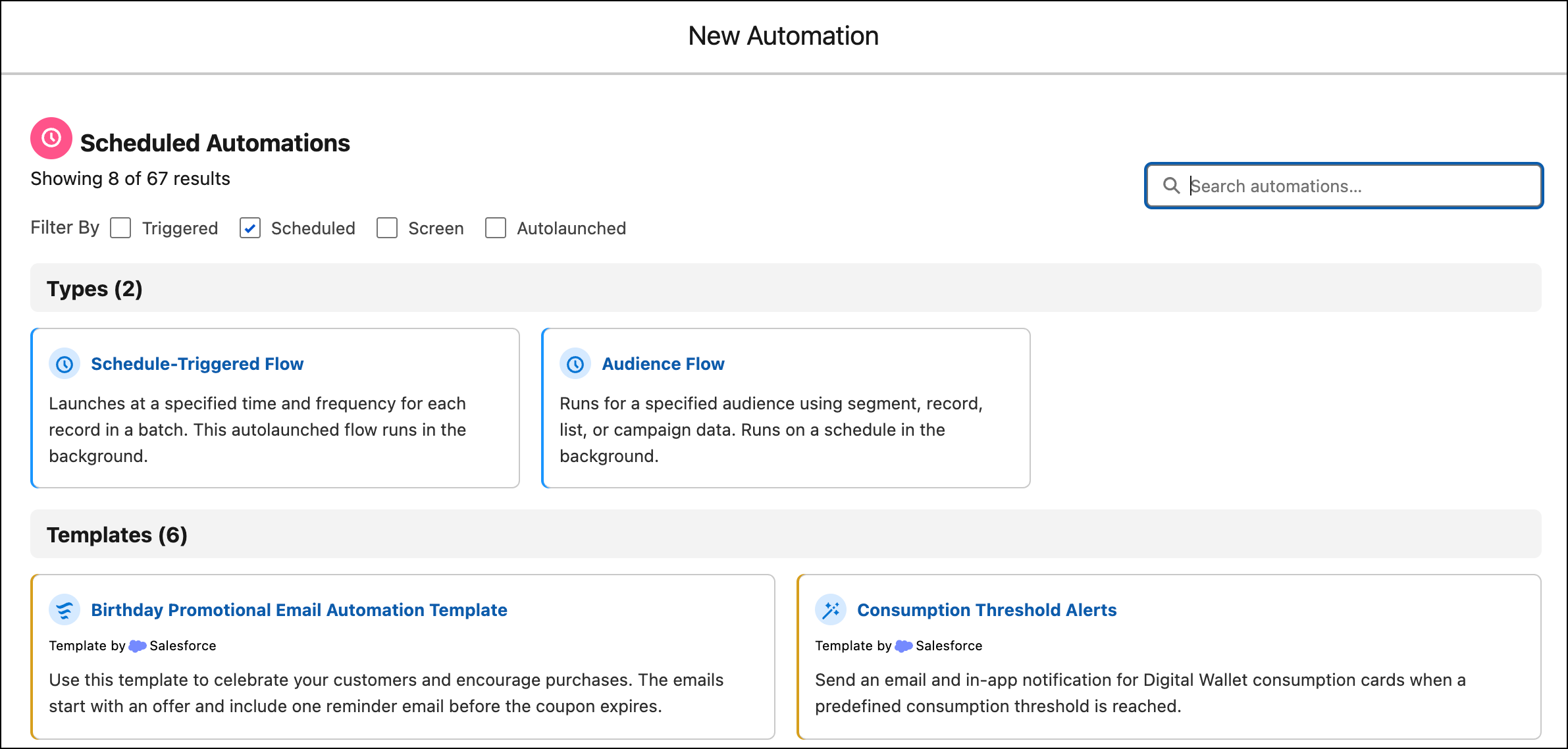
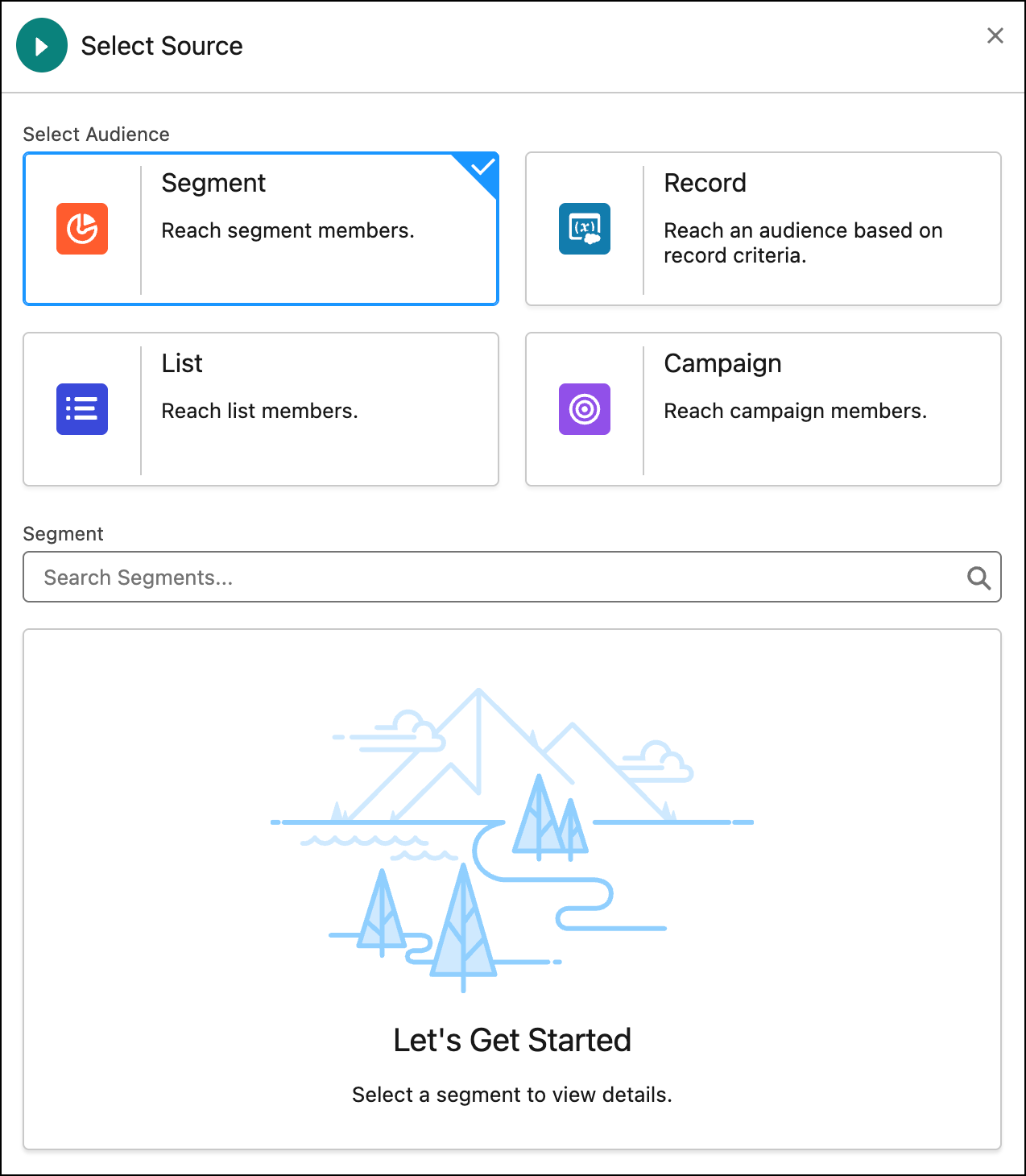
For details on the segment audience source, see Segment Flows. For step-by-step instructions, see Create a Segment Flow.
Copying an Audience Flow
Save an audience flow as a copy to reuse its configuration without disrupting the live campaigns that the original flow supports. You control which messaging and audience-selection assets are duplicated and which are linked to the original flow. For step-by-step instructions, see Copy an Audience Flow.
