You are here:
Considerations for Flow Choice Component Default Values
Important behaviors and limitations to understand when setting default values for choice components in screen flows.
Required Editions
| View supported editions. |
The Default Value field appears under the choice options list when you add at least 1 choice. For the Default Value field, specify a picklist value or another flow resource, such as a variable, a field on a record variable, and a manually entered value. You can select any compatible type reference for the flow. You can use a value from a record as the default value, which applies to picklist choices or record choices.
When you save and run a flow, the default value determines which options are preselected. None of the choice options are duplicated, and the order of the choices is retained.
Flow run time behavior for a default choice option
At run time, Salesforce preselects a choice when the Choice Value matches the component’s default value. When the default value references a flow resource, Salesforce resolves that reference before matching. When you save and run the flow, the default value is preselected in the resulting list of choices.
| If your default value is... | Then at run time Salesforce preselects choice options based on... |
|---|---|
| A choice resource that’s included in the list of choice options for the component | A match for the selected choice’s API name. |
| A choice resource that’s not included in the list of choice options for the component | The resolved value of the choice resource. If a given choice’s value matches the resolved default value, then that choice is selected. |
| Another resource in the flow such as a reference to a record variable from a Get Records element | The resolved value of the flow resource. If a given choice’s value matches the resolved default value, then that choice is selected. |
| A manually entered value | The manually entered value. If a given choice’s value matches the manually entered value, then that choice is selected. |
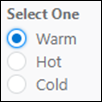
For choice components that let the user select a single option, such as Picklists and Radio Buttons, Salesforce preselects the first choice that matches:
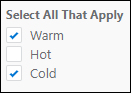
For choice components that let the user select multiple options, like Multi-Select Picklists and Checkbox Groups, Salesforce preselects every choice that matches:

Multiple default values for a choice component
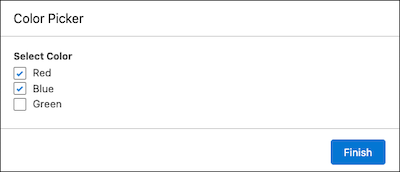
To specify multiple default values for choice components that let the user select multiple options, separate the values with semicolons. If the resolved default value includes semicolons, like Red;Blue, Salesforce treats each value as a separate default.

- Choice 1
- API Name: Choice_Red
- Choice Label: Red
- Choice Value: Red
- Choice 2
- API Name: Choice_Blue
- Choice Label: Blue
- Choice Value: Blue
- Choice 3
- API Name: Choice_Green
- Choice Label: Green
- Choice Value: Green
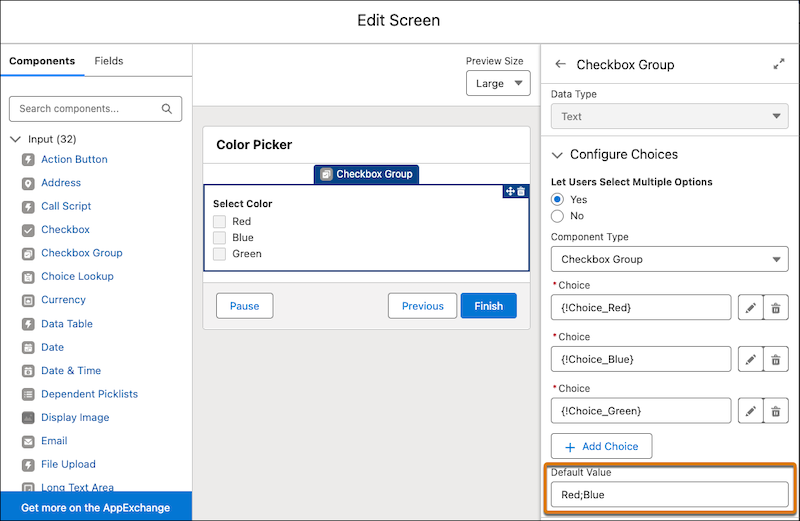
Because the Default Value field is set to Red;Blue, Salesforce preselects every choice with a value of Red or Blue at run time.
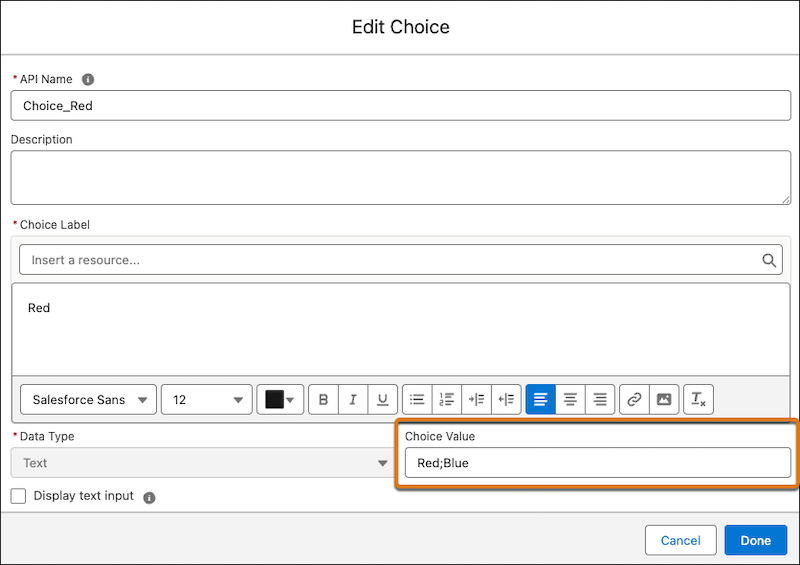
Setting choice values that contain semicolons can cause issues with multi-select value matching behavior. If a choice's value is an exact match, like Red;Blue, then Salesforce doesn’t preselect it. For example, if you change the choice value for the Red choice to Red;Blue and enter Red;Blue in the Default Value field of the checkbox group component, then Salesforce doesn’t preselect both Red and Blue color options at run time as expected.
If you configure a choice component with multiple records, use a variable whose value resolves to the record ID for each record, and separate the IDs with a semicolon.
Default values from collection choice sets
A flow doesn’t populate a collection choice set when a screen is first rendered. If you reference a value from a collection choice set as the default value of a choice component, the default value is null when the screen loads. To trigger the screen to reload and display the default value at run time, reference the value on the same screen or wrap the value in a formula.
If you use a variable that holds the default value for the collection, make sure the variable is used on the same screen as the component that uses the choices.
To wrap the value in a formula, create a formula resource in your flow. The formula can manipulate or combine values to produce the default value. For example, if you have two variables, var1 and var2, and you want to set the default value in the collection choice set to both, create this formula: {!var1} & ";" & {!var2}. This formula concatenates var1 and var2 with a semicolon in between. For more information, see Formula Operators and Functions by Context.
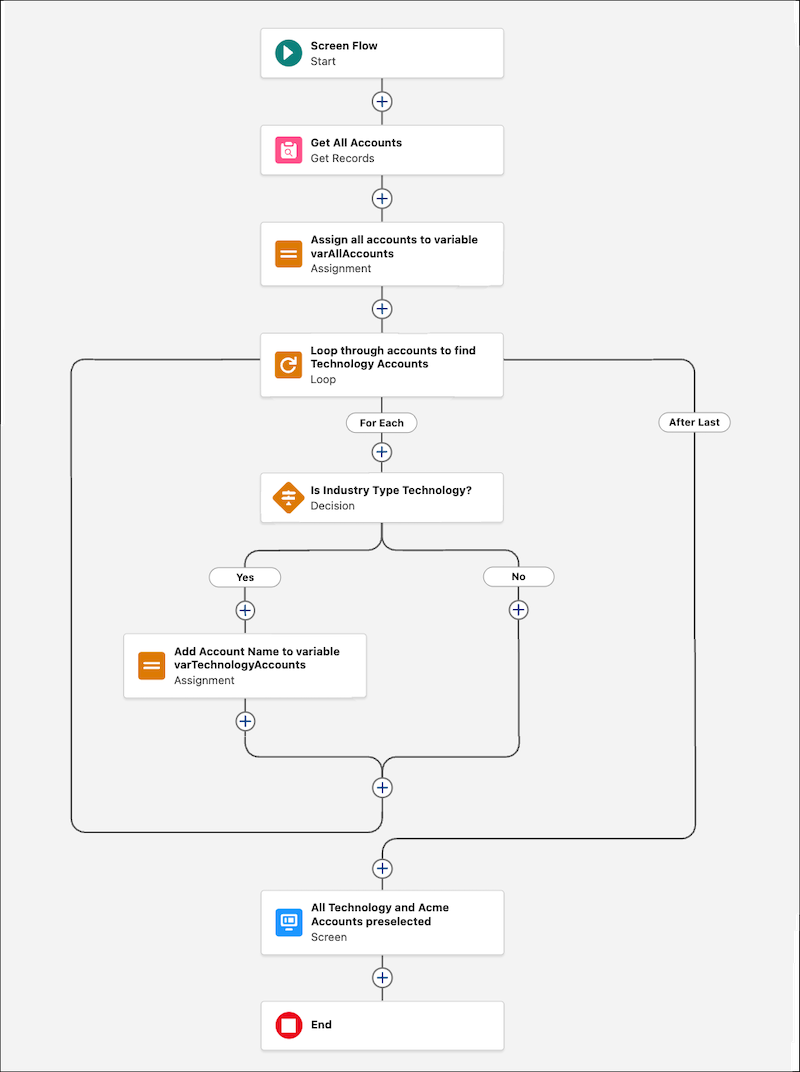
The flow uses the Get Records element to retrieve all accounts and stores the retrieved accounts in a variable called varAllAccounts. The flow then loops through each of these accounts to check if the industry type for the account is Technology. For accounts where the industry type is Technology, the flow adds the account name to another variable called varTechnologyAccounts.
The flow has a formula resource called Test and uses the formula SUBSTITUTE( MID({!varTechnologyAccounts}, 2, LEN({!varTechnologyAccounts}) - 2), ",", ";" ) to separate the comma separated list of technology accounts into a semi-colon separated list.
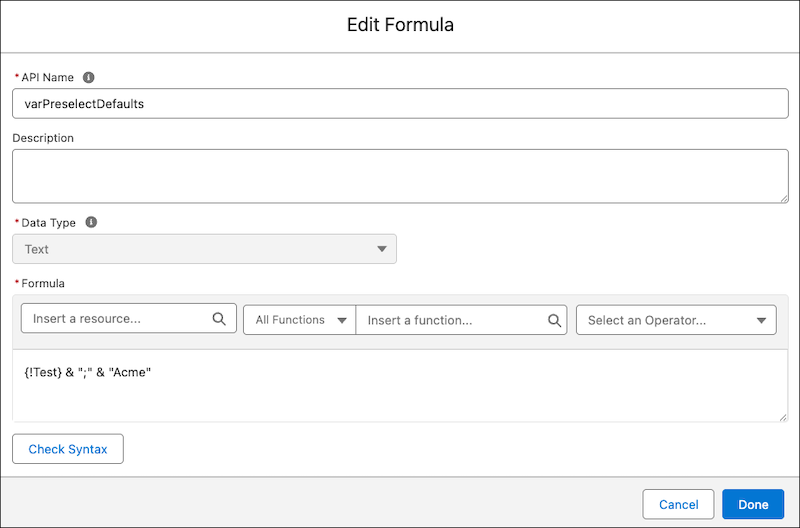
The flow has a second formula resource called varPreselectDefaults that concatenates the semi-colon list separated list of technology accounts with Acme. Here’s the formula {!Test} & ";" & "Acme".
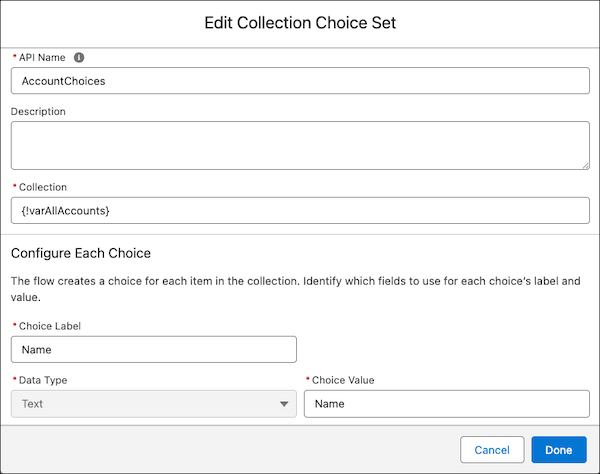
The flow uses a collection choice set resource called AccountChoices that has these field values.
| field | value |
|---|---|
| Collection | {!varAllAccounts} |
| Choice Label | Account Name |
| Choice Value | Account Name |
| Data Type | Text |
The last element in the flow is a screen element. A multi-select picklist component that’s added to this screen element has these field values.
| field | value |
|---|---|
| Choice | {!AccountChoices} |
| Default Value | {!varPreselectDefaults} |
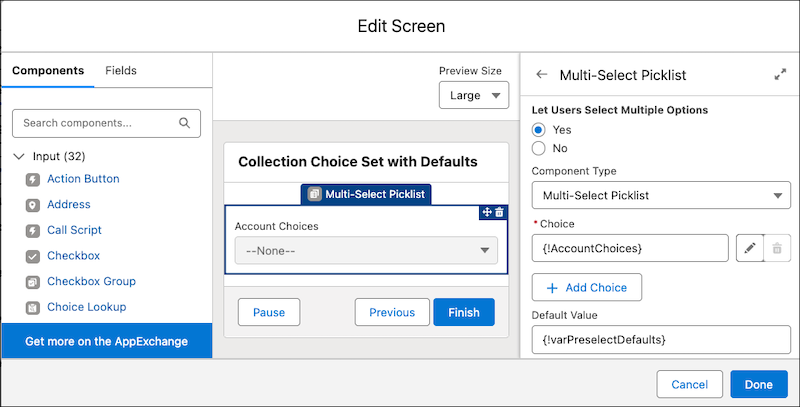
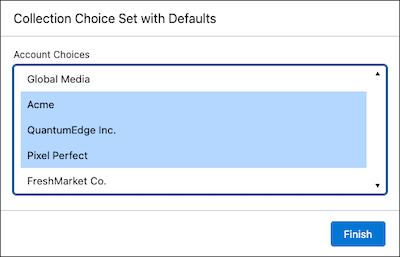
At run time, the flow preselects the Acme account and all other accounts where the industry type is Technology.