You are here:
Repeater Screen Display Component
Collect information about multiple items of the same type on a screen with the Repeater component. To use the output of the component elsewhere in the flow, loop over the output and save the relevant data in a variable. Use the variable to build a list of records.
Required Editions
| View supported editions. |

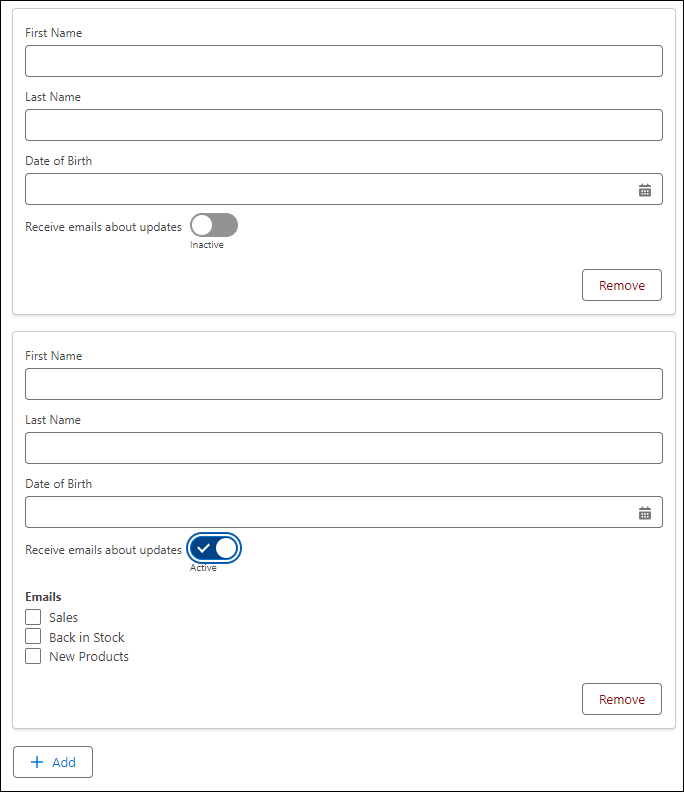
Here's what a Repeater component looks like at runtime. This repeater has five child components that have been repeated on the screen when the user clicked Add to add another person. The child components are two Text components named First Name and Last Name, a Date component named Date of Birth, a Toggle component named Receive emails about updates, and a Checkbox Group component named Emails. The Checkbox Group component is set to be hidden until the Toggle component is set to Active. The user can keep clicking Add and the same five components are repeated on the screen each time.

Configure the Repeater Component
| Attribute | Description |
|---|---|
| API Name | The API name of the component. An API name can include underscores and alphanumeric characters without spaces. It must begin with a letter and can’t end with an underscore. It also can’t have two consecutive underscores. Screen readers use the API name to announce the Repeater component and its child components. |
Configure Data Source
Select the collection of items that prepopulates the Repeater component at run time. The Repeater’s child components can reference values from this collection.
| Attribute | Description |
|---|---|
| Collection for Prepopulated Items | Fields from the selected collection become available to child components in the Repeater. The Collection for Prepopulated Items field isn’t reactive. As a result, outputs from a screen action don’t populate data in repeaters at run time. |
| Unique Identifier for Items | The unique identifier for items is the API name of the field that contains a unique identifier for each item in the collection. This field is set automatically to the object’s ID field. |
Configure Display Options
| Attribute | Description |
|---|---|
| Let Users Add or Remove Items | Choose whether screen flow end users can add new items or remove prepopulated items in your Repeater instance. End users can remove items that they added manually. |
Set the Component Visibility
Specify the logic that determines when the flow displays the component.
| Option | Description |
|---|---|
| When to Display Component | Configure when the component is displayed by using conditional logic. You can set the components to:
|
Usage
After you configure the Repeater component, add and configure one or more child components
inside the Repeater. The flow stores user input for the Repeater component in the
AllItems attribute of the component. You can loop over the items in this
collection to create a collection variable that you can use later in the flow.
AllItems Attribute Considerations
- The
AllItemsattribute is empty when:- The Repeater component contains only child components that don’t accept user input such as the Display Text component.
- A user doesn’t add Repeater instances to the screen.
- The
AllItemsattribute is null when all the child components are hidden by conditional field visibility. - The
AllItemsattribute and its value are read-only. - The
AllItemsattribute isn’t supported in Assignment elements.
General Considerations
- You can’t include the Action Button component or record fields in a Repeater.
- The output of Repeater components isn’t supported in Transform, Collection Filter, or Collection Sort elements.
- You can’t reference the output of a different Repeater component in a Repeater child component.
- Choice components that reference a collection choice set resource in the Choice field aren’t reactive inside Repeater components.
- When you create or update a screen, you can move a component on the same screen into the Repeater component. You can also move a component from inside a Repeater component to a different place on the screen. However, any references to the moved component are broken.
- If you move a component with the Manually Assign Variables checkbox selected into a Repeater component, any manual assignments are removed and the checkbox is deselected. However, the variables still exist in the flow. We recommend reviewing the component after a move to ensure that it doesn’t include broken references.
- Users can add up to 30 instances of the Repeater component to the screen at runtime.
- The format for a reference to a Repeater component within the component itself is
{!repeaterAPIName.fieldName}. In validation messages and the flow metadata package, the format for the same reference is{!repeaterAPIName.AllItems[$Items].fieldName}.
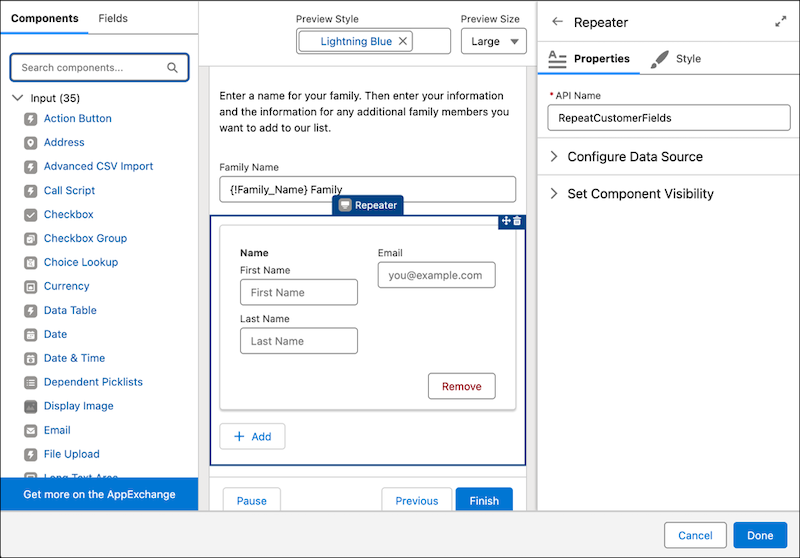
This example shows a screen that includes a Repeater component with Name and Email child components to collect information about new customers.