You are here:
Wait for Conditions Element
Resume a flow interview after specific conditions are met. Each wait configuration that you define in a flow has optional wait conditions. At run time, these conditions determine whether the flow waits for the associated resume event.
Required Editions
| View supported editions. |

- Flows that contain Wait elements must be autolaunched.
- If a flow includes Wait elements and screens, choice, or choice sets, you can’t activate or run it.
- Before you add a Wait element to your flow, understand the special behavior and limitations. Learn more in Paused Flow Interview Considerations
- Flow Builder saves your expand and collapse preferences for this element locally in your browser, and this setting does not affect other users’ view. If you clear your browser's site data or use a different browser, your preferences reset to the default expanded view.
Each wait configuration corresponds to a wait connector on the canvas. When a flow pauses, it waits for one or more resume events. For the first resume event that occurs, the flow resumes and runs the connector for the associated pause configuration. If the flow waits for multiple resume events, consider returning the flow path to the Wait element again so that the flow waits for the other resume events. If you return the flow path to the Wait element, use wait conditions to control when the flow waits for each event.
If the wait conditions aren’t met for a resume event, the interview doesn’t wait for that event. If all resume events have unmet wait conditions, the interview doesn’t pause. Instead, it runs the default path.

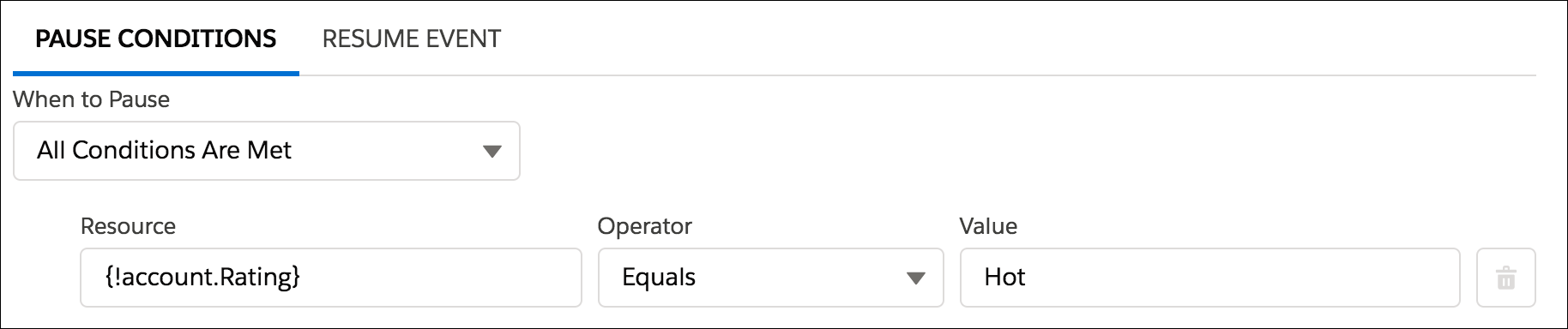
- The flow waits for different events based on a field value on a given record. For example, send an email reminder to a contract’s owner before the contract’s end date. However, the date on which you send the email depends on the rating of the contract’s account. If the account is hot, send the email a month before the end date. If the account isn’t hot, send the email two weeks before the end date.For this example, you create two events. The event for hot accounts occurs 30 days before the contract’s end date. Its wait conditions check whether the rating for the contract’s account is equal to “Hot.” The second event occurs 14 days before the contract’s end date. Its wait conditions check whether the rating for the contract’s account is not equal to “Hot.” If the account is hot, the interview doesn’t wait for the second event.
- The flow waits for multiple events to occur, such as to send periodic email reminders. For an example of this scenario, see Sample Flow That Pauses Until Multiple Resume Events Occur.
- Flow Resume Events
Define the event to wait for if the wait conditions are met. When an event occurs, the flow resumes and takes the path associated with this wait configuration. - Have a Flow Wait Before Completing an Action Examples
Learn four ways you can configure a flow to pause and resume based on specific events or timing.
