You are here:
Strategy Builder Generate Element
With the Generate element, you can dynamically generate personalized recommendations where a large number of possibilities makes it inconvenient to create recommendations manually. The Generate element allows you to create in-memory, on-the-fly recommendations, either from an external data source or from other Salesforce objects.
Required Editions
| View supported editions for Next Best Action. |
| Field | Description |
|---|---|
| Label | The name of the element as it appears on the canvas. |
| API Name | The API name of the element. The API name must be unique. |
| Description | Optional description of the element and how it works within the strategy. |
| Apex Action | Search or select an Apex action, which calls an Apex class. An Apex class must have a method marked as an invocable method in order to appear as an Apex action in declarative tools like Strategy Builder. |
| Argument | Specify one or more parameters for the selected Apex action. |

Suppose you want to show a service agent a list of key accounts to follow up with after a set number of days has passed since the previous contact. With the Generate element, you can call an Apex action that makes a SOQL query for Account where the Owner is the logged-in user (the agent). This query identifies the accounts who were last contacted more than, say, 90 days ago. Next Best Action returns the relevant accounts in the form of recommendations. The strategy can be as simple as the Generate element with an Output element.
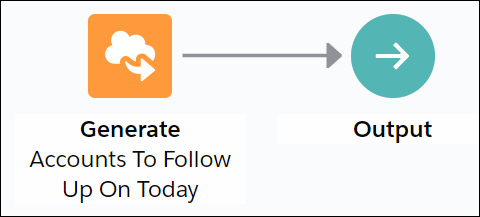
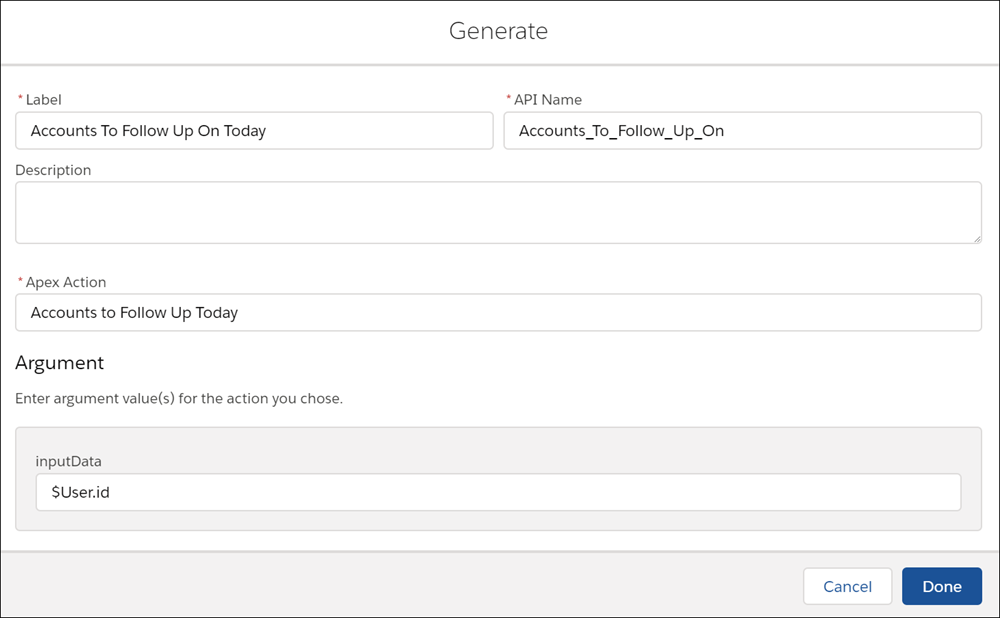
When you configure the Generate element, select Accounts to Follow Up Today as the Apex action and specify $User.id as an input parameter.
The Generate element calls the getAccounts invocable
method in the Generate_GetAccountsToFollowUp Apex class.
This method retrieves the relevant accounts and creates a list of recommendations. The
recommendation description includes the name of the account (account.Name) and the number of days since the last contact (daysSinceLastContact).
global class Generate_GetAccountsToFollowUp {
    @InvocableMethod(label='Accounts to Follow Up Today'
                     description='Recommend accounts the current user should follow up on today')
    global static List<List<Recommendation>> getAccounts(List<String> inputData){
        List<List<Recommendation>> outputs = new List<List<Recommendation>>();
        Integer daysSinceLastContact;
        Account[] accounts = [SELECT Name, Description, LastContactDate__c, OwnerId FROM Account WHERE OwnerId = :inputData[0]];
        List<Recommendation> recs = new List<Recommendation>();
        for (Account account:accounts) {
            if (account.LastContactDate__c != null){
                daysSinceLastContact = account.LastContactDate__c.daysBetween(date.today());
                if (daysSinceLastContact > 90){
                    Recommendation rec = new Recommendation(
                        Name = account.Name,
                        Description = 'Connect with the ' + account.Name + ' account, the last interaction was '+ daysSinceLastContact + ' days ago.',
                        //Pre-req: Create a screen flow with the name simpleFlow
                        ActionReference = 'simpleFlow',
                        AcceptanceLabel = 'View'
                    );
                    recs.add(rec);
                }
            }
        }
        outputs.add(recs);
        return outputs;
    }
}
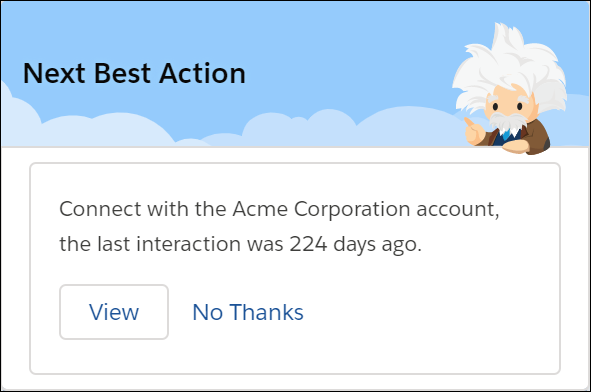
When you execute the strategy, the resulting recommendation includes the name of the account and the number of days since the last contact with them.
Usage
The Generate element requires an Apex action marked as an invocable method.
@InvocableMethod(
label='Related Wikipedia Pages'
description='Recommend wikipages that are related to the named input wikipage')
The Generate element can pass any number of inputs to the Apex action, either as lists or a
list of lists of primitives, sObjects, and user-defined Apex objects. To provide more than one
input, the input parameter must be a list or a list of lists of a user-defined Apex object (for
example, a custom class called DataContainer).
List<String> relatedTo
OR
global class DataContainer {
@InvocableVariable
public string accountId;
}
____
global static List<List<Recommendation>> invocableMethod(List<DataContainer> inputData)
The Generate element returns a list of recommendations. Invocable methods support returning
either a list of an sObject type or a list of lists of an sObject type. Since the Enhance
element operates not on a single recommendation but on a list of recommendations, the method
must return a List<List<Recommendation>>.
global static List<List<Recommendation>> invocableMethod(List<DataContainer> inputData)
