Loading
Prepare for Email to Become the Default Login ExperienceRead More
Automate Your Business Processes with Salesforce Flow
Create, Package, and Distribute a Strategy Builder Template

Create, Package, and Distribute a Strategy Builder Template

Enterprise developers can create and package strategy templates from Developer Edition orgs for use in multiple Salesforce orgs. Independent software vendors can also publish templates on AppExchange for distribution to their subscribers. Strategies not marked as templates in managed packages have intellectual property (IP) protection and can’t be edited or cloned. IP protection safeguards proprietary information in your strategies.
Required Editions

View supported editions for Next Best Action.
User Permissions Needed
To create a strategy:

Modify All Data

OR

Manage Next Best Action Strategies

To create a managed package: Create AppExchange Packages

You distribute changes to strategy templates via a managed package. Subscribers who install a strategy template can open it in Strategy Builder and clone it to customize it for their own use. When you publish updates to strategy templates via a package upgrade, template updates don’t affect subscribers’ copies.

  1. In Strategy Builder, create the strategy that you want to make into a template.
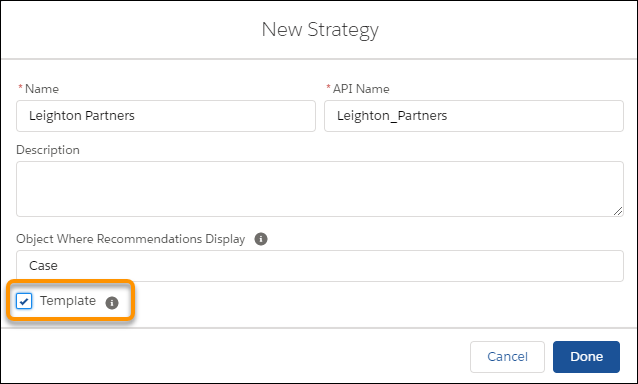
  2. Open the strategy’s properties and select Template.
    New Strategy dialog
  3. If you must, create your managed package.
  4. Distribute the strategy template in the managed package and let your subscribers know it’s available.
Example
Example

Suppose you build and package strategies for insurance companies. Because insurance laws and regulations can vary by location, your subscribers want the ability to modify your strategies when needed. They can do this using strategy templates you create.

 
Loading
Salesforce Help | Article
