You are here:
Add MCP Server Tools to Your Agentforce Agents
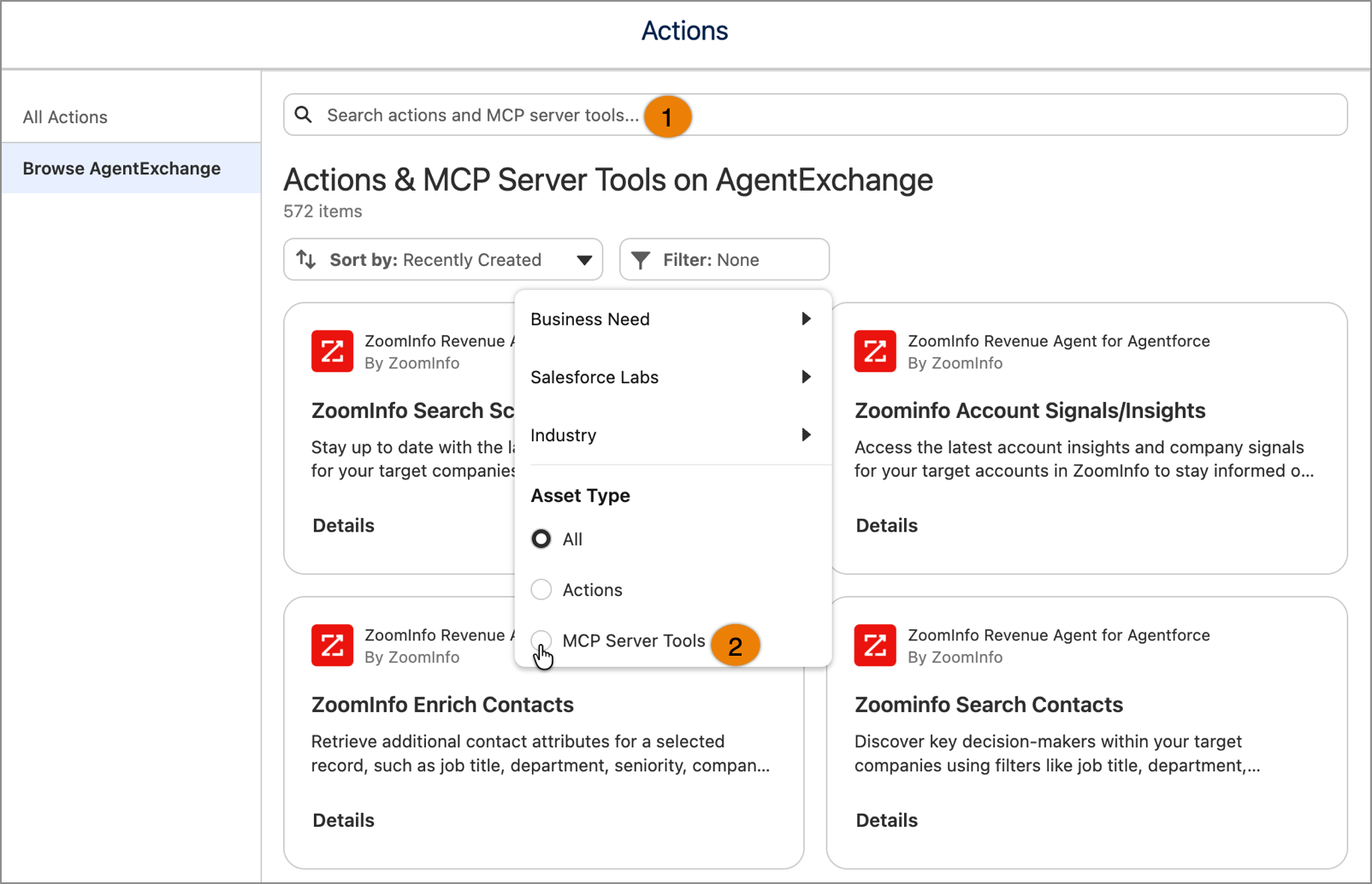
Extend your AI agents' capabilities by adding AgentExchange-hosted Model Context Protocol (MCP) server tools directly in Agentforce Builder. The enhanced actions modal displays MCP server tools alongside standard agent actions, making it easy to discover and integrate the right tools for your agent's workflow. Use the new Asset Type filter to quickly switch between actions and MCP server tools.
Who: This change impacts Agentforce admins and developers.
Where: This change applies to Asset Library in Agentforce Builder.
Why: Access to MCP server tools directly in the Agentforce builder streamlines the process of extending agent functionality, reducing the time needed to discover and integrate the right tools for your use case.
How: In Agentforce Builder, open the AgentExchange modal when configuring your agent. In the Actions modal, search for MCP server tools using the search bar (1), or narrow results with the MCP Server Tools filter (2). Then, select a tile for an MCP server tool to view its details.