
You are here:
Create a Lightning Platform Payment Site for Salesforce Billing
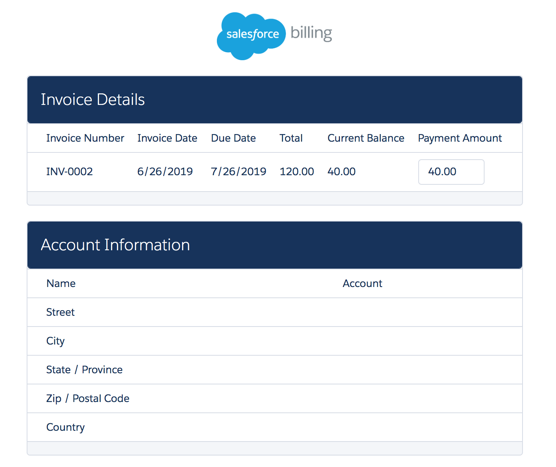
Create a Lightning Platform site so that customers can pay an invoice without logging in to Salesforce Billing. (Salesforce Billing Managed Package)
Required Editions
| Available in: All Salesforce Billing editions |
Payment sites require that your org has a domain name. If you don’t have one yet, create one by following Register a Salesforce Sites Domain.
- Assign object and field permissions to users who work with the payment site. Usually, your end customer’s finance teams use the payment site to make payments against outstanding invoices. You can find a list of required permissions in Object and Field Permissions for Lightning Platform Payment Sites.
-
From the Sites page, click New, select
Active, enter checkOut for the active site home
page, and then provide a default web address. Save your changes.
On the Sites detail page, make a note of your payment site’s URL. You can find it by going to the Custom URLs section and adding your path to the end of your domain name.
-
If your Lightning Platform site is part of a production org, provide site licenses to guest
users.
- On your Site details page, click Public Access Settings, then click View Users. Select the Site Guest User entry for your site.
- In the Managed Packages section, click Assign Licenses.
- Select Salesforce Billing and Salesforce CPQ, and then click Add.
-
Provide the payment site URL on invoices so that customers can pay them. The payment site
URL consists of your site URL followed by
?id=and then the invoice record’s URL ID. Your record ID is the list of numbers at the end of the record’s URL. For example, let’s say your invoice has a URL ofhttps://sales-site.salesforce.com/a1W6A000000bnF9, and your payment site has a URL ofhttps://sales-payment-site.salesforce.com. In this case, your payment site URL for that invoice record would behttps://sales-payment-site.salesforce.com/?id=a1W6A000000bnF9.You can quickly reference the site URL by using an invoice formula field that returns the site URL with the invoice ID at the end. Here are two ways you can get it to your customers.- Create an email template that customers receive with their invoice document. The body of the template contains a URL that sends the customer to the payment site URL defined on the invoice record.
- Use a Salesforce Billing document generation plug-in to create an invoice document template with a link to the invoice payment site URL.
- To enable the settings for saving credit card details for future payments and automatic payments, review Allow Customers to Save Credit Card Details.
Did this article solve your issue?
Let us know so we can improve!
