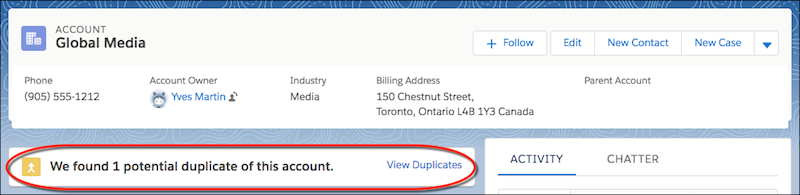
If a record duplicates other records, you can alert sales reps when they open the
record in Lightning Experience. Activate duplicate rules and add alerts to page
layouts.
Required Editions
Available in: Lightning Experience
Available in: Essentials, Professional,
Enterprise, Performance, Unlimited, and
Developer Editions
User
Permissions Needed
To view duplicate rules and matching rules:
View Setup and Configuration
To create, edit, delete, activate, and deactivate duplicate rules
and matching rules:
Customize Application
In orgs created in Summer ’17 and later, standard duplicate rules and the Potential
Duplicates component are set up and activated for business accounts, contacts, and
leads. To use duplicate rules and the Potential Duplicates component for person
accounts, first enable person accounts. Then activate person account matching rules
and duplicate rules, and add the Potential Duplicates component to your person
accounts layout.
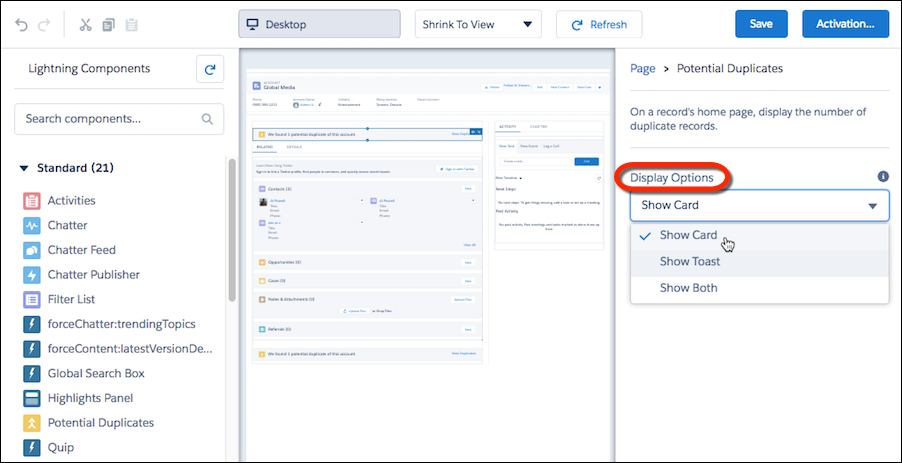
You can alert sales reps to duplicates by showing a card on record home pages.
Or you can show a temporary toast message. You can also display both types of
alerts.
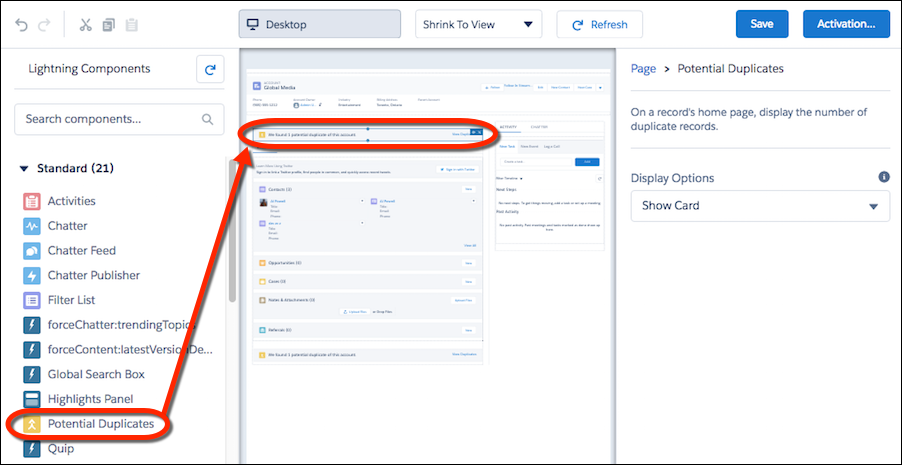
In Setup, use the Quick Find box to find Lightning App
Builder.
On accounts, contacts, or leads, add the Potential Duplicates component.
Select how you want to alert sales reps to duplicates.
You can’t add the Potential Duplicates component to custom objects. However,
you can create rules to handle custom-object records that duplicate an account,
contact, or lead.
Reps who have permission to merge duplicates can choose up to three records on the
same object to merge.
We use three kinds of cookies on our websites: required, functional, and advertising. You can choose whether functional and advertising cookies apply. Click on the different cookie categories to find out more about each category and to change the default settings.
Privacy Statement
Required Cookies
Always Active
Required cookies are necessary for basic website functionality. Some examples include: session cookies needed to transmit the website, authentication cookies, and security cookies.
Functional Cookies
Functional cookies enhance functions, performance, and services on the website. Some examples include: cookies used to analyze site traffic, cookies used for market research, and cookies used to display advertising that is not directed to a particular individual.
Advertising Cookies
Advertising cookies track activity across websites in order to understand a viewer’s interests, and direct them specific marketing. Some examples include: cookies used for remarketing, or interest-based advertising.