Custom Fields for Plans, Teams, and Users in Salesforce Spiff
Add custom fields to plans, teams, and users in Salesforce Spiff so you can track your company's unique requirements, such as on-target earnings (OTE) or services rate.
Required Editions
Available in: both Salesforce Classic (not available in all orgs) and Lightning
Experience
Available in: Enterprise, Unlimited, and Developer
Editions
Available for an additional cost in: Professional Edition with Web
Services API Enabled
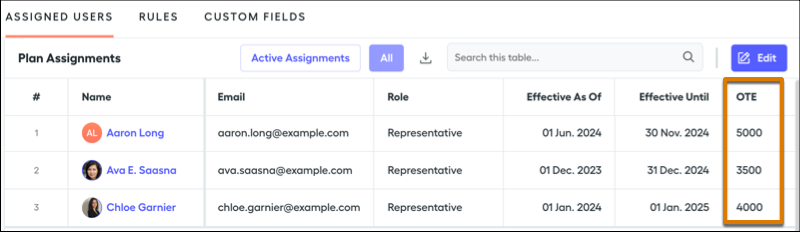
When you add custom fields to plan assignments, additional columns are visible in the plan assignment table. For example, when you add a custom OTE field, an OTE column is available in the plan assignment table. Custom fields are also available in Designer calculations.
Plans and Teams
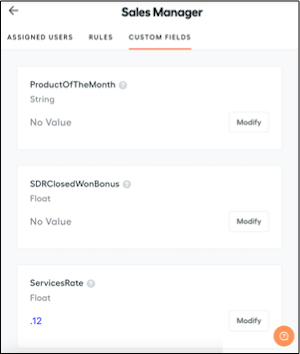
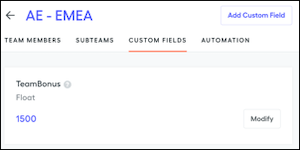
The Custom Fields tab on a plan or a team shows any fields that you added. Custom fields are available for all plans or teams, and you can customize the value for each plan or team, or leave the value empty. For example, if you define a Services Rate custom field on plans, maybe a Sales Manager plan has a 12% rate and an Enterprise AE plan has a 15% rate. Similarly, if you define a Team Bonus custom field on teams, maybe an AR - EMEA team has a $1,500 bonus and an AE - North America team has a $1,700 bonus.
You can update values from the Custom Fields tab rather than searching for them in Designer. Custom fields appear on this tab for every plan, even if the field isn't used in the current plan.
We use three kinds of cookies on our websites: required, functional, and advertising. You can choose whether functional and advertising cookies apply. Click on the different cookie categories to find out more about each category and to change the default settings.
Privacy Statement
Required Cookies
Always Active
Required cookies are necessary for basic website functionality. Some examples include: session cookies needed to transmit the website, authentication cookies, and security cookies.
Functional Cookies
Functional cookies enhance functions, performance, and services on the website. Some examples include: cookies used to analyze site traffic, cookies used for market research, and cookies used to display advertising that is not directed to a particular individual.
Advertising Cookies
Advertising cookies track activity across websites in order to understand a viewer’s interests, and direct them specific marketing. Some examples include: cookies used for remarketing, or interest-based advertising.