
You are here:
Considerations for Supporting Salesforce Spiff Commission Estimator Users
After you set up the Salesforce Spiff Commission Estimator, review issues or questions that can occur as users begin estimating commissions.
Required Editions
| Available in: both Salesforce Classic (not available in all orgs) and Lightning Experience |
| Available in: Enterprise, Unlimited, and Developer Editions |
| Available for an additional cost in: Professional Edition with Web Services API Enabled |
Environments
The Spiff Commission Estimator is compatible with any Salesforce org that you connect in Spiff, including Salesforce sandboxes.
Data Access
Custom Salesforce objects store the results of estimated opportunities and quotes for individual users. By default, Salesforce admins and Spiff Commission Estimator administrators have access to the data stored in the custom objects.
Commission Statements
- If you have access to the Spiff Commission Estimator in Salesforce and your Spiff account has active statements, you can see commission estimates.
- If a Salesforce admin has access to the Commission Estimator object and logs in as another user, they see commission statements and other data available to the logged-in user.
Commission Breakdown
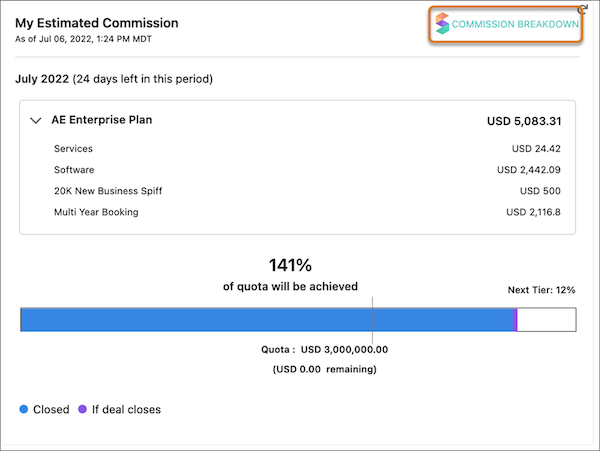
When a rep estimates their commission, the Commission Breakdown option in the estimate window opens a detailed view of payout rules, including What-If? rules. Make sure that you understand which quotes appear in What-If? rule obligation records.
Data syncs once per day, usually at night. After the sync is complete, the new Quote and Quote Line data is available in Spiff for use in payout rules that use quotes as obligations. Statements are recalculated after the nightly sync.
Only primary quotes sync to Spiff, so not all quotes created in Salesforce are available in Spiff.
When reps view individual obligations in Commission Breakdown, a quote doesn't appear if it isn’t the primary quote or if it was created before the sync. A missing quote doesn't mean Spiff can't provide an estimate.
Error Troubleshooting
Sometimes, Spiff Commission Estimator references a particular field in an error message. To resolve the error, remove the field from the field set in Salesforce, deprecate the field in Spiff, and turn off syncing for the field from Manage Objects & Fields in the Data tab in Designer. Check whether the field has any other dependencies, such as calculations or rules that reference it, and remove those references.
