
Loading
Feature Degradation | Agentforce Voice Read More
Sales Performance Management
Table of Contents
Select Filters

          No results
          No results
          Here are some search tips

          Check the spelling of your keywords.
          Use more general search terms.
          Select fewer filters to broaden your search.

          Search all of Salesforce Help
          Manage Sandbox Record Usage in Salesforce Spiff

          Manage Sandbox Record Usage in Salesforce Spiff

          Based on your Salesforce Spiff license, each sandbox has limits on the amount of data that you can create. A sandbox doesn’t copy transactional data from its parent environment, but you can add or import transactional data to your sandbox. Manage sandbox data capacity by tracking the total count of transactional records against your import limits. Archive records to clear space and maintain system performance.
          Required Editions

          Available in: both Salesforce Classic (not available in all orgs) and Lightning Experience
          Available in: Enterprise, Unlimited, and Developer Editions
          Available for an additional cost in: Professional Edition with Web Services API Enabled
          User Permissions Needed

          To manage sandbox records in Salesforce Spiff:

          A Spiff user role with these permissions turned on.

          • Data Sources: View
          • Data Sources: Edit
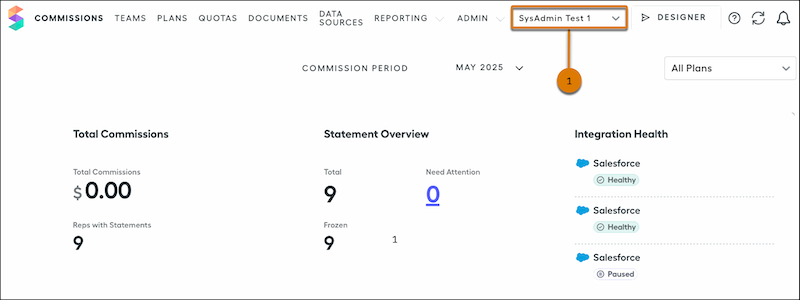
          1. In the parent environment, select a sandbox from the list of environments (1).
            This list appears only if you have access to more than one environment.
            Spiff Welcome dashboard highlighting the environments list
          2. In the sandbox, click Data Sources.
          3. To reduce the number of records in the sandbox, next to the record type, click the three dots and select whether to archive or delete the records.
           
          Loading
          Salesforce Help | Article