
You are here:
Support Rep Experience for Channel-Object Linking (Beta)
While the support rep is in a session with a user, a notification appears in the Lightning console when a rule takes place. The support rep can click the link in the notification to get more detail or perform other actions.
Required Editions
| View supported editions. |

For example, let’s say you create a rule for text messages that links conversations to contact records. And you specify that the link occurs automatically when there’s one match. If a support rep speaks with someone at a phone number matching a contact’s number, the support rep’s notified that the conversation is linked automatically to that contact. The support rep can review the changes and optionally cancel the new link.
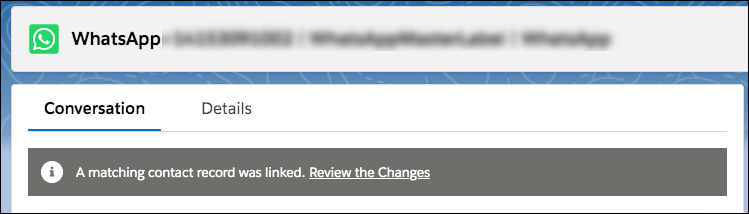
The following table describes all the possible scenarios and the default behavior for each scenario.
| Matches Found | Linking Logic (Specified During Rule Setup) | Default Behavior | Additional Options |
|---|---|---|---|
| 0 | Create Record and Link | Record is automatically created and linked to channel interaction. | Support rep can link to a different record or unlink the auto-linked record. |
| Prompt Support Rep | Support rep is prompted to search for or create a record to link to. | Support rep can cancel the action. | |
| 1 | Auto-Link Record | Record is automatically linked to channel interaction. | Support rep can link to a different record or unlink the auto-linked record. |
| Prompt Support Rep | Support rep is prompted with the suggested record and can search for, or create, a different record to link to. | Support rep can cancel the action. | |
| 2 or more | N/A | Support rep is prompted with the suggested records and can search for, or create, a different record to link to. | Support rep can cancel the action. |
The matching logic looks for contact records where the value in the phone number field corresponds to most of the digits in the caller’s phone number. It ignores the country code and matches the remaining digits.
For example, suppose that a customer with the US phone number 415-555-1234 calls your contact center. Your org has three contact records for this customer, and each record has a variant of the customer’s phone number:
Contact record 1’s phone number is 415-555-1234.
Contact record 2’s phone number is 1-415-555-1234.
Contact record 3’s phone number is +1 415-555-1234.
The matching logic recognizes that these records match the caller’s number, so it suggests them as matches and prompts the support rep to link the call to the contact record. When a contact is matched with a Voice Call record, the Caller field or the Recipient field on the Voice Call record is updated depending on the call type. For inbound and transferred calls, the caller field is updated. For outbound and returned calls, the recipient field is updated.
