
Record Asset Downtime in Field Service
Use the Asset Downtime Periods related list to record details of planned and unplanned downtime.
Required Editions
| Available in: both Salesforce Classic (not available in all orgs) and Lightning Experience |
| The Agentforce Field Service and Operations core features, managed package, and mobile app are available in Enterprise, Unlimited, and Developer Editions. |
When an asset is shared, its asset downtime period records are also shared.
- Open the asset record and the Related tab.
- Next to Asset Downtime Periods, click New.
-
In Downtime Type, select Planned or Unplanned.
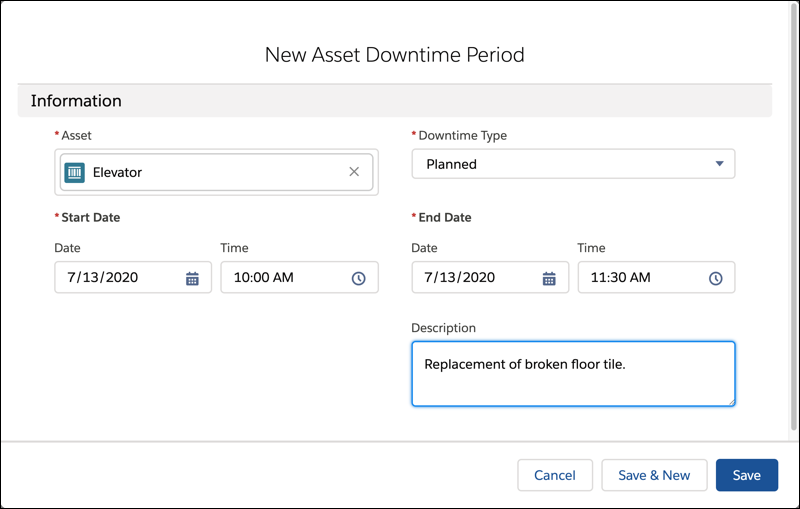
- Enter the date and time for the start and end of the downtime.
- Enter a description of the reason for the downtime.
- Save your changes.

Example Enter details for downtime that occurs during the hours when the asset is expected to
be available. For example, a public elevator in a retail store is expected to be available
from 8 AM to 8 PM. In this example:
- Planned maintenance performed between 9 PM and 10 PM isn’t recorded as downtime.
- Unplanned maintenance performed between 7 AM and 9 AM is recorded as unplanned downtime from 8 AM to 9 AM.
- Unplanned maintenance performed between 1 PM and 11 AM the following day is recorded as
two down time records:
- Unplanned downtime from 1 PM to 8 PM on the first day.
- Unplanned downtime from 8 AM to 11 AM on the second day.
If downtime outside the expected uptime is recorded, the reliability and availability figures are understated. In extreme cases, they can be reported as negative.
Did this article solve your issue?
Let us know so we can improve!
