
Enable Service Appointment Bundling
Enable appointment bundling in Field Service Settings.
Required Editions
| Available in: both Salesforce Classic (not available in all orgs) and Lightning Experience |
| The Agentforce Field Service and Operations core features, managed package, and mobile app are available in Enterprise, Unlimited, and Developer Editions. |
| User Permissions Needed | |
|---|---|
| To enable appointment bundling: | Customize Application |
- From the App Launcher, open Field Service Settings.
-
Click Scheduling, and then click
Bundling.
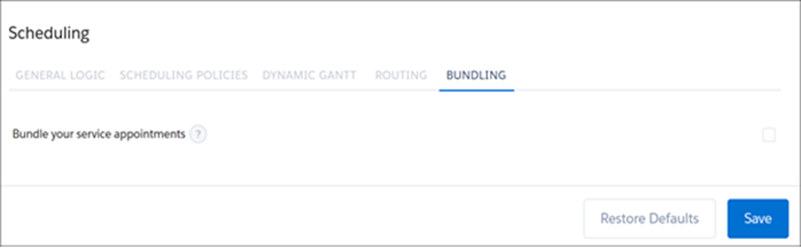
- Enable bundling service appointments and save your changes.
- To access the additional settings, refresh your browser.
- Default Appointment Bundle Policy and Related Policies
If no policies exist, a default appointment bundle policy is created along with some of its related policies. Access Appointment Bundle Policy from the App Launcher. Access the remaining policies from the Related tab of the appointment bundle policy. - Default Appointment Bundle Config
If an appointment bundle config doesn’t exist, a default one is created. Access Appointment Bundle Config from the App Launcher. - Set Up Automatic Bundling
Use automatic bundling to create and update bundles instead of managing them manually. Automatic bundling includes two modes: Automated Bundling and Live Bundling. The automatic bundling process looks for service appointments in a particular service territory and then looks at the priority of the bundle policy. After the bundles are created, they appear in the work list and can be scheduled. - Create Recordset Filter Criteria for Bundling Appointments
You can create filters to bundle only the appointments that meet the criteria that you set. Creating recordset filter criteria is optional, but if you want to use them in the bundle policies, you must create them first.
Did this article solve your issue?
Let us know so we can improve!
