
Create Work Step Templates
Start by creating work step templates for the smallest individual units of work.
Required Editions
| Available in: Lightning Experience |
| The Field Service core features, managed package, and mobile app are available in Enterprise, Unlimited, and Developer Editions. |
| User Permissions Needed | |
|---|---|
| To create work step templates: | Create and Read on work step templates |
| To view work step templates: | Read on work step templates |
| To update work step templates: | Edit and Read on work step templates |
| To delete work step templates: | Delete and Read on work step templates |
- In the app launcher, click Work Step Templates.
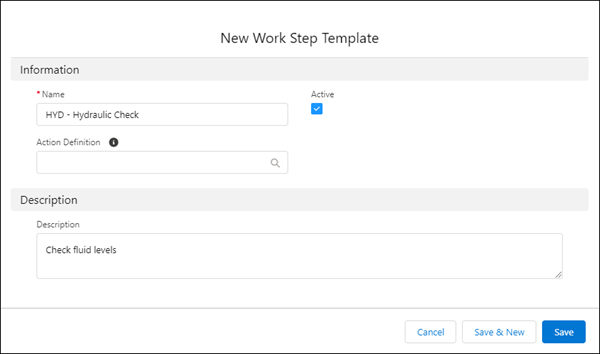
- Click New, and enter a name for the work step template.
-
Optionally, in Action Definition, select a quick action, a screen flow, or a field service
mobile flow.
 Note On the Field Service mobile app, use flows of type Field Service Mobile only. When you use work plans on a web browser, work steps that have a quick action that launches a Lightning web component (LWC) in Action Definition don’t work. They’re supported only in the Field Service mobile app.Quick actions defined on work steps and work orders can be added to Action Definition.
 - Enter an optional description.
- Click Active.
-
Save the work step template.
See Also
Did this article solve your issue?
Let us know so we can improve!
