
You are here:
Incident Lifecycle Example: A Day in the Life of an Incident Team
An incident manager at Take-Out notices a spike in customer cases coming from multiple channels, including email, chat, messaging, and phone, about errors with a new marketing discount code.
Required Editions
| View supported editions. |
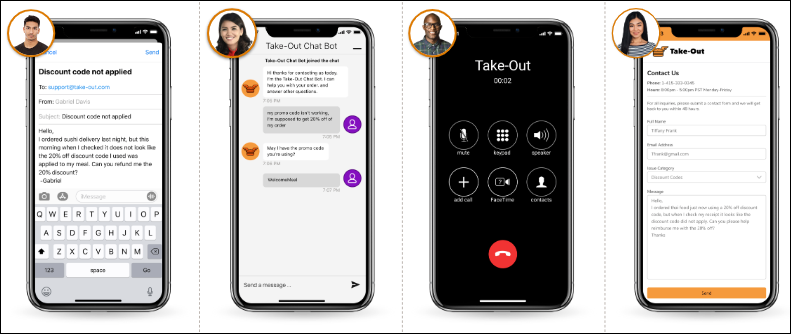
- The incident manager looks at new and open cases and sees dozens of cases about a
malfunctioning discount code.
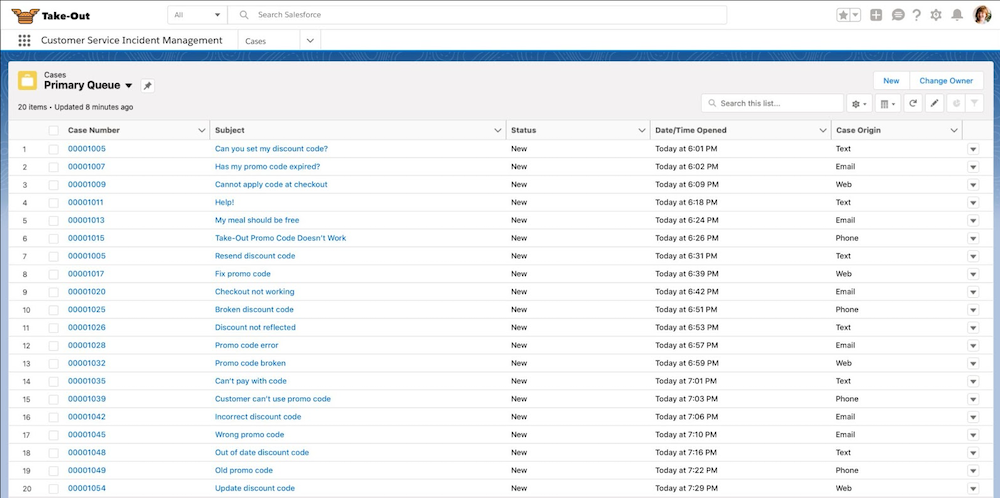
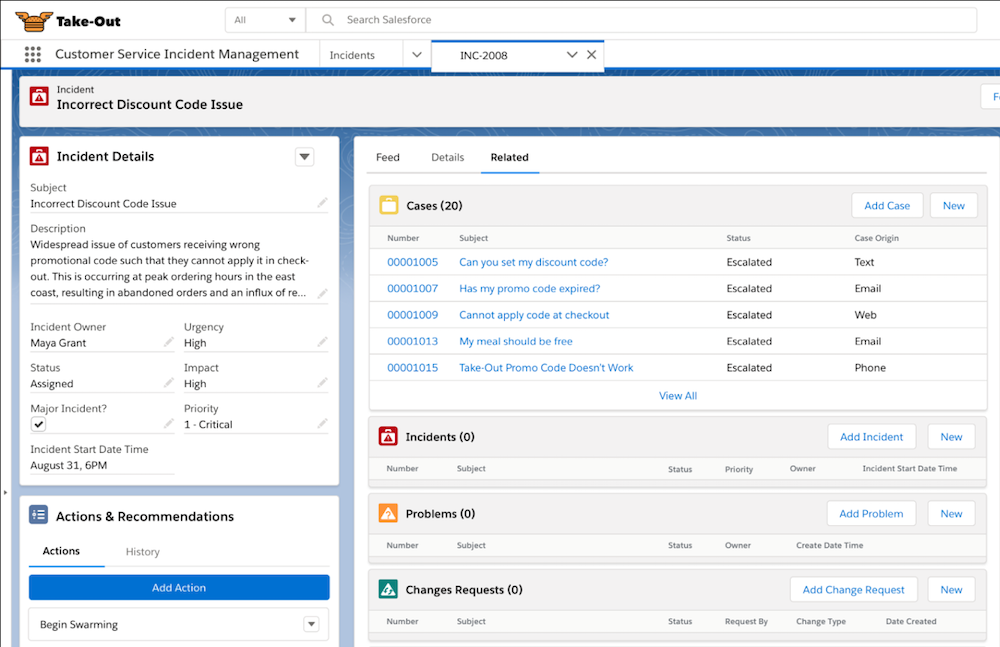
- The incident manager creates an incident record. The incident record contains info about the discount code errors, which service territories are impacted, and the urgency level.
- To track related cases while the incident is investigated and to remove incident-related
issues from support rep queues, the incident manager links cases from the Case Related
Issues related list.
- A member of the incident resolution team is assigned the incident via Omni-Channel based on their expertise in discount code issues.
- The incident owner launches the Change Case Owner to Incident Owner flows from the Actions & Recommendations component so that all linked cases now belong to them. Previous case owners can now go back to fielding new customer cases and aren’t distracted by cases related to the incident.
- The incident owner searches for relevant knowledge articles in the Knowledge component,
but they can’t find any known workarounds.

- The incident owner decides to start a swarm in Slack with other subject matter experts using the Begin Swarming flow and Expert Finder. As a team, the discount code experts work together in the swarm to localize the issue, identify all impacted customers, and invite DevOps team members to collaborate on the resolution.
- A member of the DevOps team creates a problem record in Salesforce to capture the problem details and investigate the root cause. The DevOps team gets to work debugging the issue, identifies impacted assets, and links the problem to the incident so that the incident owner can keep customers informed.
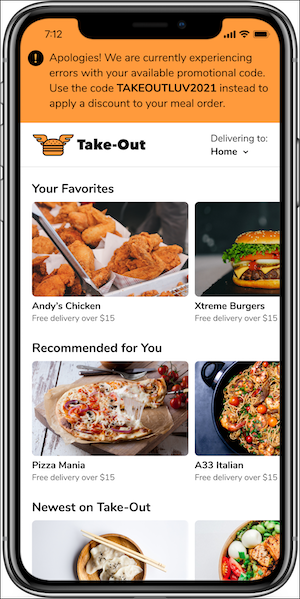
- The incident owner adds a broadcast banner to the Take-Out site to alert authenticated
users about the incident and to offer an alternate discount code to prevent further
cases.
- As soon as the DevOps team identifies the bug that’s causing the discount code errors, a team member creates a change request to capture the steps to resolution.
- From the change request, a DevOps member creates a work plan to outline the steps
required to resolve the incident and restore the discount code.
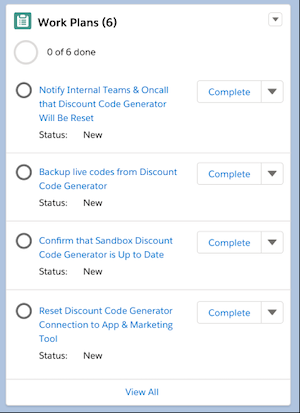
- After all the steps are completed and verified, the incident response team launches an approval flow to get sign-off for the emergency fix from the Change Advisory Board.
- After the fix is approved and the incident resolved, the incident team launches the
Close Change Request & Related Issues flow from the Actions & Recommendations
component. The flow automatically closes the change request and its related problem,
incident, and cases.

- The incident owner removes the banner from the Take-Out site and sends a broadcast email to all impacted customers to let them know that the discount code is working again.
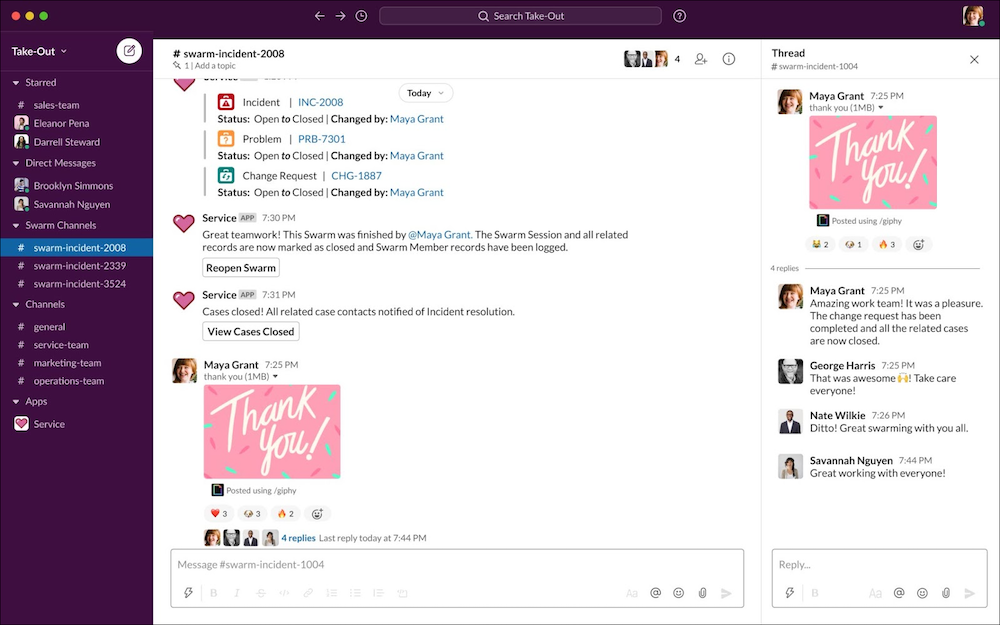
- The incident owner closes the swarm, and the team celebrates their quick thinking and
collaboration in Slack.
Did this article solve your issue?
Let us know so we can improve!
