
Loading
Service
Table of Contents
Select Filters

          No results
          No results
          Here are some search tips

          Check the spelling of your keywords.
          Use more general search terms.
          Select fewer filters to broaden your search.

          Search all of Salesforce Help
          Send a Broadcast Alert

          Send a Broadcast Alert

          When an incident occurs, send an alert to the appropriate team members so that they can take direct action and quickly resolve the issue. The alert is routed to the team based on the topics that are assigned to the group. For example, if an incident related to a hardware issue occurs, then you select Hardware Issue as the broadcast topic. The incident group that handles hardware issues is then notified.
          Required Editions

          View supported editions.
          • Customer Service Incident Management must be enabled.
          • Broadcast alerts must be enabled.
          • Broadcast topics must be assigned to groups.
          1. Go to the incident related lists and find the Broadcast Communications related list.
          2. Click New Broadcast Alert.
          3. Select the relevant broadcast topic and click Next.
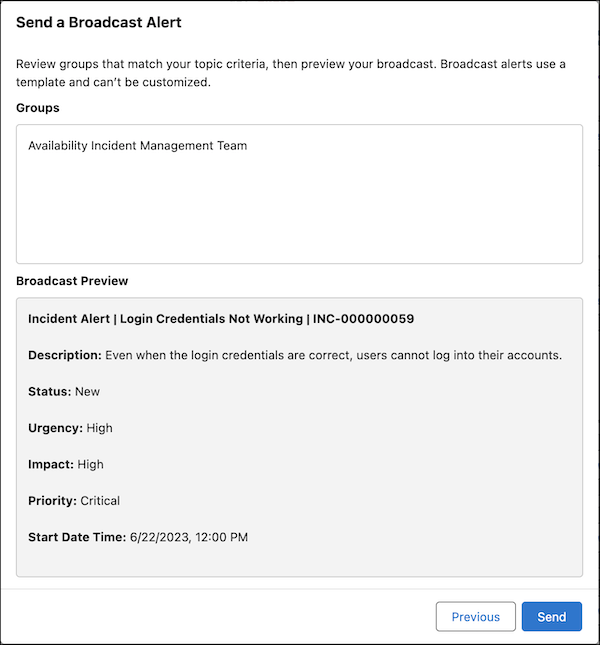
          4. Review the alert and click Send.
            Preview box for a broadcast alert.

          After you send a broadcast alert, the group’s team members see the alert on the Incident Alert utility’s Newest tab.

           
          Loading
          Salesforce Help | Article