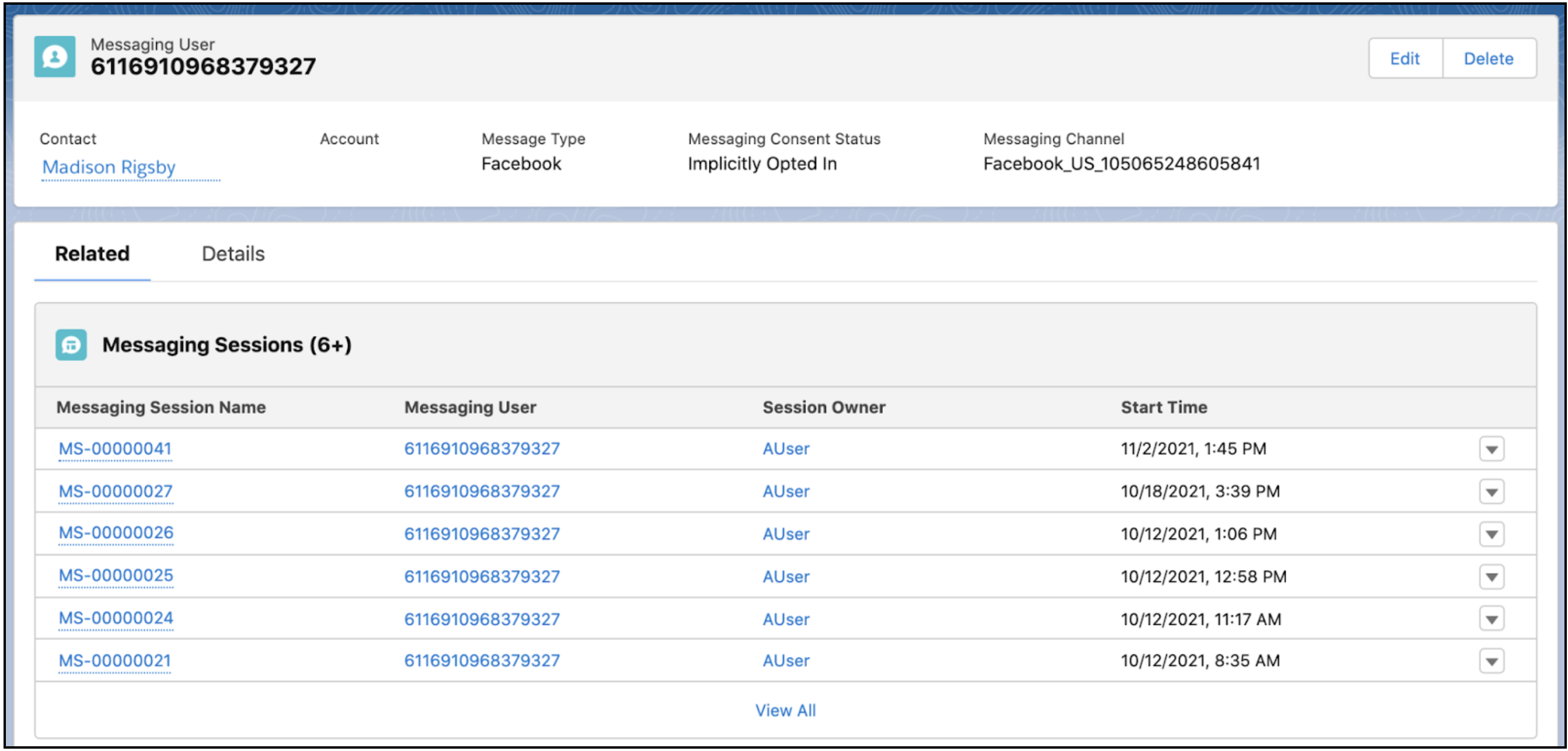
When a customer messages your company, Salesforce creates a messaging user record for
them. The messaging user record can include the customer’s name, phone number or Facebook name,
and consent status. Messaging user records are required for your recipients, even if you’re
sending messages to contacts, employees, or person accounts.
Enhanced In-App Chat, Enhanced Web Chat v1, Enhanced Web Chat v2, Enhanced
WhatsApp, Standard and Enhanced Facebook Messenger, Standard and Enhanced SMS,
Enhanced Apple Messages for Business, Enhanced LINE, and Bring Your Own
Channel
A
messaging user record is created for each channel the customer uses. For example, a single
contact may be represented by two messaging user records: one for their Facebook Messenger
interactions with your company, and one for their SMS interactions. By linking messaging
user records to contacts or other Salesforce records, you can get a full picture of the
customer’s interactions with your service team.
View the history of a messaging user’s
exchanges with your company in the Messaging Sessions related list.
Create Messaging Users Salesforce automatically creates messaging user records for customers when they message your business. However, you can also mass-create messaging user records for WhatsApp and SMS channels.
Messaging User Fields Messaging user records represent a link between a messaging channel and a user. The messaging user record includes details like the customer’s name, phone number or Facebook name, and consent status, and allows you to quickly review all messaging sessions that took place with the customer in a channel.
Did this article solve your issue?
Let us know so we can improve!
Loading
Salesforce Help | Article
Cookie Consent Manager
Cookie Consent Manager
General Information
Required Cookies
Functional Cookies
Advertising Cookies
General Information
We use three kinds of cookies on our websites: required, functional, and advertising. You can choose whether functional and advertising cookies apply. Click on the different cookie categories to find out more about each category and to change the default settings.
Privacy Statement
Required Cookies
Always Active
Required cookies are necessary for basic website functionality. Some examples include: session cookies needed to transmit the website, authentication cookies, and security cookies.
Functional Cookies
Functional cookies enhance functions, performance, and services on the website. Some examples include: cookies used to analyze site traffic, cookies used for market research, and cookies used to display advertising that is not directed to a particular individual.
Advertising Cookies
Advertising cookies track activity across websites in order to understand a viewer’s interests, and direct them specific marketing. Some examples include: cookies used for remarketing, or interest-based advertising.