
You are here:
Troubleshoot Errors for Automated Messages in Standard Messaging Channels
If something goes wrong when a flow tries to send a message notification in a standard Messaging channel, review the Standard Messaging Error Log to find out what happened.
Required Editions
| View supported editions. | |
 This article applies to:
|
Standard Facebook Messenger and Standard SMS channels |
 This article doesn’t apply to:
|
Enhanced In-App Chat, Enhanced Web Chat v1, Enhanced Web Chat v2, Enhanced WhatsApp, Enhanced Facebook Messenger, Enhanced SMS, Enhanced Apple Messages for Business, Enhanced LINE, and Bring Your Own Channel |
| User Permissions Needed | |
|---|---|
| To create messaging templates and view errors: | Configure Messaging |
| To view channels: | View Setup and Configuration |
-
From Setup in Lightning Experience, enter Standard Messaging in
the Quick Find box, and select Standard Messaging Error Log.
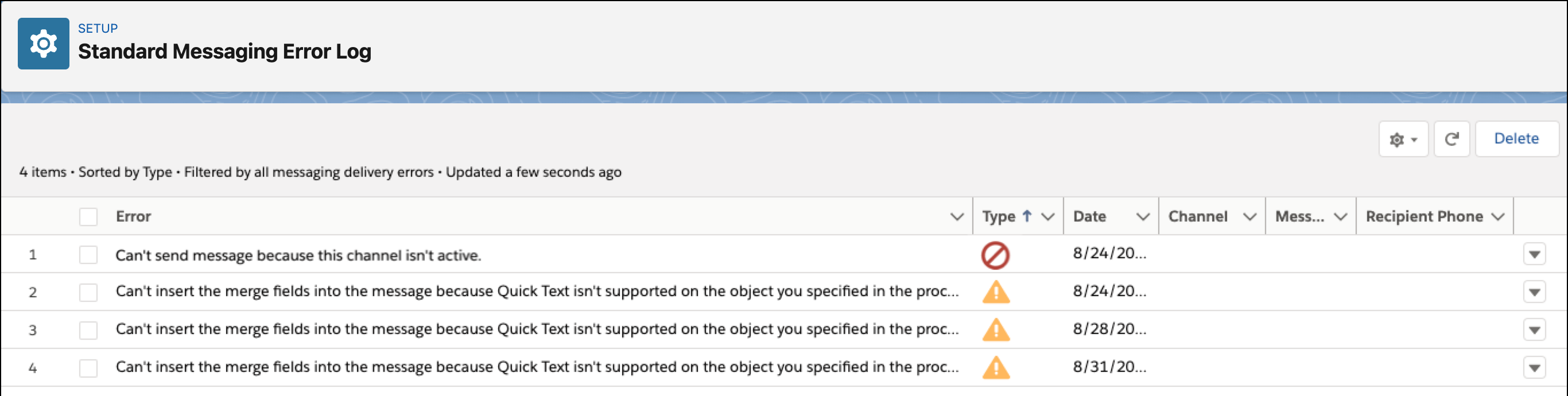
- To view an error’s details, click the down arrow in the error’s action menu and select View.
When you're troubleshooting errors, keep this information in mind.
- Messaging sends messages only to recipients who meet certain criteria.
- Recipients are excluded when they don’t meet all the criteria:
- The recipient must have a corresponding Messaging User record.
- The Mobile Number field on the Messaging User record must be populated.
- The recipient must be opted in to receiving messages from you.
- The sender numbers you select must be associated with a messaging queue.
- Broadcast messaging templates can’t be deleted after use.
- If a template has been used in a broadcast message, you can’t delete it. Check the Conversation Broadcasts tab to see whether a template has been used.
- Recipients might receive multiple messages.
- If they’re opted into multiple sender numbers, recipients can receive multiple messages. We recommend regularly reviewing your Messaging User records to remove duplicates and check your recipients’ opt-in statuses.
- Messaging templates aren’t supported in some Messaging channels.
- Messaging templates are used only in standard SMS and standard Facebook Messenger. Enhanced channels and Enhanced Chat use a different method for sending automated messages.
Messaging errors are automatically deleted after 30 days. Deleted errors no longer appear in the error log. You can also delete an error from the list view or error detail page.
Did this article solve your issue?
Let us know so we can improve!
