
You are here:
Create a Static WhatsApp Flow
To create a static flow, use a form messaging component based on either a global action or Apex class.
Required Editions
| View supported editions. | |
 This article applies to:
|
Enhanced WhatsApp channels |
 This article doesn’t apply to:
|
Enhanced In-App Chat, Enhanced Web Chat v1, Enhanced Web Chat v2, Standard and Enhanced Facebook Messenger, Standard and Enhanced SMS, Enhanced Apple Messages for Business, Enhanced LINE, and Bring Your Own Channel |
| User Permissions Needed | |
|---|---|
| To create messaging components: | Customize Application AND View Setup and Configuration OR System Administrator |
| To send and receive messages in Messaging: | Messaging Agent |

Note Each messaging component is available in one or more formats, and some formats work only in
certain channels. For a list of formats that each channel supports, see Messaging Component
Types and Formats. It’s a good idea to add at least one supported format for each channel where
the component will be sent. If no formats are added, the component uses the default text
format.
- Open the form messaging component in the Messaging Component Builder. Or, create a new one.
- Fill out the details of your component.
- In the Component Formats section, click Details, and then click Add Format.
- Select Flow, and click Done. The format controls how the component looks in messaging sessions.
-
In the left-hand sidebar, under Component Formats, click Flow.
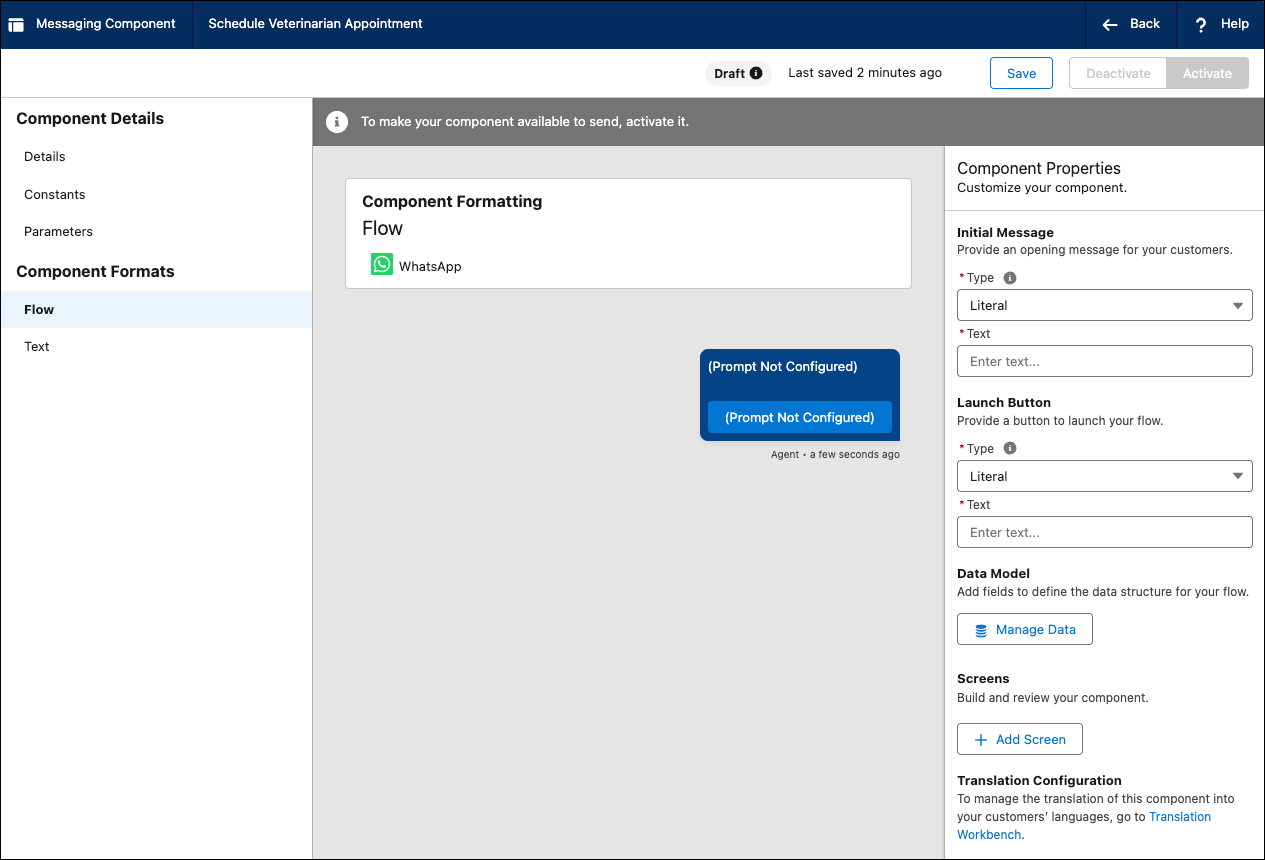
- In the right-hand sidebar, under Component Properties, configure the text, buttons, and input fields you want your customers to see. For example, to enable customers to book an appointment, add a “Book Now” launch button and an “Appointment Time” input field. For a form based on an Apex class, use the Add Content modal to add different types of content to the form.
- Click Save. You’ve created a WhatsApp Flow and your agents can select it from a list of messaging components in the Service Console.
Did this article solve your issue?
Let us know so we can improve!
