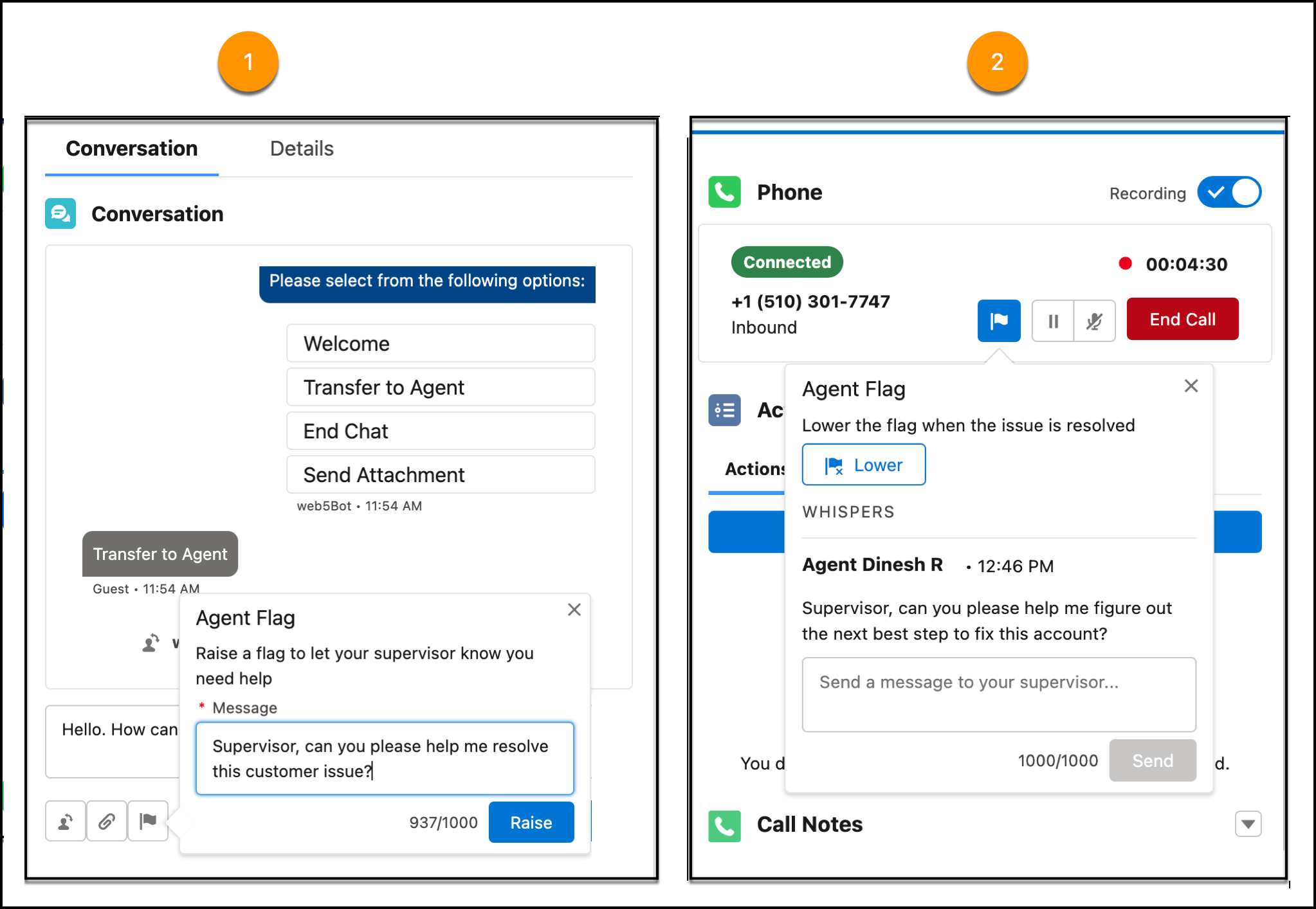
While servicing a customer on the phone or in a messaging or chat session, you can have
a private conversation with your supervisor to get help and escalate issues. Raise a flag to get
their attention, and then have a 2-way messaging conversation with them, or request that they join
the conversation with the customer.
Note This feature is available for the Voice, Enhanced Messaging, Enhanced Chat and Legacy
Chat channels. To use this feature for a legacy chat session, your administrator must first
enable it in the chat agent configuration settings. This feature is automatically available
for other channels.
To raise a flag in Call Controls for calls, the Conversation component for messages, or the
interaction pane for chats, click the Flag button (), enter a message,
and click Raise.
Note If Omni-Channel Fallback Mode is enabled, the Flag button doesn’t appear because
it’s not supported in that mode.
Your supervisor is alerted in Command Center for Service, and your flag is added to the Raised
Flags widget in their supervisor wallboard.
If you no longer need help, you or the supervisor can lower the flag.
The service rep-supervisor conversation is added in real time to the conversation
transcript.
We use three kinds of cookies on our websites: required, functional, and advertising. You can choose whether functional and advertising cookies apply. Click on the different cookie categories to find out more about each category and to change the default settings.
Privacy Statement
Required Cookies
Always Active
Required cookies are necessary for basic website functionality. Some examples include: session cookies needed to transmit the website, authentication cookies, and security cookies.
Functional Cookies
Functional cookies enhance functions, performance, and services on the website. Some examples include: cookies used to analyze site traffic, cookies used for market research, and cookies used to display advertising that is not directed to a particular individual.
Advertising Cookies
Advertising cookies track activity across websites in order to understand a viewer’s interests, and direct them specific marketing. Some examples include: cookies used for remarketing, or interest-based advertising.