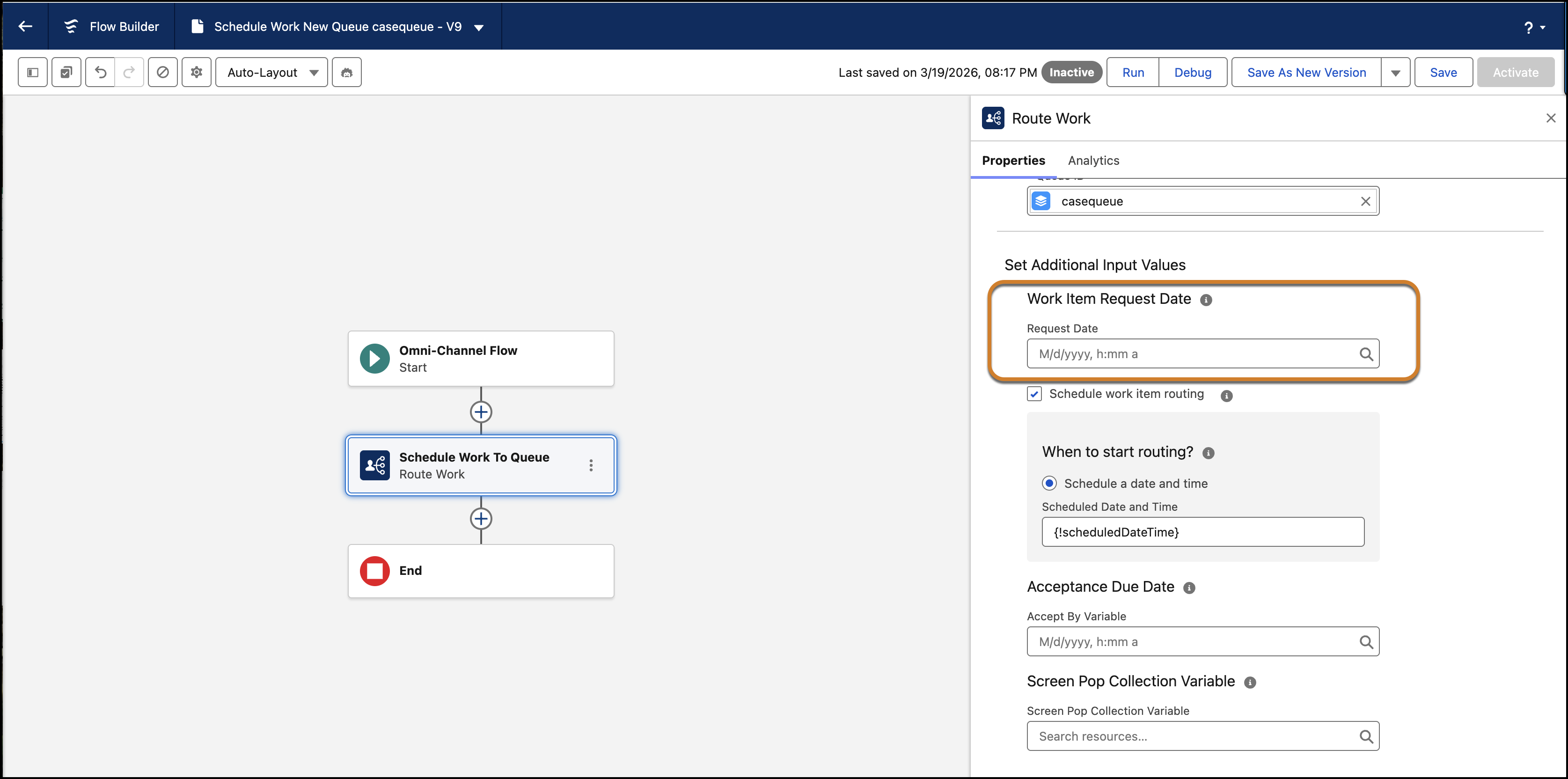
Add the original date a work item was requested using the Request Date option. This
maintains the original priority of a work item even if it's rerouted or reassigned.
Open a flow in the Flow Builder and add or edit a Route Work
action
Select a routing service. Make sure that the Route To value is set
to Queue, Skills, or Agent.
Expand Set Additional Input Values to find the routing start
options.
Add the original date the work item was requested in the Request
Date field under the Work Item Request Date section.
Save and activate the flow.
Note Custom Request Date isn't supported for Agentforce agents or Einstein
Bots.
Best Practices for Using Custom Request Date and Time in Callbacks
A primary challenge in voice and callback scenarios is losing your place in line.
Normally, if a callback retry fails and the item is requeued, it moves to the back of the queue
based on the new entry time. By using the Requested Date option you can route callbacks based on
when the call was originally queued.
To provide a seamless experience for customers and agents, follow these key implementation
strategies.
Use Original Creation Dates: When you configure the Route Work action for a
callback, map the custom requested field to the original creation date of the record, such as
the case or voice call. This mapping retains the customer's original position in the
backlog.
Maintain Priority Across Retries: For callback scenarios involving multiple retry
attempts, make sure that your flow logic consistently passes the initial request timestamp
into each new Route Work execution.
Monitor System Logs: Because future dates are ignored, check your event logs if a
work item appears to be routing based on its current queue time instead of your custom input.
Impact on KPIs: Using the original request time likely increases your reported Wait
Time and Speed to Answer metrics. While these metrics look different on dashboards, they
provide a truer representation of customer satisfaction (CSAT) and actual wait
experience.
Did this article solve your issue?
Let us know so we can improve!
Loading
Salesforce Help | Article
Cookie Consent Manager
General Information
Required Cookies
Functional Cookies
Advertising Cookies
General Information
We use three kinds of cookies on our websites: required, functional, and advertising. You can choose whether functional and advertising cookies apply. Click on the different cookie categories to find out more about each category and to change the default settings.
Privacy Statement
Required Cookies
Always Active
Required cookies are necessary for basic website functionality. Some examples include: session cookies needed to transmit the website, authentication cookies, and security cookies.
Functional Cookies
Functional cookies enhance functions, performance, and services on the website. Some examples include: cookies used to analyze site traffic, cookies used for market research, and cookies used to display advertising that is not directed to a particular individual.
Advertising Cookies
Advertising cookies track activity across websites in order to understand a viewer’s interests, and direct them specific marketing. Some examples include: cookies used for remarketing, or interest-based advertising.