
Loading
Ongoing maintenance for Salesforce HelpRead More
Feature degradation | Gmail Email delivery failureRead More
Service
Table of Contents
Select Filters

          No results
          No results
          Here are some search tips

          Check the spelling of your keywords.
          Use more general search terms.
          Select fewer filters to broaden your search.

          Search all of Salesforce Help
          Access Omni-Channel Setup Home

          Access Omni-Channel Setup Home

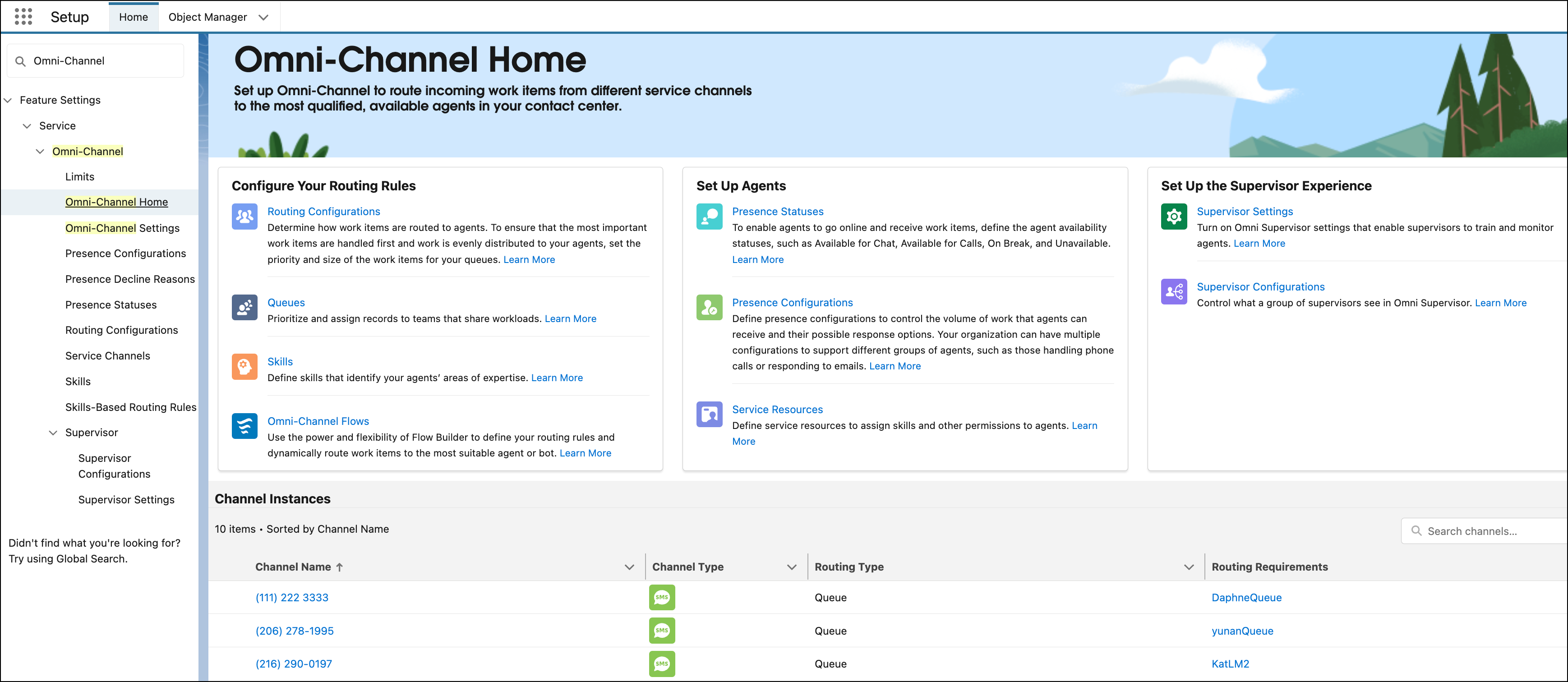
          Set up Omni-Channel to route incoming work items from different service channels to qualified, available support reps in your contact center. To learn more about what Omni-Channel components to set up and get a list of setup tasks, go to the new Omni-Channel setup home. The setup home also provides warnings when items aren’t correctly configured. You can also view details about and click a link to access every service channel instance defined for your company.

          Required Editions

          View supported editions.
          Important
          Important Standard Omni-Channel is retired with the Summer ’26 release. To make sure that your users maintain their routing workflows and gain access to the latest features, Salesforce automatically upgrades your org to Enhanced Omni-Channel during the Summer '26 release rollout. Enhanced Omni-Channel provides the latest capabilities for service reps and supervisors. See upgrade Standard Omni-Channel to Enhanced.
          1. In the Quick Find box under Setup, enter Omni-Channel Home, and then select Omni-Channel Home.
            Omni-Channel Home shows setup tasks organized by area and a list of all service channel instances.
          2. To perform a setup task, click the link.
          3. To learn more about a setup task, click Learn More for the task.
          4. In the Channel Instances section, check out the service channel instances that were created for your company.
          5. If a warning appears for a service channel instance, hover over the icon for more information.
            For example, a warning appears if the assigned Omni-Channel flow is inactive or the channel instance routes work to a queue with a missing routing configuration.
           
          Loading
          Salesforce Help | Article