
You are here:
Service Reps Tab
Keep up with your reps’ presence statuses, channels, assigned queues, and open capacity. You can even see how long your reps have been logged in and when they last accepted new work.
Required Editions
| View supported editions. |
There are two views in the Service Reps tab: All Agents and Agents by Queue.
All Agents Subtab
The All Agents tab lets you see the big picture of your service reps’ availability, capabilities, capacity, and workload. It’s the default for the Service Reps tab because it provides the best overall picture of how your service reps are doing. Reps logged into Omni-Channel appear in rows, where you can see their status, channels, queues, workload, and capacity.
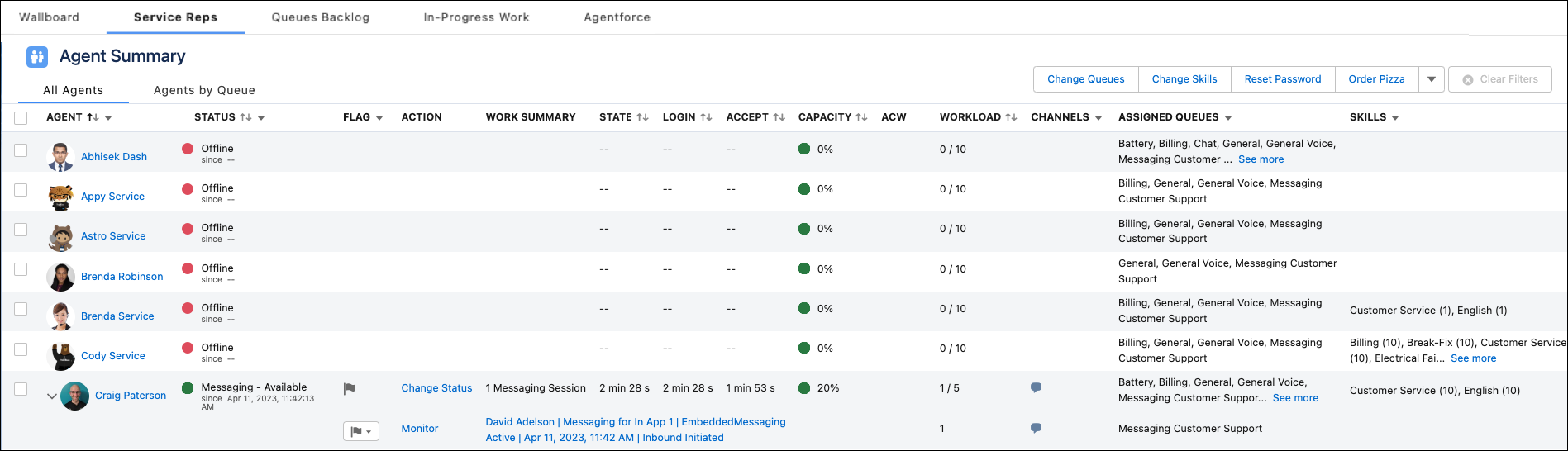
Here, you can also change a service rep’s status using the Action column as long as they’re not offline. If you select Offline, keep in mind that the service rep’s work isn’t tracked anymore.
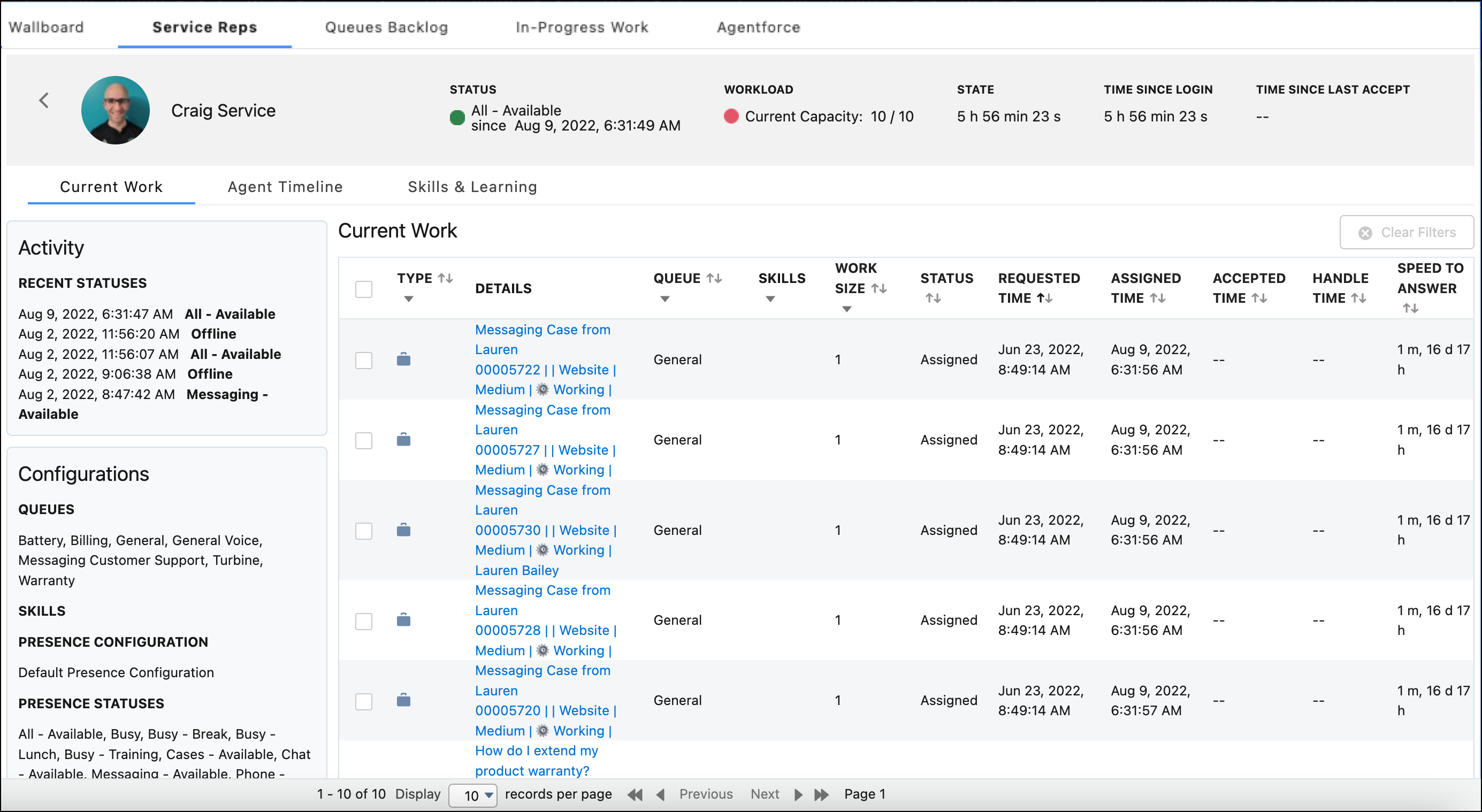
To see more nuanced information about how a service rep is doing, select the service rep. You can view the Agent Detail and, unless disabled, Agent Timeline views.
The Agent Detail view provides details about a service rep’s activity and timestamps.
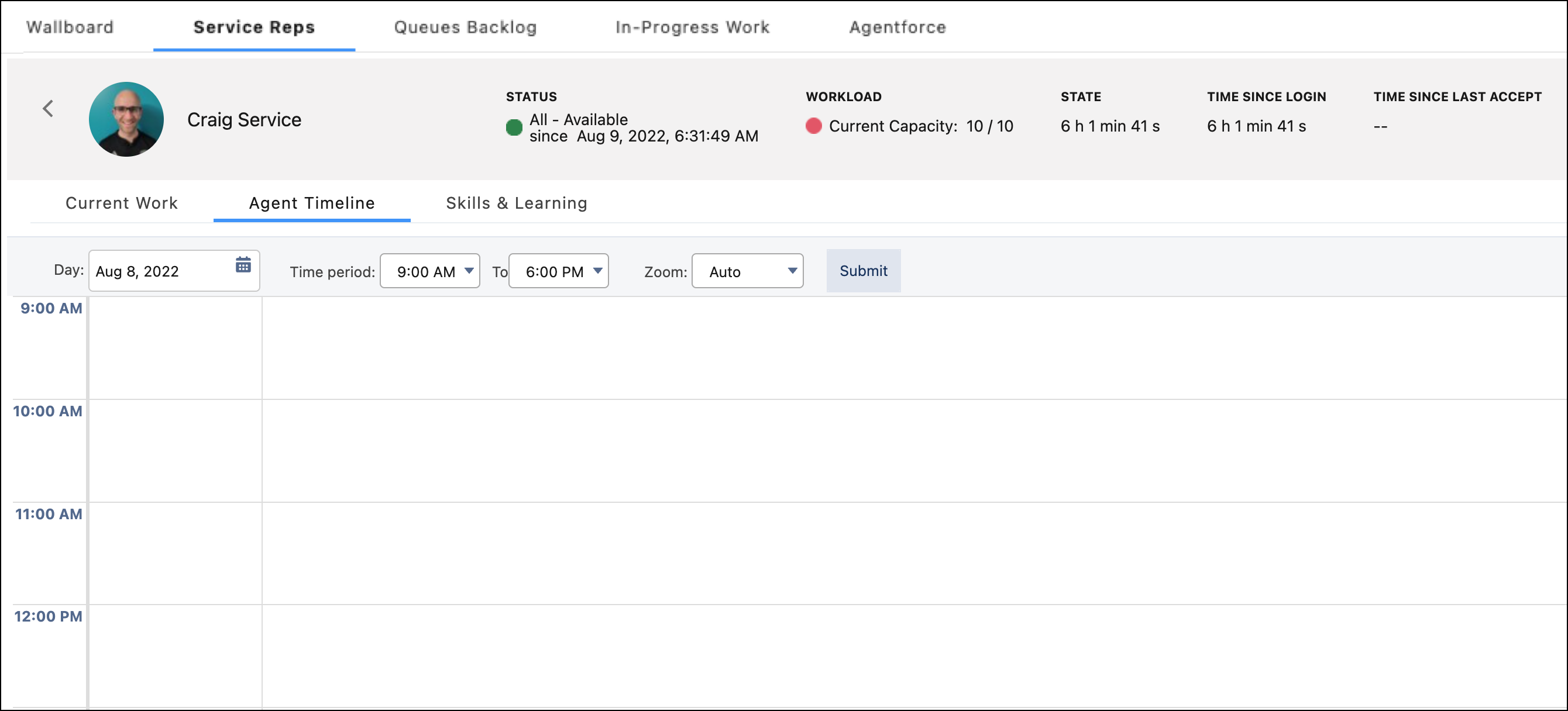
The Agent Timeline view displays the service rep’s status changes and work via an intuitive calendar view. The Agent Timeline shows the AgentWork status, not the status of the work item record itself.
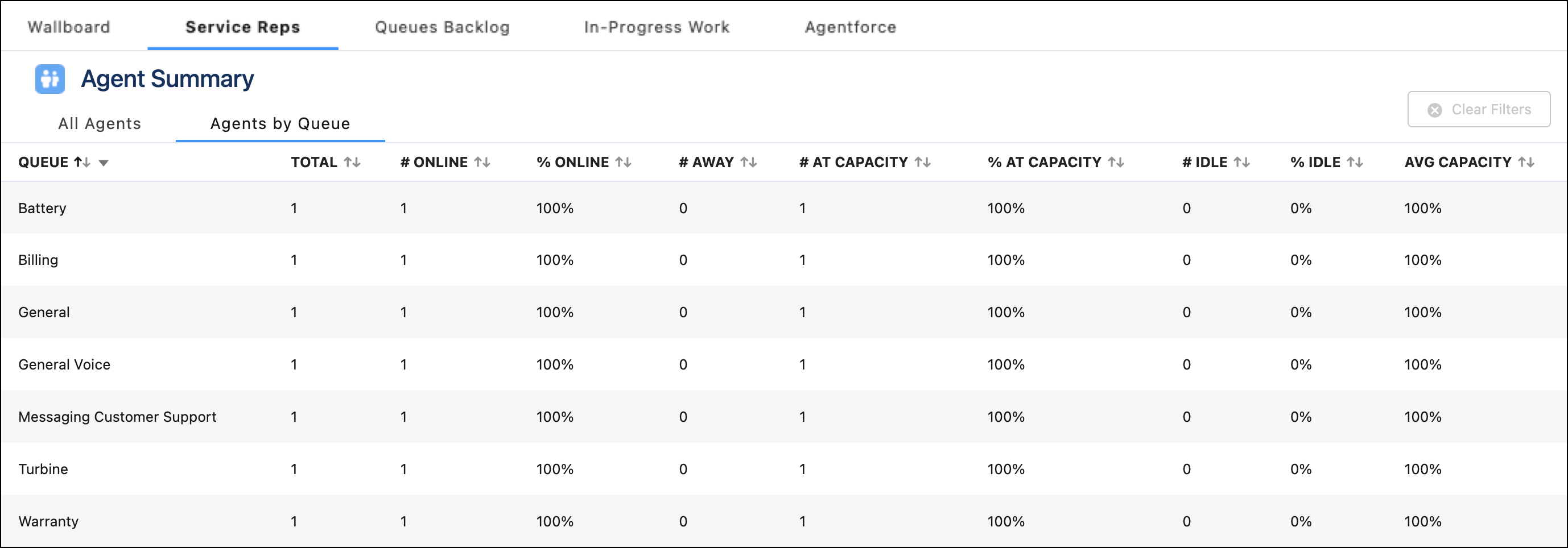
Agents by Queue Subtab
The Agents by Queue subtab provides information about how well your queues are covered. Every queue that has at least one service rep that’s Online or Away is shown. You can see how many service reps are assigned to the queue and how many of them are online, away, or idle. This graph lets you see if you must reassign service reps to make sure your incoming work is covered.

- Service Reps Tab Fields
Fields for the Service Reps tab in Command Center for Service. - How After Conversation Work Affects Service Rep Capacity
When a voice call is active, it consumes 100% of a service rep’s capacity. If ACW is enabled, a service rep’s capacity is freed up after a call’s ACW period ends or the service rep closes the tab, whichever happens first. When a call’s ACW period ends, the call is removed from the service rep’s My Work tab and no longer appears in Command Center for Service.
