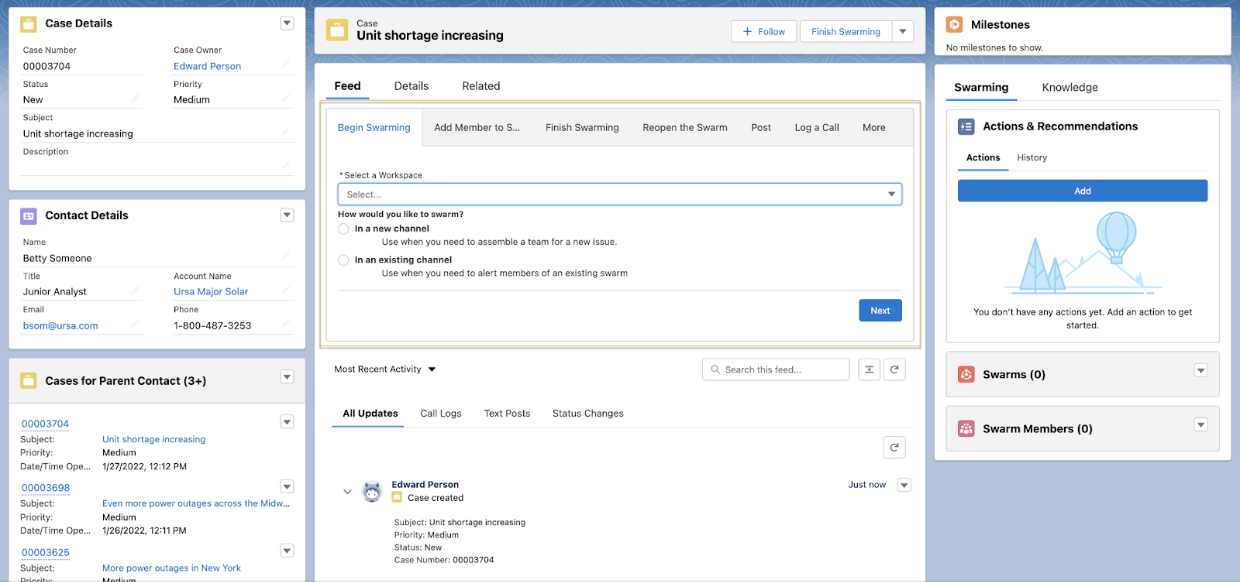
Swarming with quick actions runs the flow in the publisher under the Feed component
instead of in a tab or window. When support reps use a quick action to run a flow, they can view
exterior Lightning page components while running a flow so that they can see and access more
information about a record.
Tip Quick actions are ideal if you don’t want Swarming actions to occupy too much
space on your page layouts.
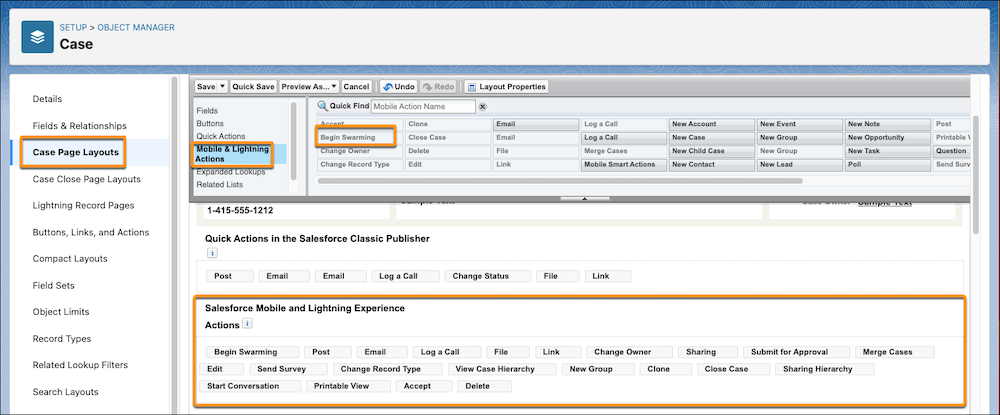
Create a quick action of action type Flow for each flow that you want to add to the
Console, such as Begin Swarming or Add Member to Swarm.
From the management settings of the object you created an action for, click Page
Layouts.
Drag your flow action from the Mobile & Lightning Actions section to the Salesforce
Mobile and Lightning Experience Actions section of your page layout.
Save your changes.
Support reps can now launch a swarming flow from the record’s Feed.
We use three kinds of cookies on our websites: required, functional, and advertising. You can choose whether functional and advertising cookies apply. Click on the different cookie categories to find out more about each category and to change the default settings.
Privacy Statement
Required Cookies
Always Active
Required cookies are necessary for basic website functionality. Some examples include: session cookies needed to transmit the website, authentication cookies, and security cookies.
Functional Cookies
Functional cookies enhance functions, performance, and services on the website. Some examples include: cookies used to analyze site traffic, cookies used for market research, and cookies used to display advertising that is not directed to a particular individual.
Advertising Cookies
Advertising cookies track activity across websites in order to understand a viewer’s interests, and direct them specific marketing. Some examples include: cookies used for remarketing, or interest-based advertising.