The Enables Data Categories in LWR Sites setting and Manage Data Categories system
permission must be enabled for you to use data categories in your site.
The BYO (LWR) template has a standard home page that you must configure and style using
standard components. Support of Service Catalog custom components and recommended styling
on this page isn’t provided.
Standard site navigation for Service Catalog isn’t available. Users can access your
catalog items only through search. More information is provided in the table rows that
follow.
Catalog items without an assigned data category don’t automatically show in your
catalog. They’re accessible only through search.
Catalog items that use fulfillments with an attachment input type make the entire
automation inoperable. The catalog item doesn’t show in your site.
Component Usability
The Service Catalog Grid component is available for use only on the Network Data
Category detail object page.
The Service Catalog Record Detail Component is available for use only on the Service
Catalog Item Definition detail object page.
The Service Catalog Record Detail and Service Catalog Grid (beta) components contain
the standard Record Detail and Grid components respectively. Use these components to
configure and style the Service Catalog components.
The Service Catalog Grid component doesn’t list items in the same row at the same
height. We recommend that you use the site-level CSS to adjust the height.
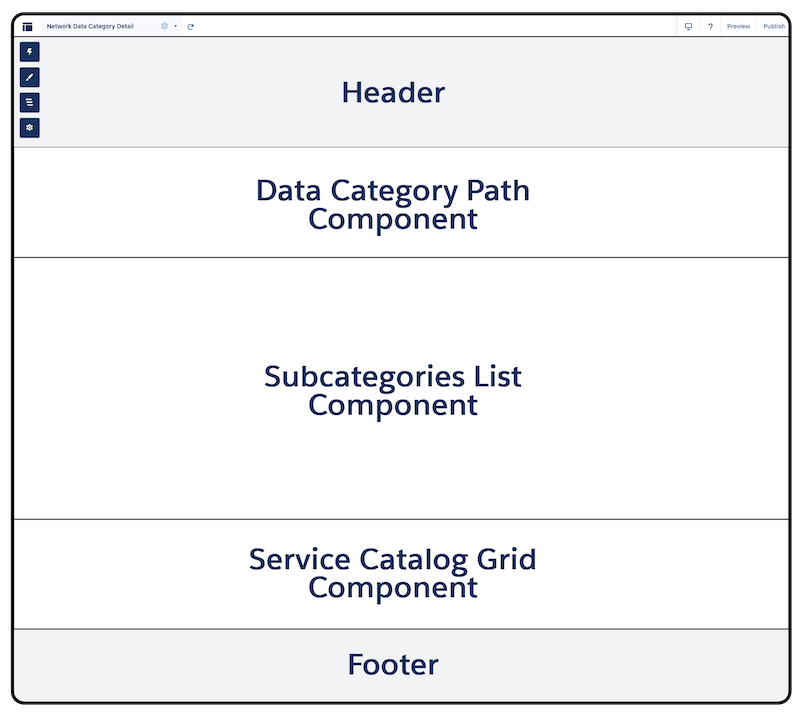
Network Data Category object page
The object page surfaces data categories in LWR sites. For Service Catalog, the page
surfaces catalog items and their associated data categories in your site with the Network
Data Category Detail object page variation.
Several components are required on the page and must be configured in this
page layout. We guide you through the process. See Set Up the Service Catalog Site Pages.
Did this article solve your issue?
Let us know so we can improve!
Loading
Salesforce Help | Article
Cookie Consent Manager
General Information
Required Cookies
Functional Cookies
Advertising Cookies
General Information
We use three kinds of cookies on our websites: required, functional, and advertising. You can choose whether functional and advertising cookies apply. Click on the different cookie categories to find out more about each category and to change the default settings.
Privacy Statement
Required Cookies
Always Active
Required cookies are necessary for basic website functionality. Some examples include: session cookies needed to transmit the website, authentication cookies, and security cookies.
Functional Cookies
Functional cookies enhance functions, performance, and services on the website. Some examples include: cookies used to analyze site traffic, cookies used for market research, and cookies used to display advertising that is not directed to a particular individual.
Advertising Cookies
Advertising cookies track activity across websites in order to understand a viewer’s interests, and direct them specific marketing. Some examples include: cookies used for remarketing, or interest-based advertising.