
You are here:
Create AWS Artifacts for SCV
You must create the AWS artifacts before creating the contact center.
Required Editions
This article applies to:
- Salesforce Voice with Partner Telephony from Amazon Connect (Voice manually integrated with your Amazon Connect instance by importing the contact center definition XML file)
| View supported editions. |
- Provide a unique name of your choice for CallCenter Name. If you have a multi-org setup, make sure that a callCenter with the same name doesn’t exist in any other org.
-
If you’re using the Salesforce identity provider for SAML assertion, get the SAML metadata
document from Salesforce and upload it to
<CustomerPrefereds3bucketPrefix>-scv-saml-metadataS3 Bucket.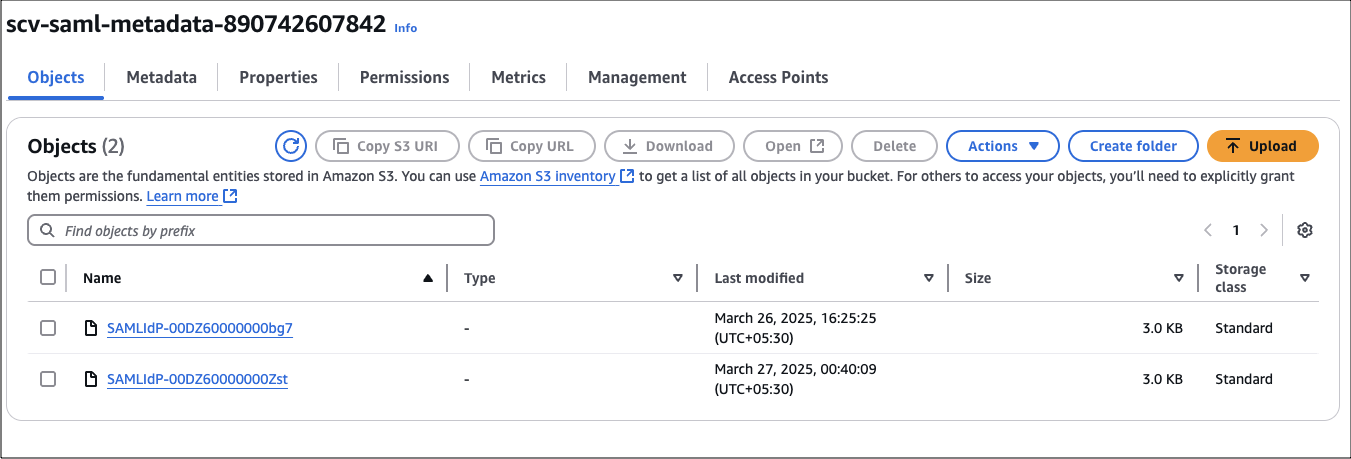 Note the uploaded object name, and use this name as the value for the SAMLFileInS3 parameter in BYOAIDPStack.yaml.
 -
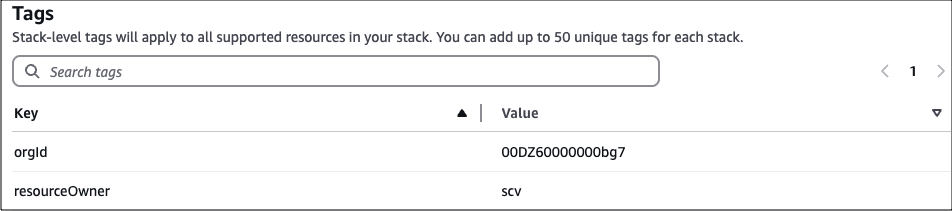
Execute TenantStack with the correct values for the input parameters. The value of the
S3BucketForScvResourcesfield must beprod-byoa-scv-resources, and that ofMpaIdmust be 793525387755. The value of theresourceOwnertag must bescv.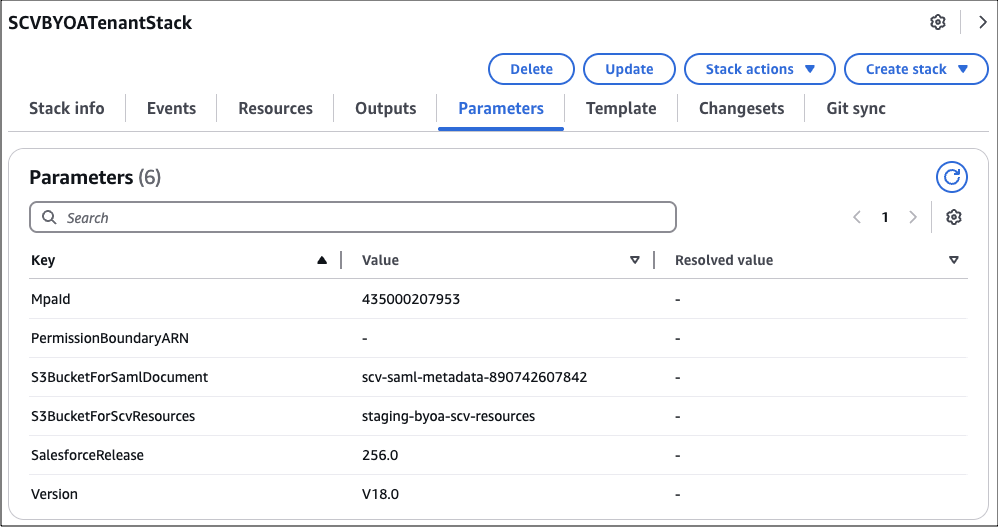
-
Execute
BYOAIDPStackto createSalesforceVoiceIDPStack. The value of theresourceOwnertag must bescv.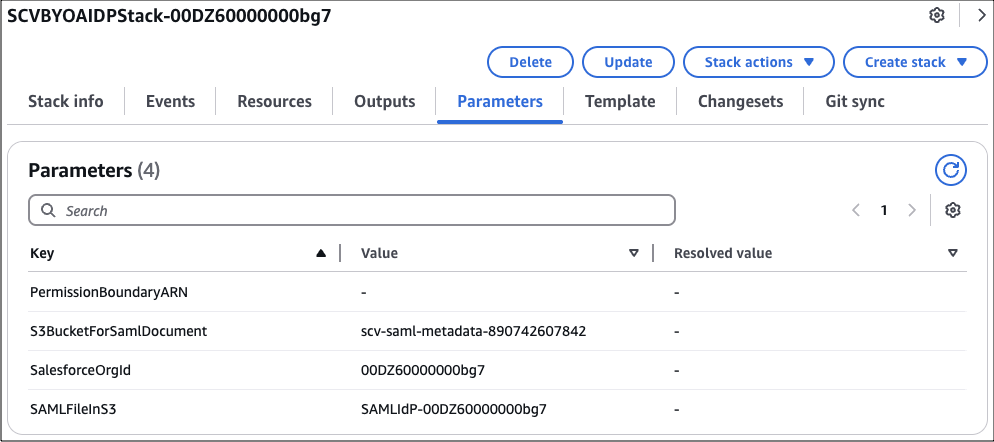
-
Execute
ContactCenterStackwith the correct values for the input parameters. The value of theS3BucketForScvResourcesfield must beprod-byoa-scv-resources, and that ofMpaIdmust be 793525387755. TheCallCentername must be the same as the one you have provided in step 1.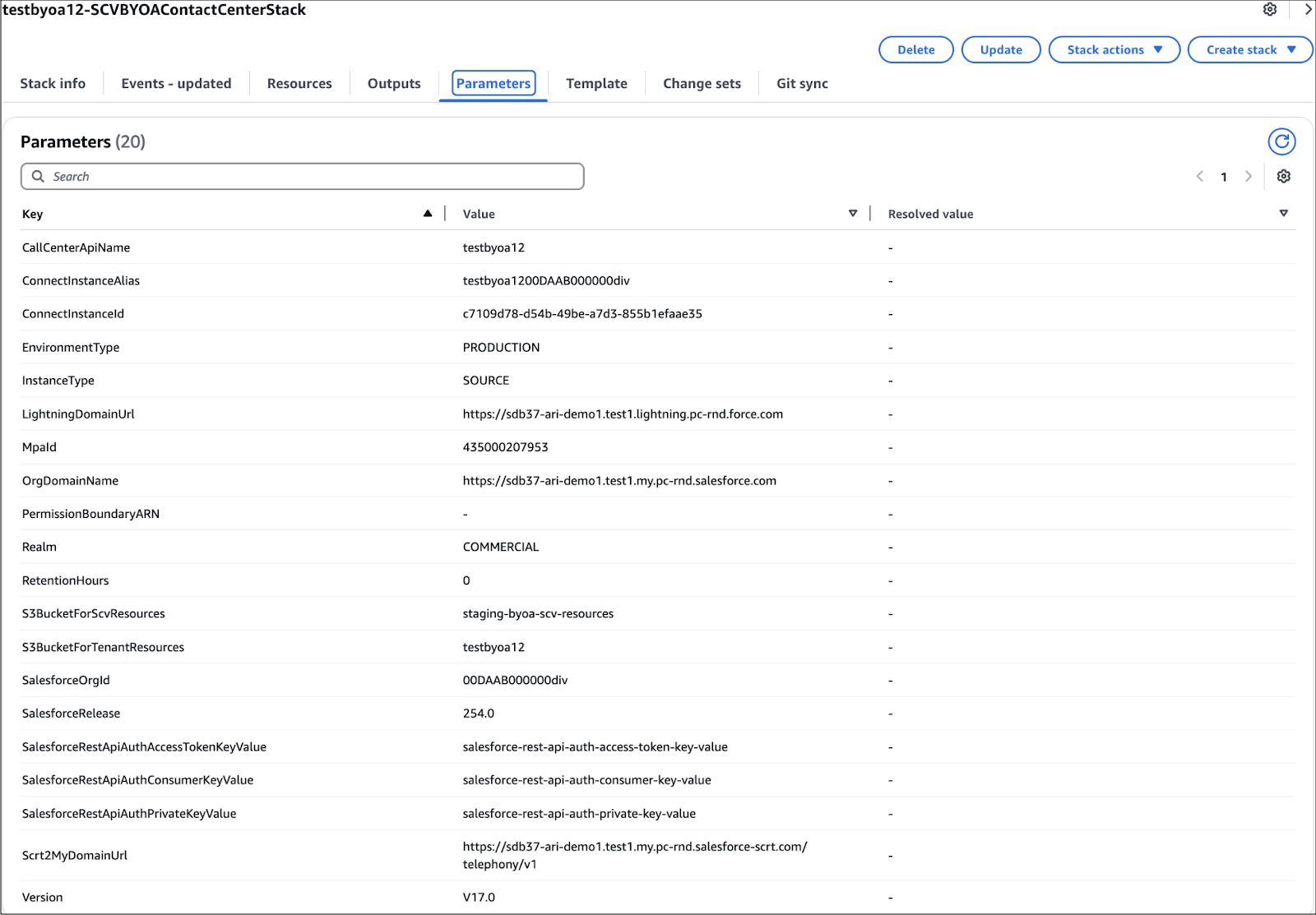

Note The value of the S3BucketForScvResources field must be prod-byoa-scv-resources, and that of
MpaId must be 793525387755.
The Salesforce release must support the contact center version. See Salesforce Voice Contact Center Updates.
Did this article solve your issue?
Let us know so we can improve!
