
You are here:
Set Up External ID
For additional security, you can generate a unique external ID for your AWS account. When you enable an external ID, Salesforce Voice (formerly Service Cloud Voice) can assume all cross-account management roles, including the provisioning role if used, and perform contact center admin actions in your AWS account only after external ID validation.
Required Editions
This article applies to:
- Salesforce Voice with Partner Telephony from Amazon Connect
| View supported editions. |
The external ID is valid for all the cross-account management roles associated with your Amazon contact center type.
| Amazon Contact Center Type | External ID Applicable for Roles |
|---|---|
| Partner Amazon Contact Center with a New Amazon Connect Instance |
|
| Partner Amazon Contact Center with an Existing Amazon Connect Instance Integrated by Salesforce |
|
| Partner Amazon Contact Center with an Existing Amazon Connect Instance Integrated by You through XML import |
|

If you use the same IAM role ARN across multiple Salesforce orgs, the external ID mapped to the IAM role ARN in one org isn't accessible in a different org. In this case, each time you perform an action that requires a cross-account role in an org, update the external ID and save it in the Trust Relationships of all cross-account roles in your AWS account. Then use this external ID for performing the contact center admin actions.
To disable the external ID for an AWS account, use the Configure External ID option in the Salesforce Voice setup page.
Set Up External ID for a New Contact Center
While creating a contact center, you can configure an external ID if you haven't created any other contact center in the org that uses the AWS account associated with the selected IAM role ARN.
While creating a Partner Amazon Contact Center with your existing Amazon Connect instance, you can configure an external ID for the AWS account as described in Use an Existing Amazon Connect Instance Integrated by Salesforce.
While creating a Partner Amazon Contact Center with a new Amazon Connect instance, you can configure an external ID for the AWS account as described in Use a New Amazon Connect Instance.
Set Up External ID for an Existing Contact Center
You can use the Configure External ID option on the Salesforce Voice setup page to create, update, or disable the external ID for your AWS account.
To use the configure external ID option, you must have a Partner Amazon Contact Center created with a new or existing Amazon Connect instance integrated by Salesforce, or with an existing Amazon Connect instance integrated by you through XML import by providing either one of the AmazonConnectManagementRole, UpdateCredentialRole, InstanceRecordingRole, or SCVS3Role roles.
To generate or update external ID, use the Configure External ID option in the Service Cloud Voice setup page.
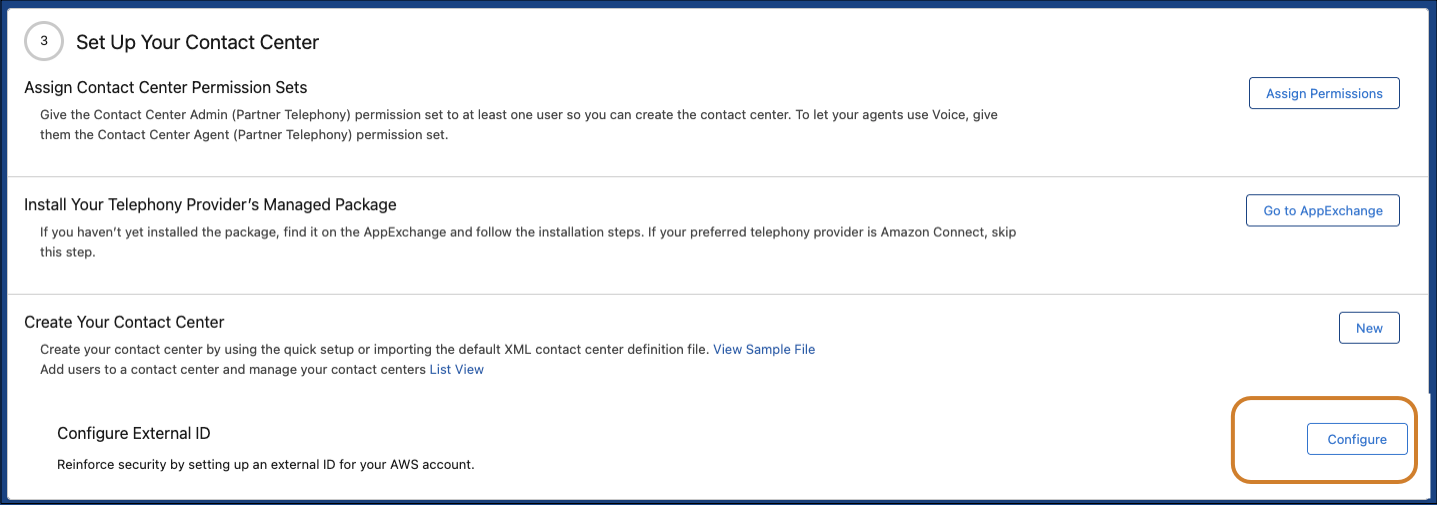
- Select the AWS account ID, and click Generate.
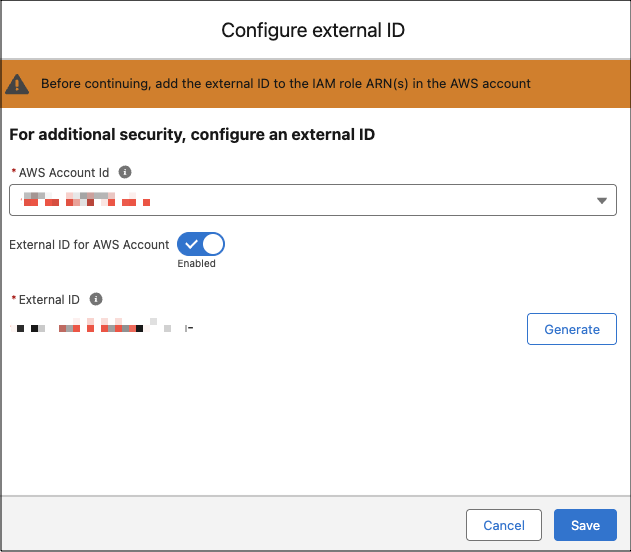
- Save the external ID, and add the generated external ID in the Trusted Relationships in your AWS account. In your AWS account, add the external ID to all the management roles in the JSON file corresponding to the IAM role ARN.
You can also use the Configure option to disable the external ID for an AWS account. Select the AWS account, and disable the External ID for the AWS account. Save the changes.
