
You are here:
Configure Direct-to-Rep Routing with an Omni-Channel Flow in Salesforce
Start configuring voice calls direct-to-rep routing with Omni-Channel Unified Routing in Salesforce. These instructions explain how to route a voice call to a rep or queue with an Omni-Channel flow, a more advanced setup.
This article applies to:
- Salesforce Voice with Partner Telephony
- From Setup, enter and select . Enable the option.
- Follow the steps to create an Omni-Channel Flow.
- Drag the action onto the canvas.
- Give the action a label and an API Name and, optionally, a description.
- Under , create and select a recordId variable.
- Under Route To, select .
-
Under Agent, select an option.
- : Specify the rep to route the work item to.
- : Use a variable to find the appropriate rep. For example, you can determine the preferred rep associated with the customer’s Contact record.
-
To assign work to the preferred rep only when they become available, click and specify the to use for routing parameters.
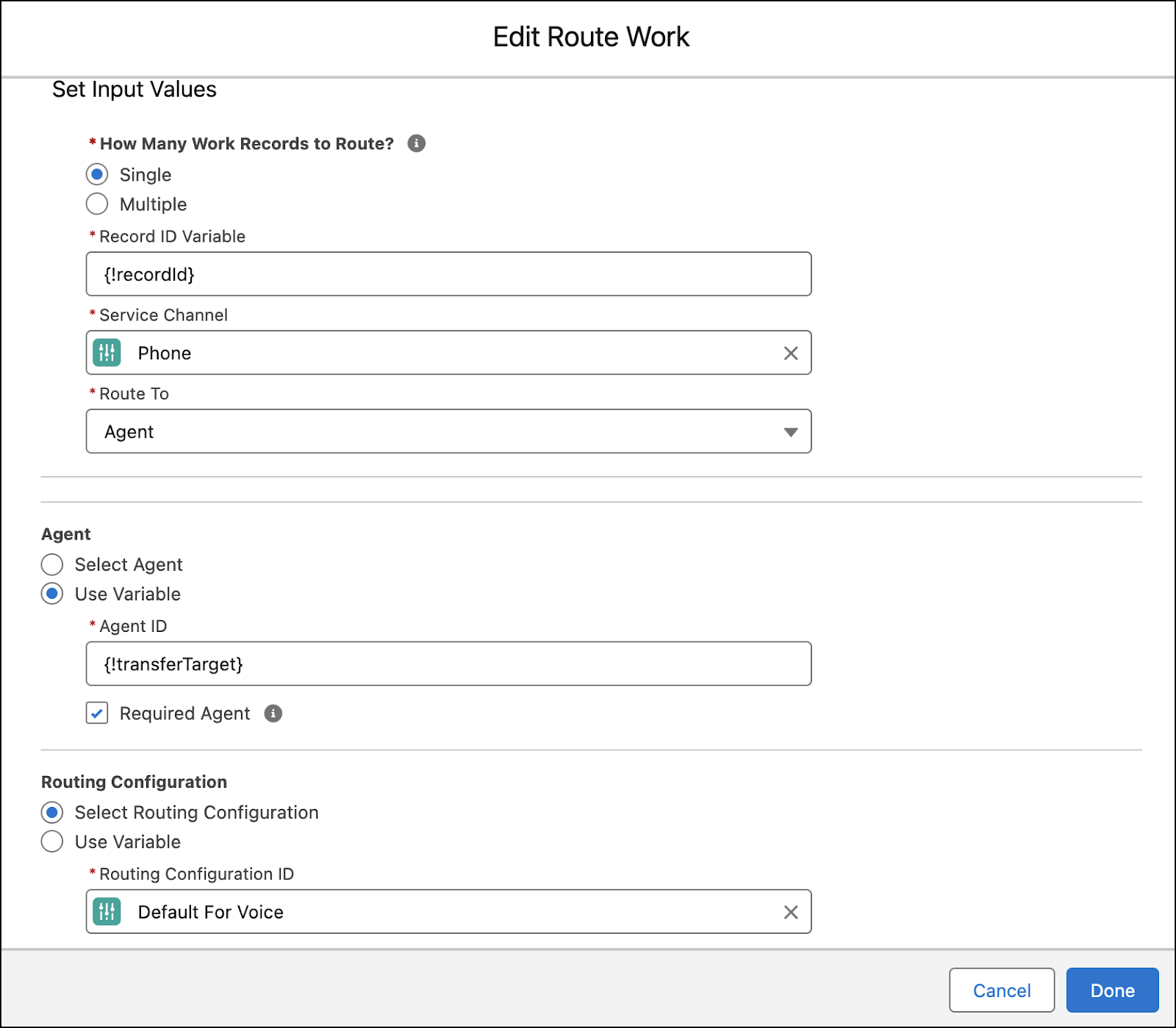
-
Alternatively, to route work to a queue when the preferred rep is unavailable, deselect the checkbox. Then, specify the backup queue to route the work item to.
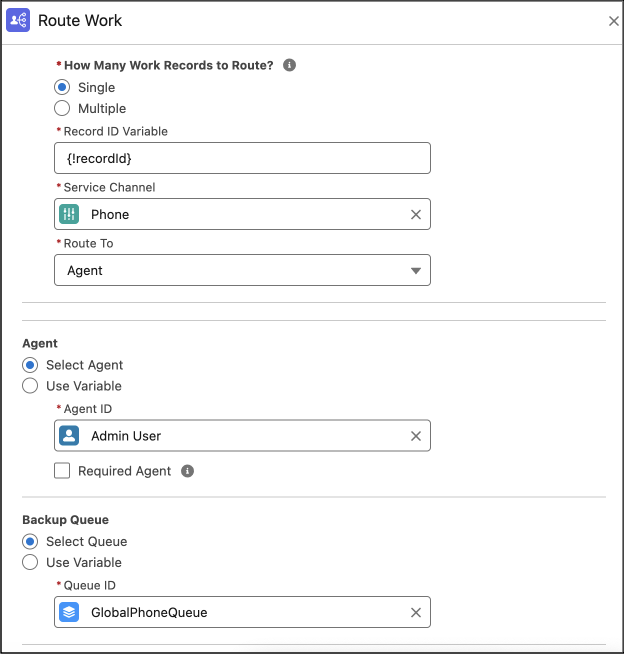
Did this article solve your issue?
Let us know so we can improve!
