
You are here:
Unified Routing for Skills-Based Routing
After configuring unified routing, set up skills-based routing.
This article applies to:
- Salesforce Voice with Partner Telephony
-
Prepare to route to skills.
- Enable skills-based routing in Omni-Channel Settings.
- Create skills. For example, create skills that correspond to languages used for voice calls.
- Create service resources and assign skills to service resources. This configuration assigns skills to reps.
-
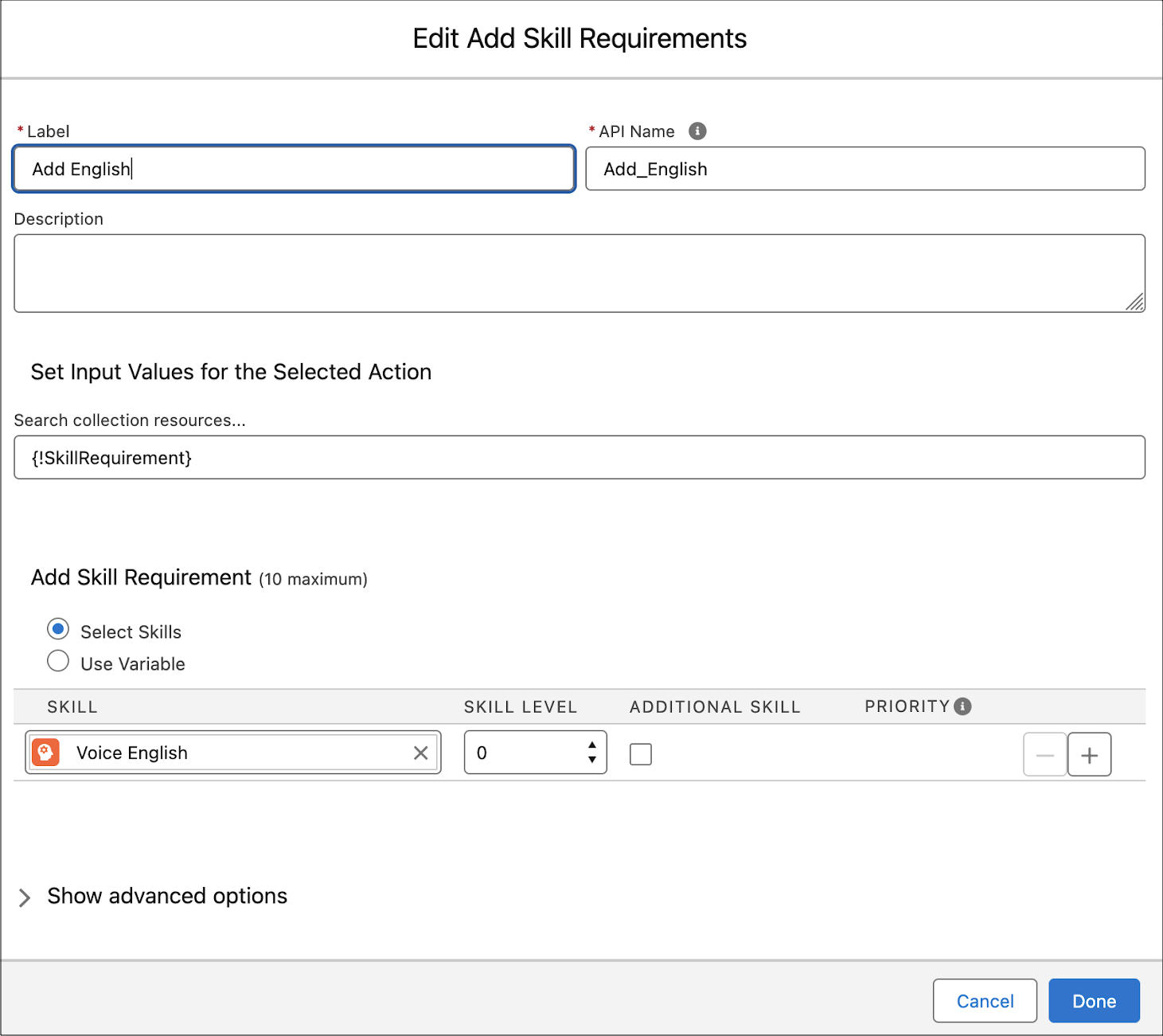
Create an Omni-Channel flow with an Add Skill Requirements action.
-
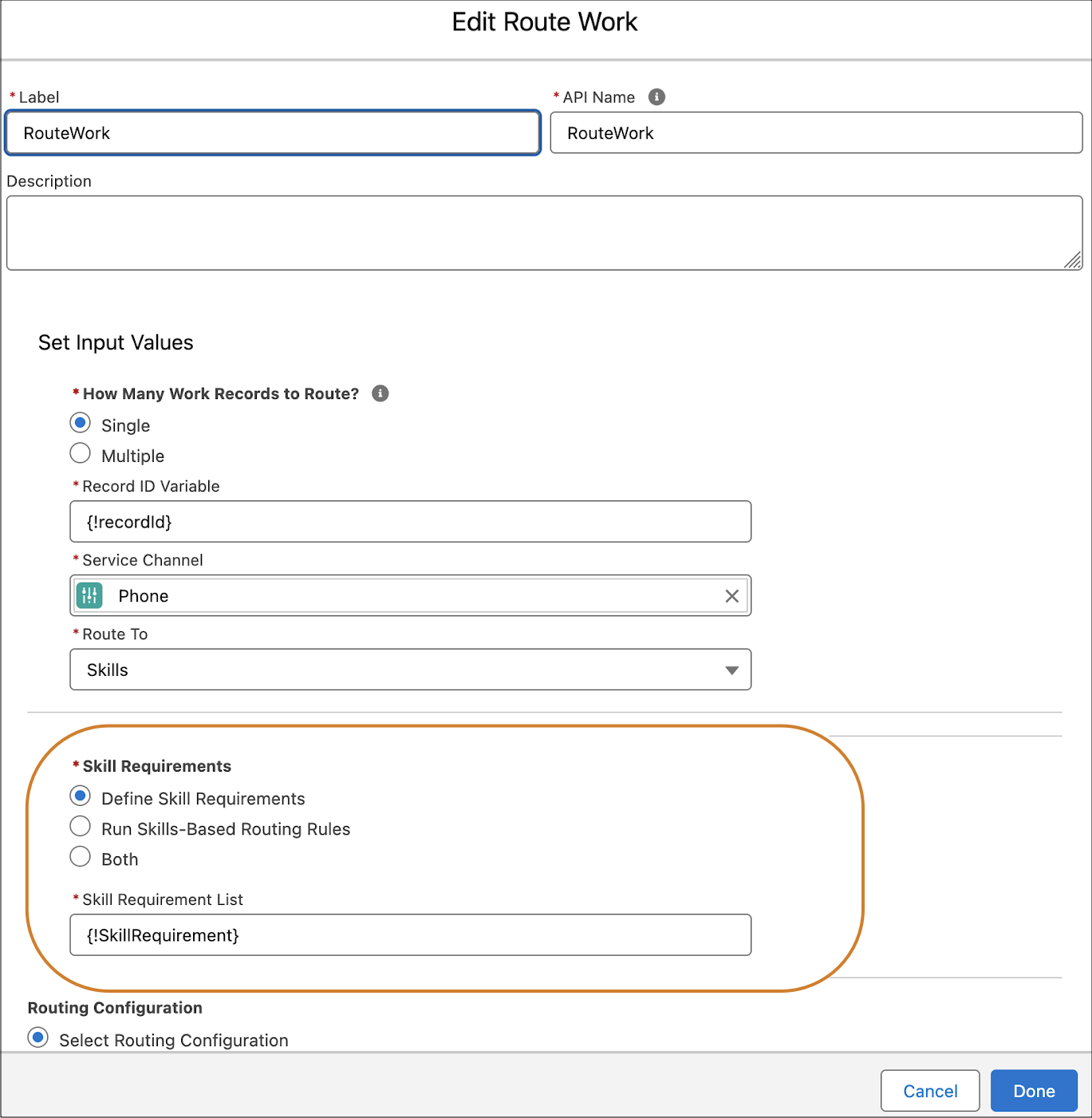
Add a Route Work action to the flow.
- Route to Skills.
-
For Skill Requirements, select .
-
Create a Contact Center Channel or edit a channel to use
it for skills-based routing.
- Under , set to and select the Omni-Channel flow defined in Steps 3 and 4.
- Set the fallback queue to a queue you created when setting up Unified Routing.

Note For an alternative to using an Omni-Channel flow with an Add Skill Requirements action, see
Routing with Skills-Based Routing Rules.
Did this article solve your issue?
Let us know so we can improve!
