You are here:
Share Revenue by Using Opportunity Splits and Opportunity Product Splits
Share revenue from opportunities and give team members credit for helping to close deals. Team members can roll their individual sales credits into quota and pipeline reports for the entire team.
| Opportunity Splits are available in: Lightning Experience and Salesforce Classic |
| Opportunity Product Splits are available in Lightning Experience |
| Available in: Performance and Developer Editions and Enterprise and Unlimited Editions with Sales |
| User Permissions Needed | |
|---|---|
| To create or edit splits for opportunity team members: | Edit on opportunities AND Owner of opportunity record or above the owner in the role hierarchy |
You can add opportunity splits on the Opportunity Splits related list. Or, you can add both opportunity splits and product splits on the Opportunity Splits tab on an opportunity record.

Add Opportunity Splits in the Opportunity Splits Related List
Credit team members who are directly responsible for opportunity revenue using opportunity splits. Revenue splits and other split types that your admin creates that total 100% of the opportunity amount. The owner is assigned 100% by default.
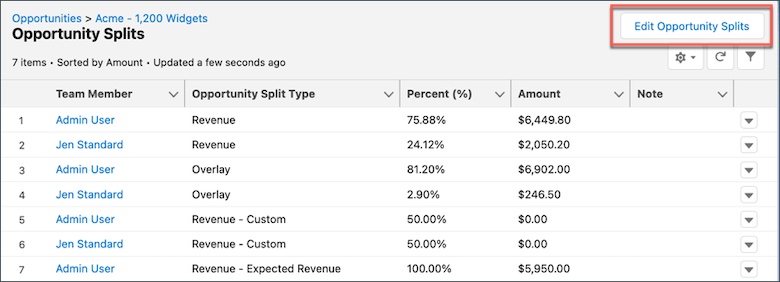
- In the Opportunity Splits related list on an opportunity, click Edit Opportunity Splits.
- Complete the fields.
- Save your changes.
Add Opportunity Splits and Opportunity Product Splits in the Opportunity Splits Tab
Credit supporting team members using opportunity product splits. Product splits can total any percentage of the product amount, including percentages over 100% if defined by your Salesforce admin.
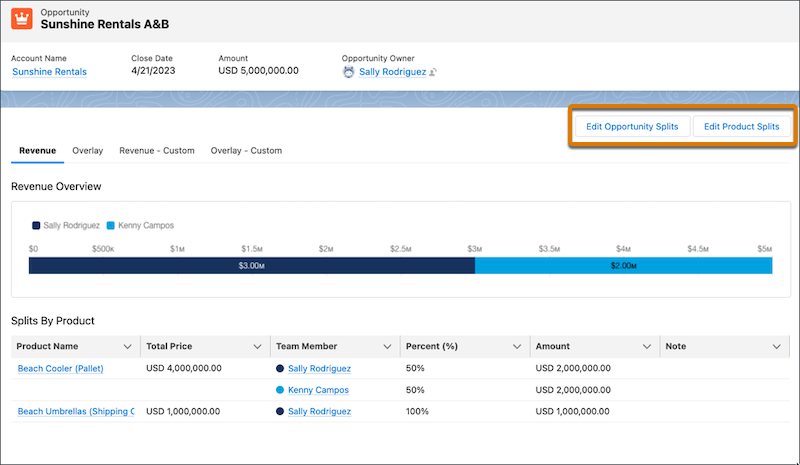
- In the Opportunity Splits tab on an opportunity, click Edit Opportunity Splits or Edit Product Splits.
- Complete the fields.
- Save your changes.
- Guidelines and Considerations for Using Opportunity Splits and Opportunity Product Splits
Use opportunity product splits to coordinate multiple products’ and team members’ contributions to a deal without leaving your opportunity record. Learn about key guidelines and considerations when working with splits.
