You are here:
Login Form
Let users log in with login fields for a username and password and a button for submitting both.
The Login Form component is a simple username and password form that lets users with an existing account log in to the site.

Note
- Select the Login Form component in the page that you're configuring.
-
In the property editor, configure the properties
for the component.
Property Details Start URL Enter the path to the page that users see after they log in successfully. This page is the home page for the site. Username Label Enter the text for the username field label. The default text is Username. Password Label Enter the text for the password field label. The default text is Password. Login Button Label Enter the text for the button that the user clicks to submit the login request. The default text is Log in. Forgot Password Link Label Enter the text for the link to the page where users can request a password reset. The default text is Forgot your password? Forgot Password URL Enter the page where users can request a password reset. Self Register Link Label Enter the text for the link to the page where users can complete a self-registration form. The default text is Not a member? Self Register URL Enter the page where users can complete a self-registration form.

Example Sample Login Form component: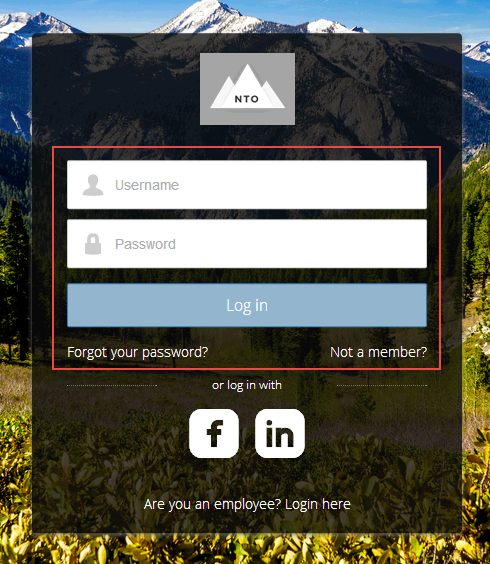
Did this article solve your issue?
Let us know so we can improve!
