
You are here:
Monitoring Channel Business from the Channel Management Console
Channel managers can see a complete view of partners’ sales activity from the Channel Management Console. Follow the performance metrics you care about most from the console dashboard. Review and approve partners’ leads and easily access frequently-used objects.
| Available for channel managers in Lightning Experience in Enterprise, Performance, Unlimited, and Developer Editions with Sales or Service. You must have at least one PRM add-on license. |
Access the console by searching for Channel Management from the App Launcher.
The console lets you follow partner performance closely using a centrally located dashboard showing key productivity metrics. At a glance, see closed revenue, conversion rates, and open opportunities, and more. For channel managers using Partner Enablement, metrics on Enablement program progress are available.
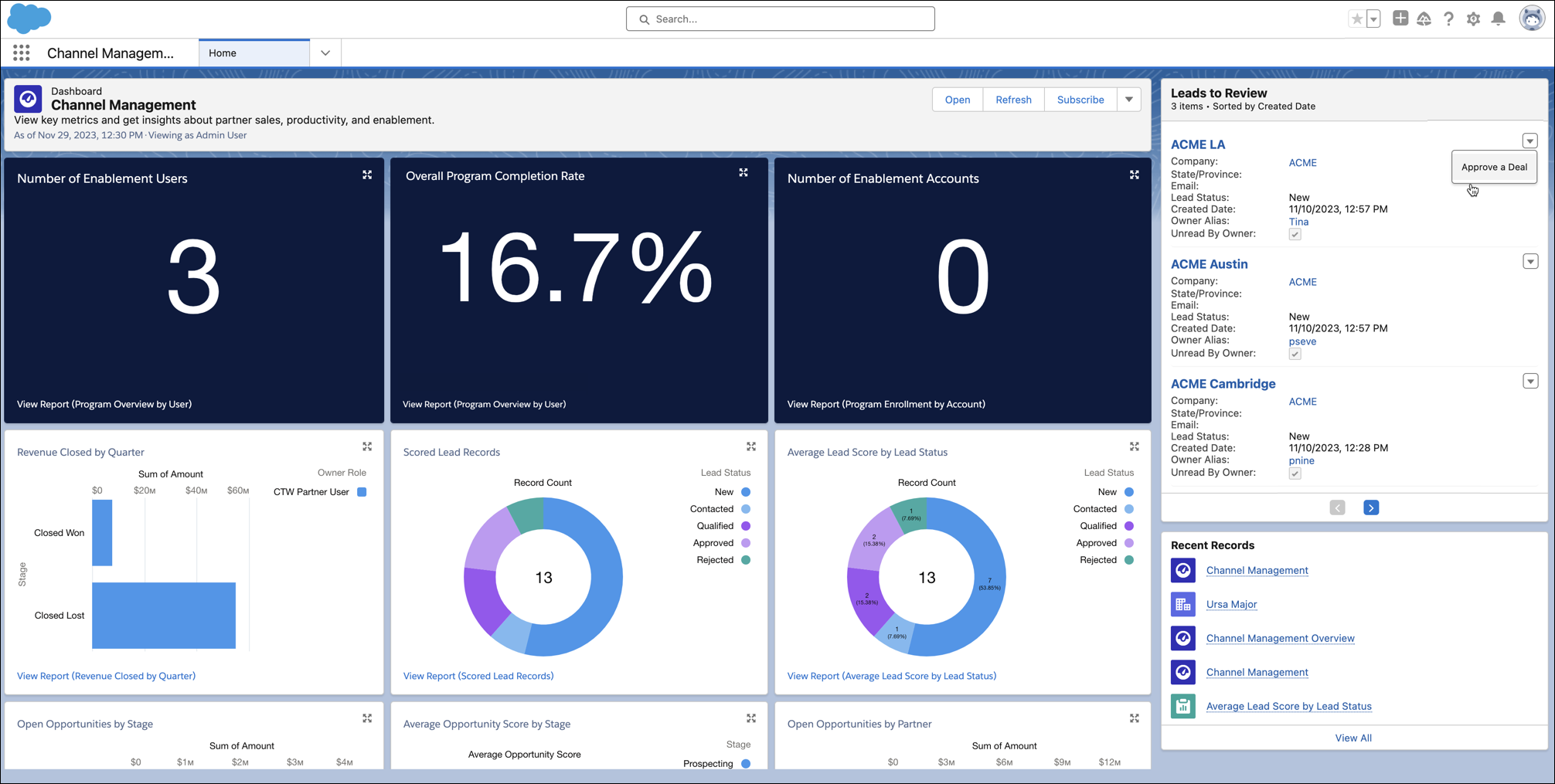
From the Leads to Review component, you can breeze through the leads partners created this month. From the action menu of each lead, you can approve or reject them. If you approve the lead, the Status field is set to Approved. If you reject the deal, the Status field is set to Rejected. A Comment field is also available, but comments added from the Leads to Review component aren’t retained.
Access partners’ sales records from the Accounts, Contacts, Leads, or Opportunities tabs. Work multiple records efficiently by opening them as subtabs on the same workspace.
If your console looks different than the default experience shown here, your Salesforce admins has customized the console to optimize it for the tasks you complete frequently.
