
You are here:
Solve Customer Issues Faster
With Salesforce Suites, your service teams have all the data and tools they need to help customers, track and manage customer issues, and provide personalized service.
Required Editions
| Available in: Lightning Experience |
| Available in: Starter and Pro Suite Editions. |
Help Your Customers
Bring together customer emails, web chats, and customer relationship management (CRM) in one place. Track customer support issues, share helpful information, and communicate with customers directly from your CRM. Each activity with your customers is available for reference so you or anyone on your service team can jump in with the most up-to-date information to help your customers.
Track and Respond to Customer Issues
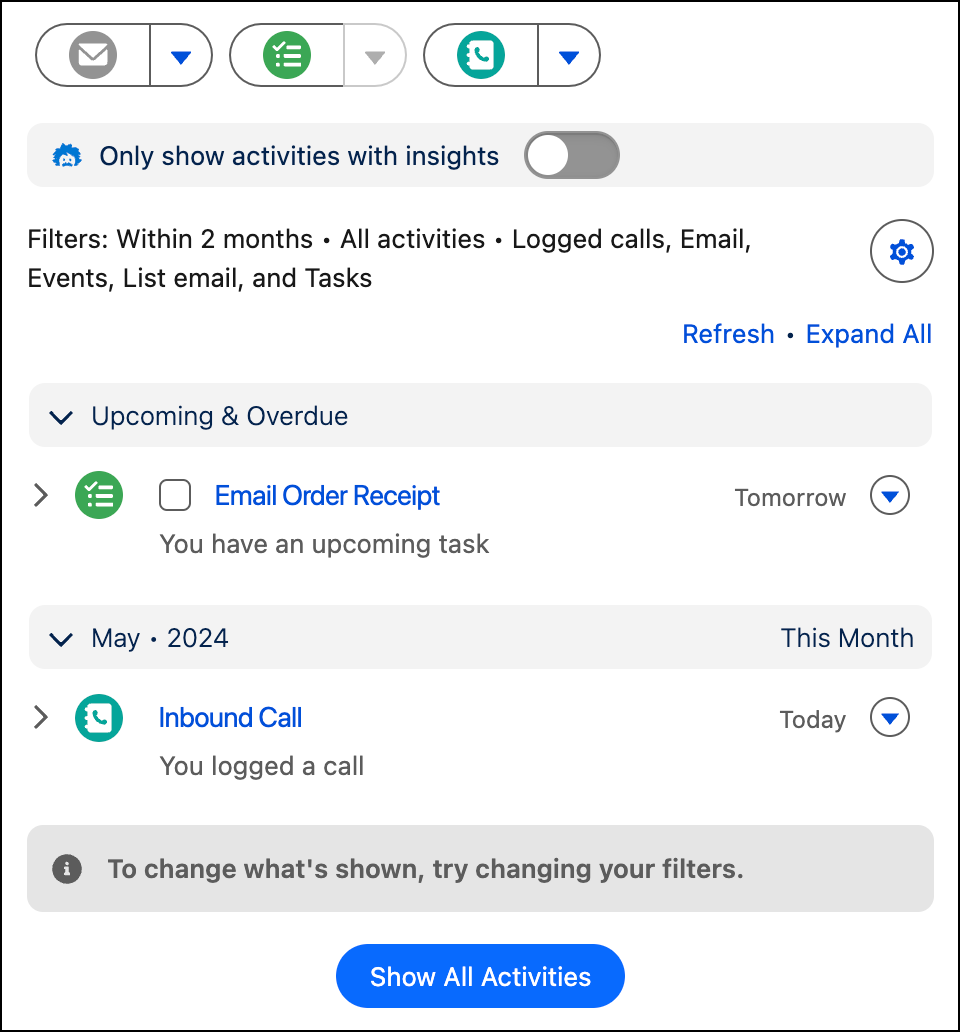
Regardless of how a customer contacts you, their request for help arrives as a case in Salesforce. You can also create cases with a few clicks. Cases track everything about customer issues and help you see a complete view and history of each customer so you can personalize responses ASAP.
Let’s look at the parts of a case that give you all the information about a customer issue.
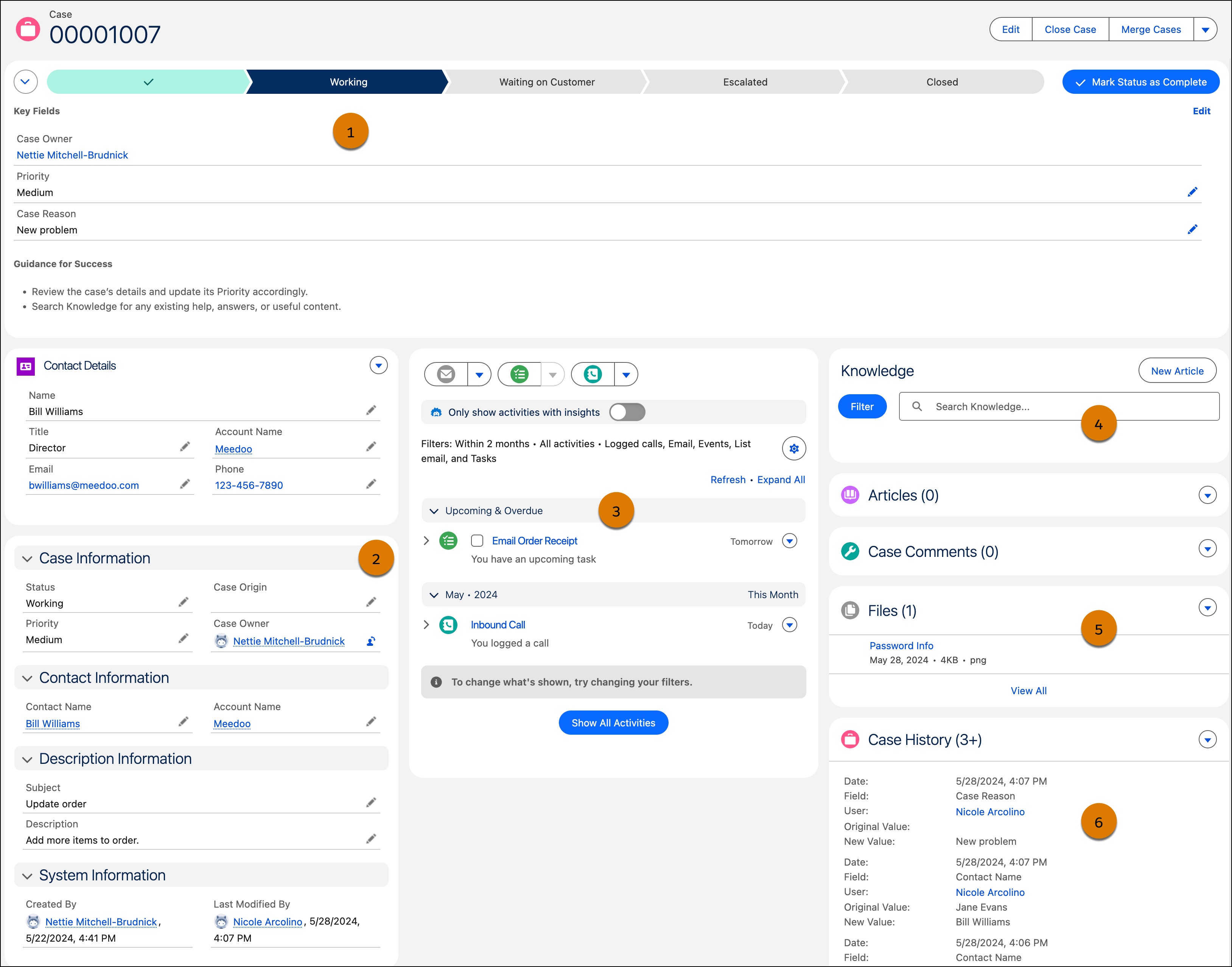
(1) See your company’s stages of the case lifecycle from open to close. You always know where the case is in the process and how to move it forward. (2) Spot key details about the customer and the issue they need help with. (3) Send emails, log call details, and track tasks related to this case to keep your team informed. (4) Search for knowledge articles that can solve the issue or create an article to store knowledge that can help others solve similar issues. (5) Attach documents that you gather along the way for reference later. (6) Review the history or any changes to the case.
Find the Right Information Fast
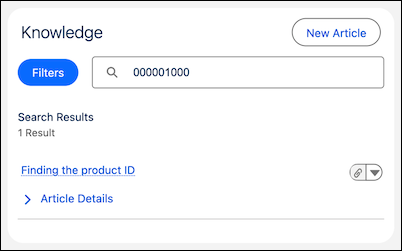
To help you solve cases, you can store and share relevant info in a knowledge base that your service team can access to support customers. Knowledge articles can include answers to frequent questions, service procedures, how-tos, FAQs, and more. Create drafts of articles for review or publish articles on the fly.
Save Time with Reusable Text
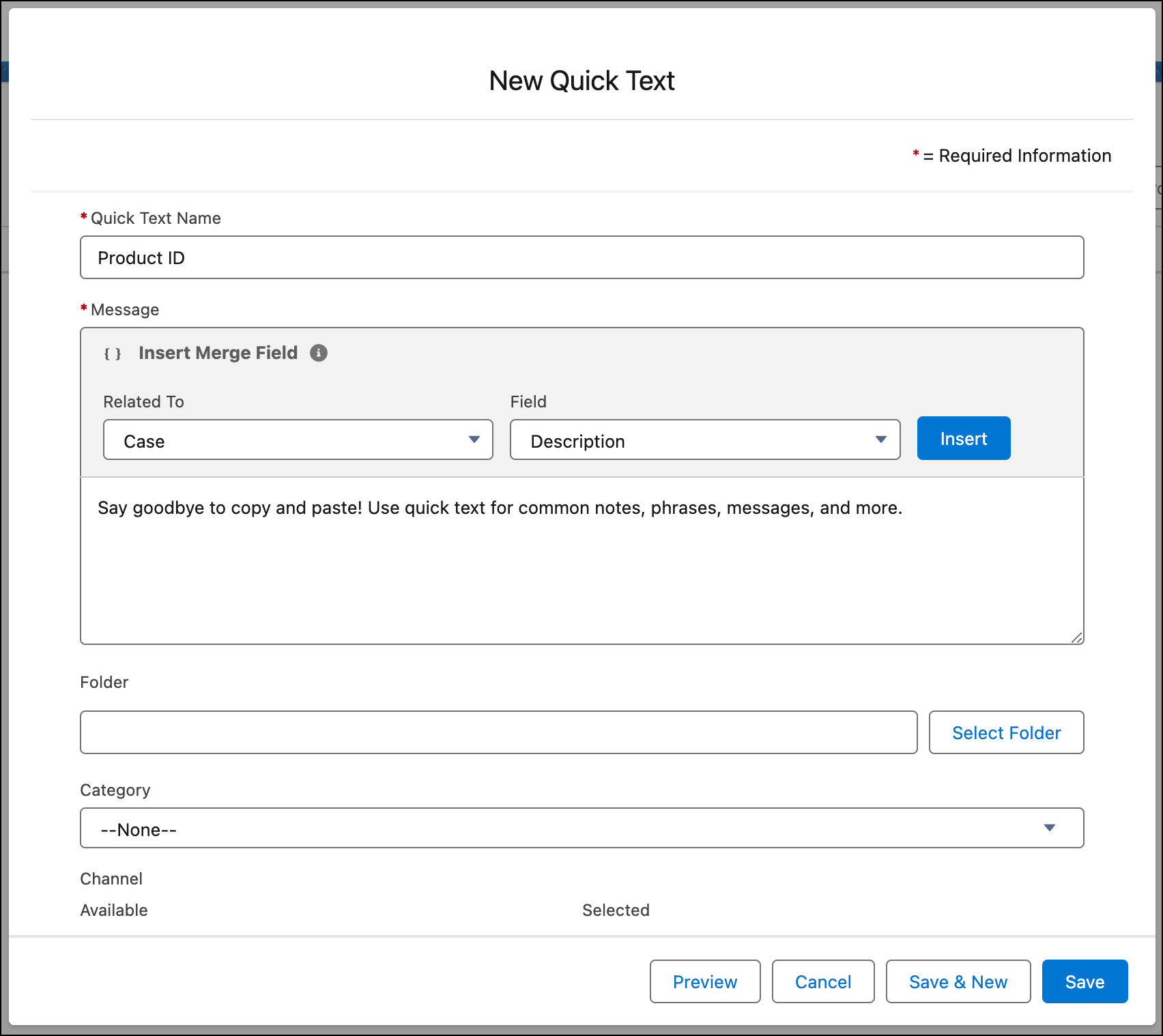
Increase productivity and standardize your messaging with Quick Text. Insert predefined messages such as greetings, answers to common questions, and short notes. Add reusable text to emails, tasks, and knowledge articles.
See Whether You’re Meeting Your Service Goals
Salesforce Starter and Pro Suite can help you see regular snapshots of your customer service. Check on how many customer cases are open, average handling times, the number of views on knowledge articles, and other service stats. Make service decisions based on data without manually calculating numbers or dealing with spreadsheets.
Dashboards offer an insightful display of your service data. Salesforce Starter and Pro Suite provide several service-related dashboards to get you started. You can find all available dashboards from the Analytics tab.
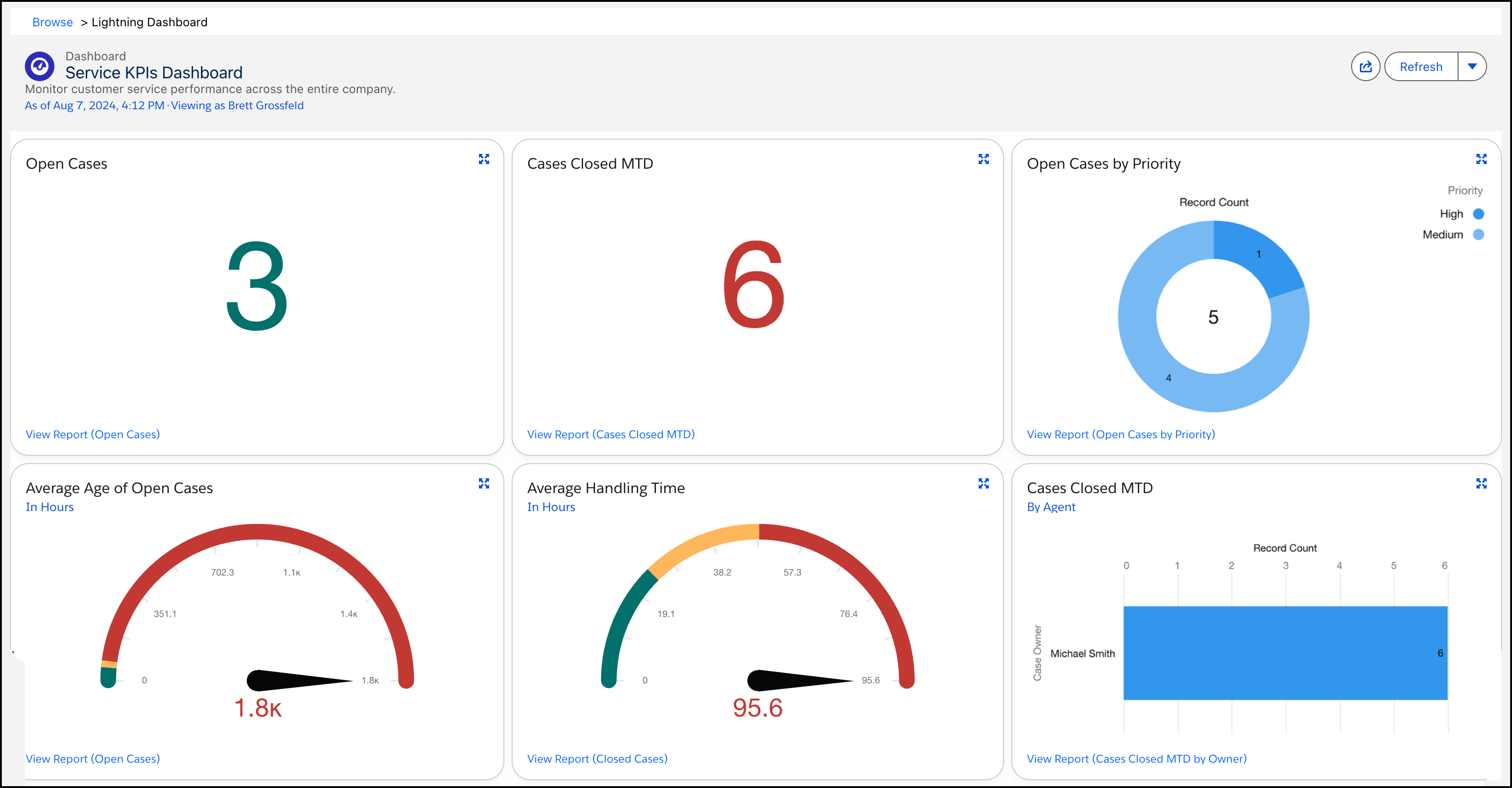
The data behind the visuals in the dashboards is driven by reports. To see the detailed data driving each chart in the dashboard, drill into those reports using the links in each dashboard component, or access each report from the Analytics tab. Then create your own reports and dashboards to gain more insights about your service.
