
You are here:
Working with Flexcards
Create and manage Flexcards in the designer in the Omnistudio standard runtime. The designer provides the standard components for building user interfaces within Salesforce. Create Flexcards in fewer steps. With the designer, Flexcards activation is instant.
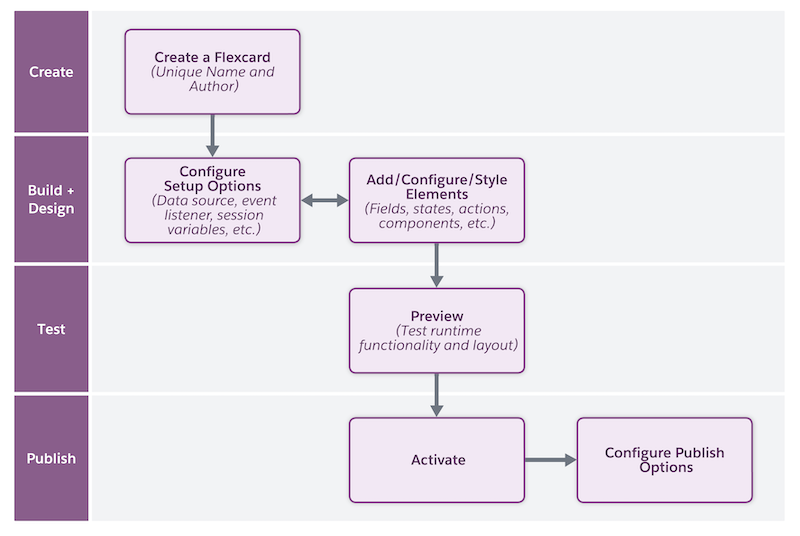
-
Create a Flexcard with a unique combination of name and author.
See Create a Flexcard.
- Configure the behavior, visual elements, and interactions that the Flexcard offers to your users. For example, configure settings, add fields for input data, navigation elements to open links, specify the elements’ responsiveness, and more. If needed, modify the style elements such as background and size to provide a customized experience to your users.
- Preview the Flexcard, test its look and feel, and resolve issues as needed.
- After you confirm that the Flexcard is ready, activate it. Then, add the Flexcard as a standard component to a target page, such as an app page or community page.
Did this article solve your issue?
Let us know so we can improve!
