
You are here:
Combine Elements Logically in a Block
Combine logical groups of elements in an Omniscript Step using a Block element. Blocks help to group information to create nested JSON data. Blocks are contained within steps and can be repeated to capture an array of data. For example, street, city, state, and postal code elements can be combined into an address block.

Note You can nest Blocks within other Blocks, but Blocks don’t support the Custom LWC Element.
- From the elements panel, drag a Block element to the canvas and name the element.
- In Field Label, enter a label that displays to users.
- To render a collapsed block in the Omniscript, select Collapse.
- In the Heading Level field, enter the nesting level of the element as a number.
-
Enable users to add multiple block entries:
- In Clone Elements, select Copy elements.
- In the designer on a managed package, select Enable Repeat under Repeat Settings.
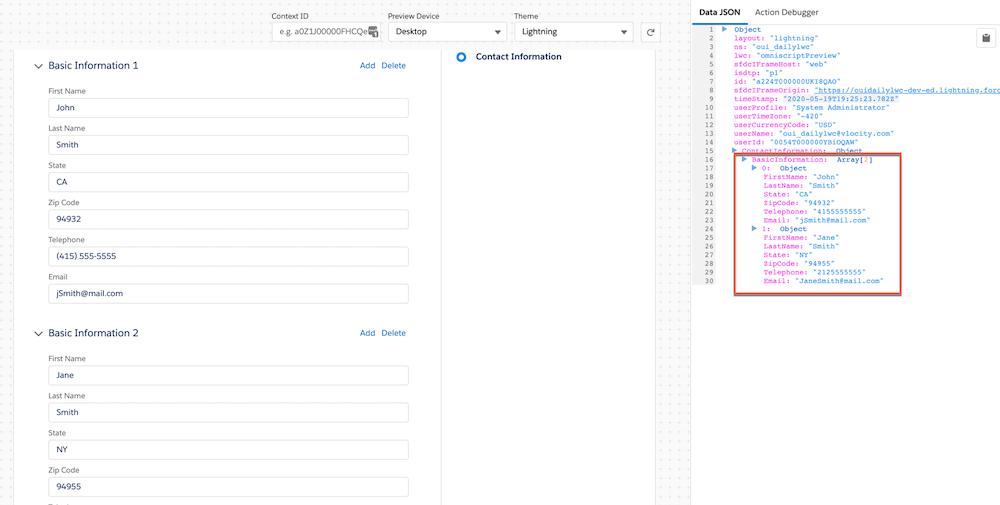
Repeatable blocks store data in an array format, where each block entry is indexed in an array under the Block's element name.- If you plan to access data from an element in a repeatable Block, see Access to Data Within and Outside a Repeatable Block.
- For information about prefilling blocks, see Prefill Repeatable Blocks.
- To clone values when a Block is repeated, select Clone When Repeating.
- In the Limit Repeat field, enter a number to set the number of times a Block can be repeated.
- Preview the Omniscript and test the functionality.

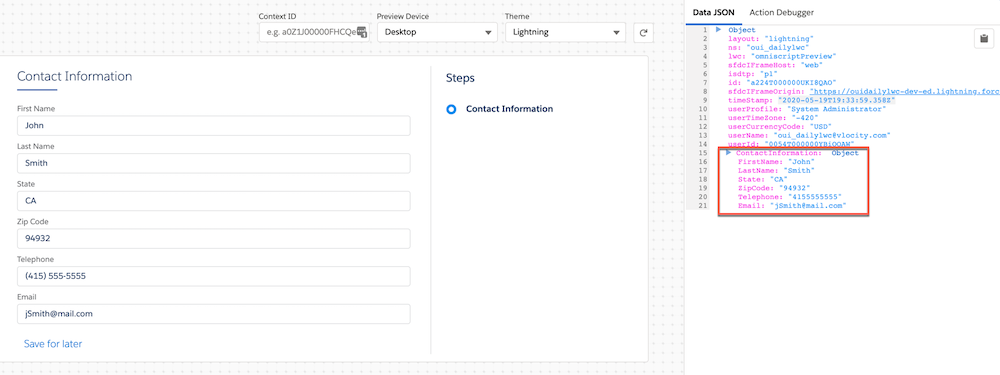
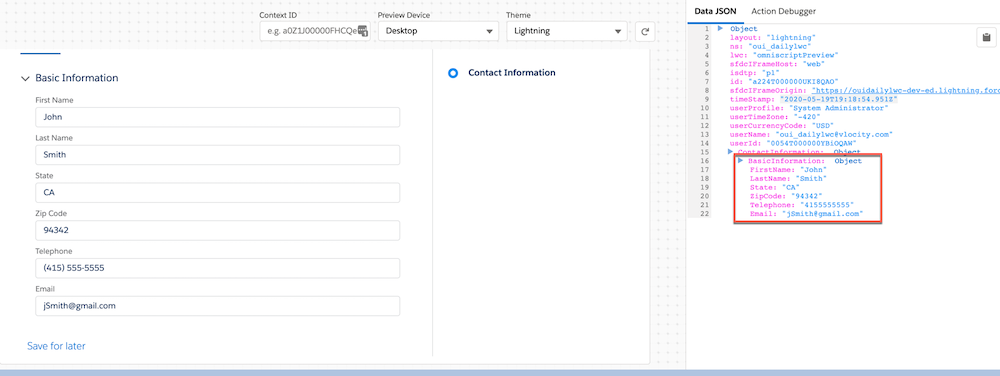
Example Data JSON output format based on your configuration to map data JSON from blocks:
- No block JSON:
- Block JSON
- Repeatable block JSON
Did this article solve your issue?
Let us know so we can improve!
