
You are here:
Disable User Information Caching for Flexcards in Omnistudio
Disable user information caching in the session cache for Flexcards in Omnistudio. Flexcards keep stored user profile data on the VlocityMetadata partition of the Platform Cache. The Cards.UserTrigger caches the user after their information updates, and removes the cached user after the user is disabled or deleted.
Required Versions |
|---|
Beginning Winter '22. |
-
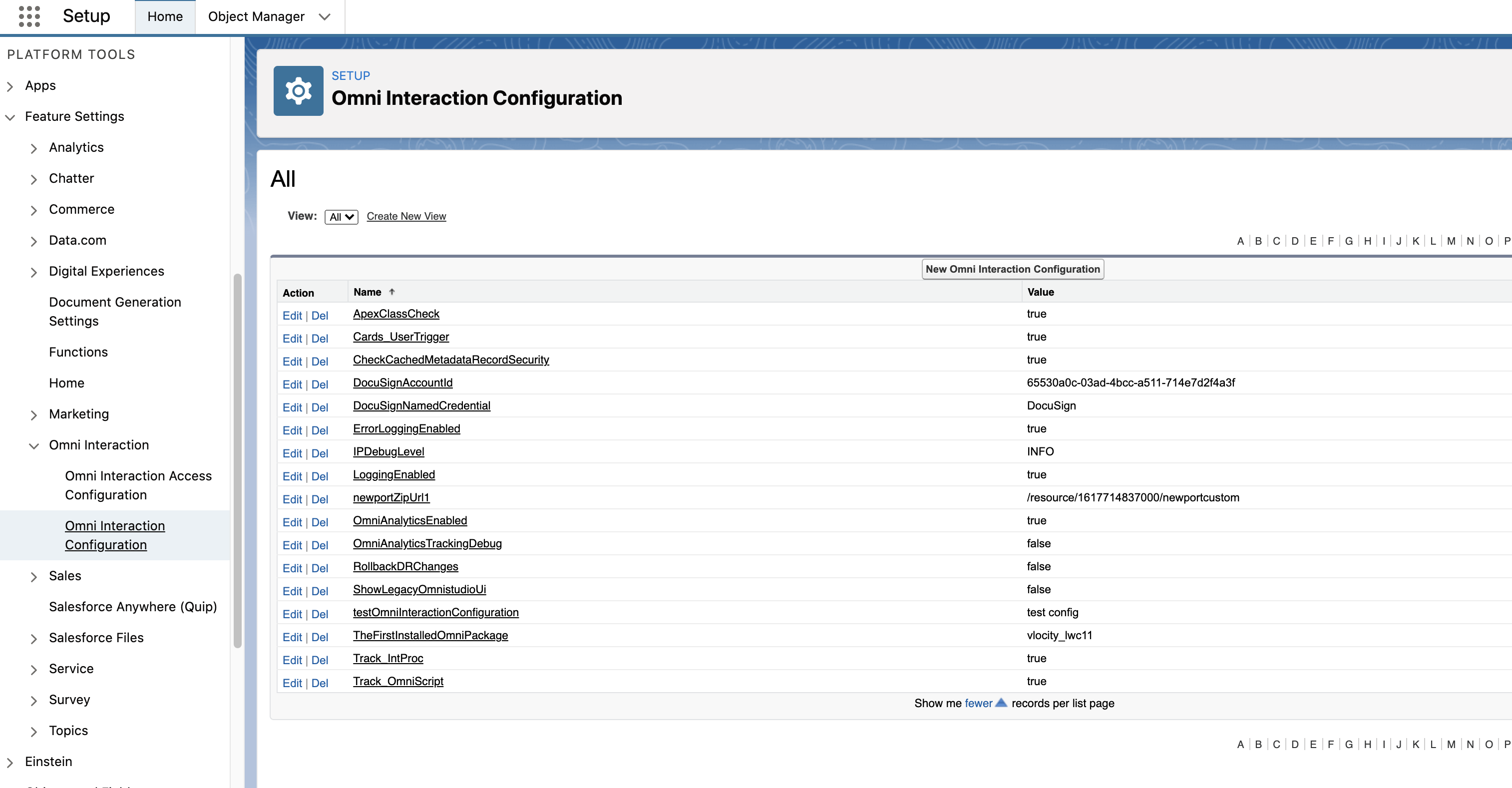
Go to Setup, and search for and select Omni Interaction Configuration.
-
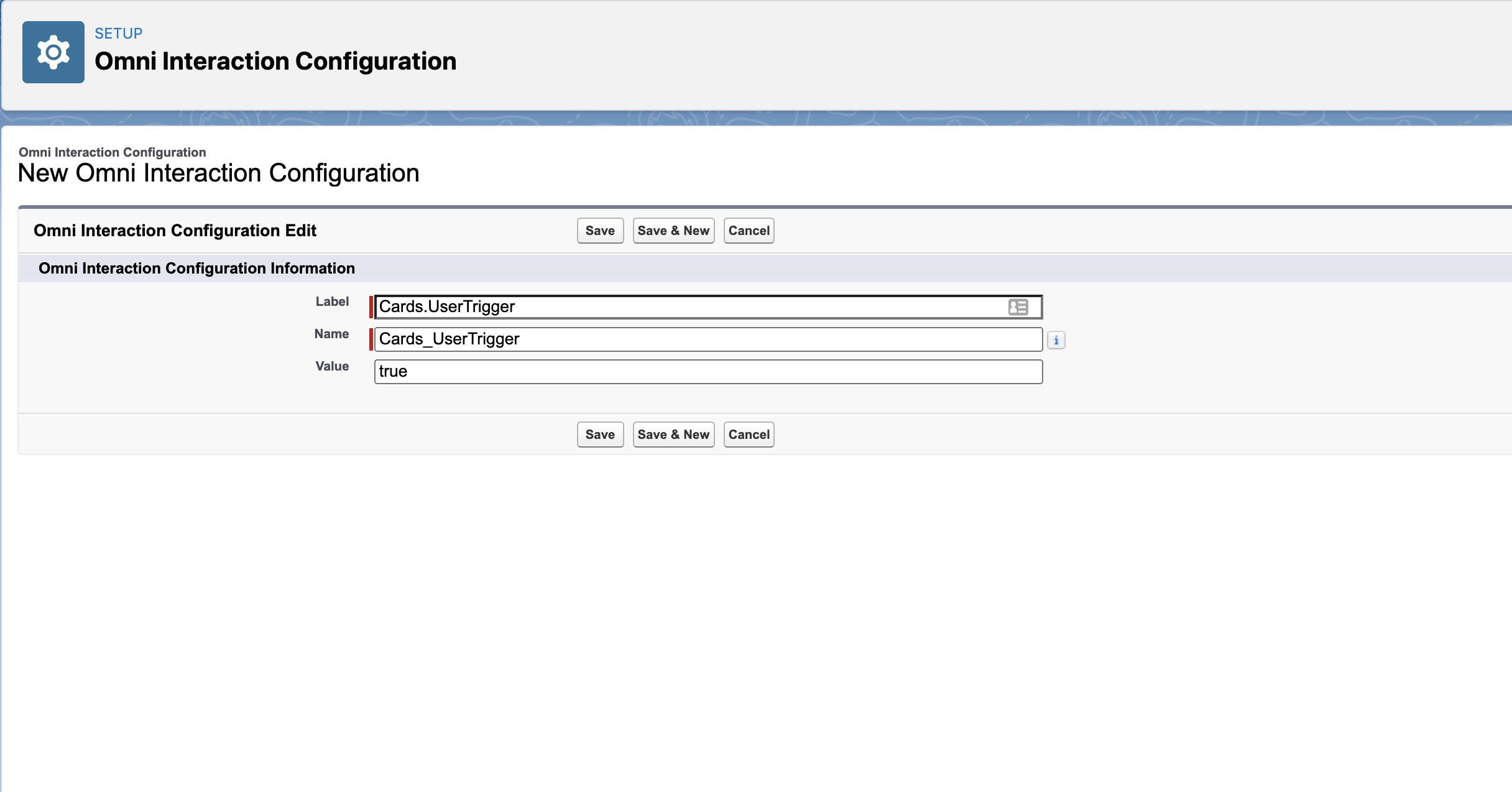
Click New Omni Interaction Configuration and perform the following tasks:
-
In Label, enter Cards.UserTrigger.
-
Name populates automatically. Don’t edit.
-
In Value, enter true.
-
Click Save.
-
-
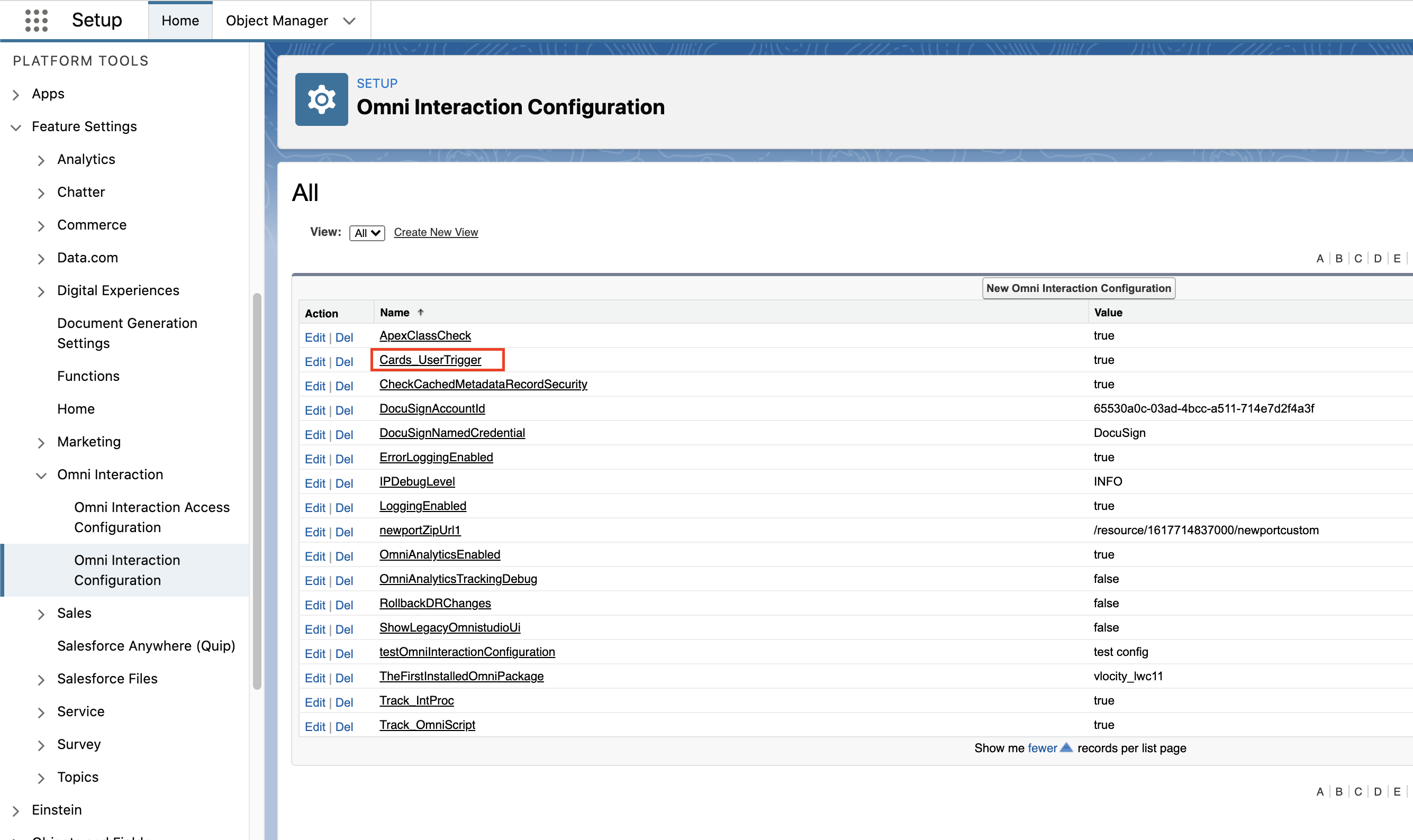
View Cards_UserTrigger listed on the Omni Interaction Configuration page.
Did this article solve your issue?
Let us know so we can improve!
