You are here:
Guidelines for Accessing Formula Element Data in Repeatable Blocks
When you use a Formula element within a repeatable block, review guidelines and examples for accessing data within or outside the same repeatable block.
Guidelines
When using Formula elements inside multi-level repeat blocks, if the Formula elements are not placed in the top-level block, it appears as null or false. This can cause issues when trying to use them on the page. In the Omniscript preview, you can verify this behavior by inspecting the formula elements in the JSON. These elements are either absent, or return null or false, regardless of the intended formula logic.
Within a repeatable block containing a Formula element, access the data in another element by referencing the element in the Formula element’s Expression property. Use these guidelines:
| Location of Data | How to Access the Data |
|---|---|
| Different element inside the same repeatable block | In the Expression property of the Formula element, enter
When the Omniscript runs, it accesses only the elements in the current block. |
| Different repeatable block | In the Expression property of the Formula element, enter
BlockName|1:ElementName (where the number after
BlockName| is the block’s count in the Omniscript). |

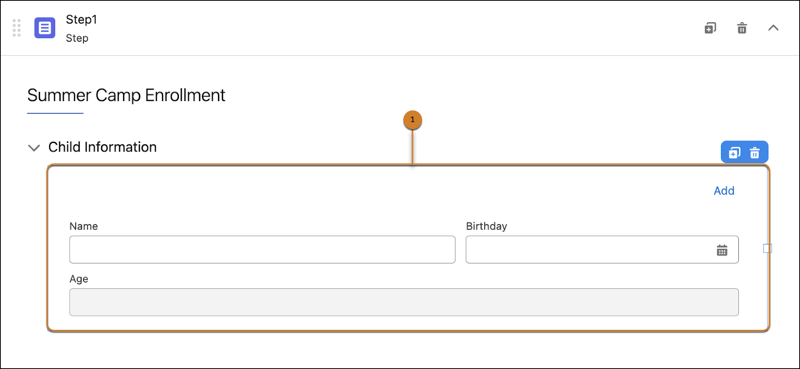
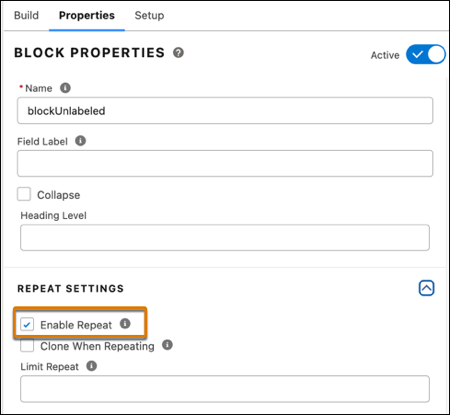
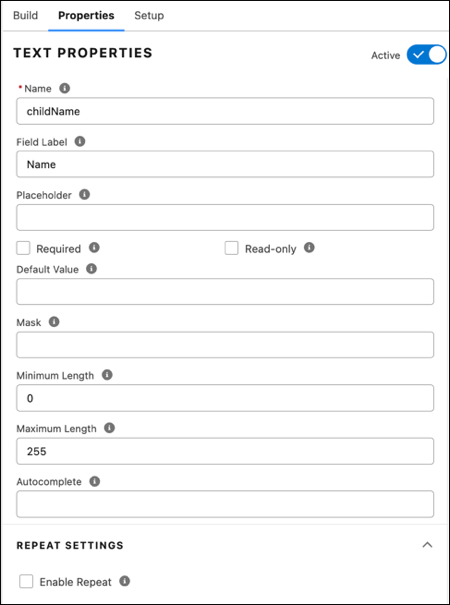
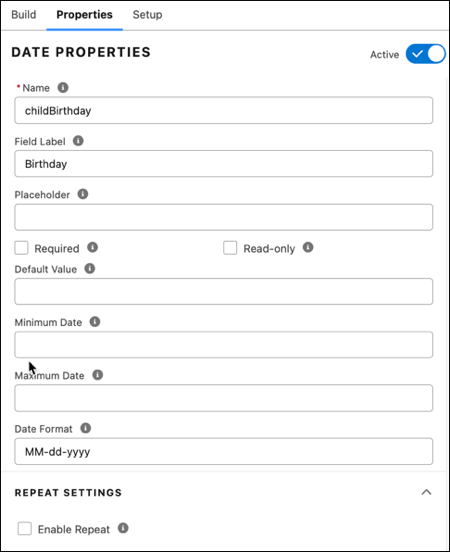
AGE(%blockUnlabeled|n:childBirthday%).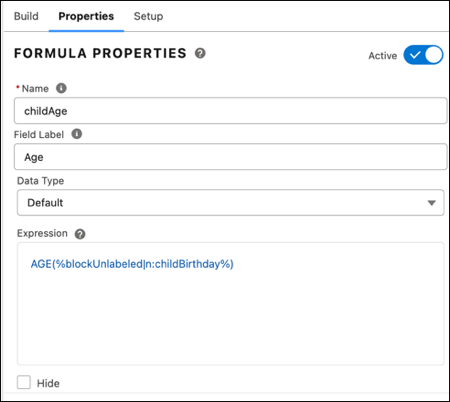
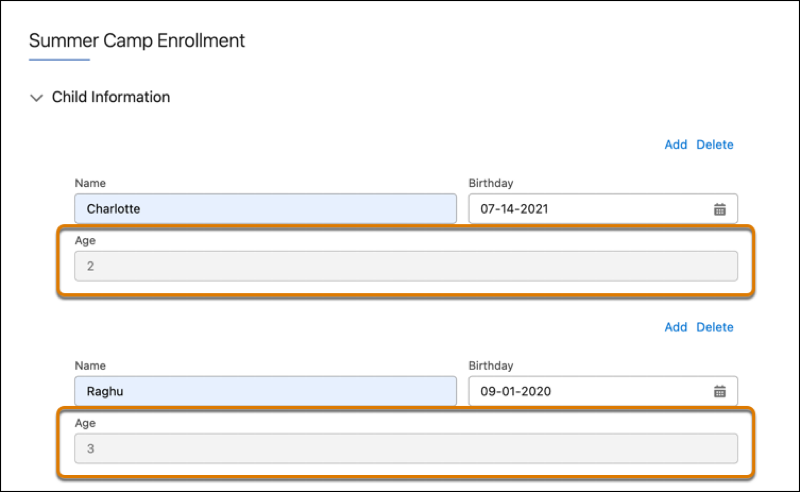
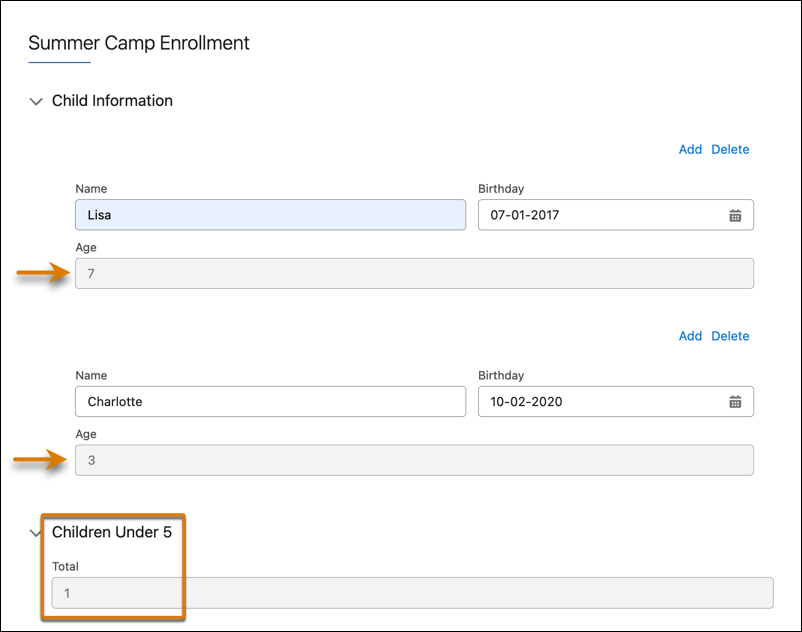
In this example, the Formula element Total references the data from the Age element, which is in a different repeatable block.
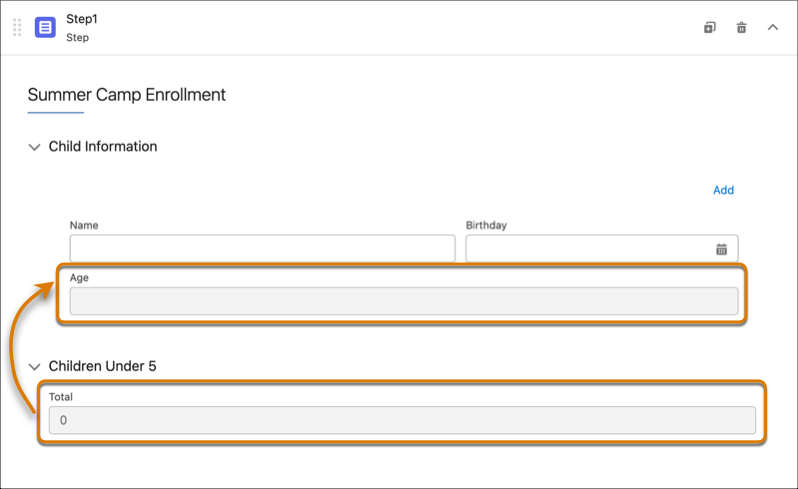
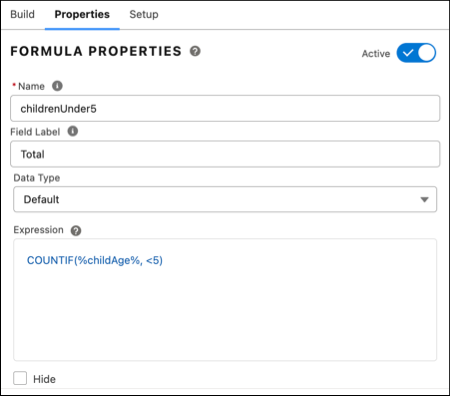
In the properties for the Formula element Total,
the formula COUNTIF(%childAge%, <5)
references the Age element in the previous
block.