You are here:
Prefill Repeatable Blocks
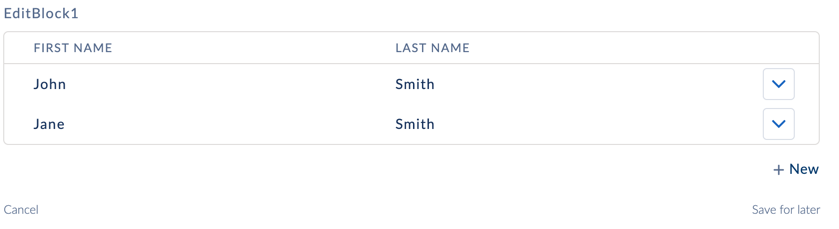
Prefill repeatable blocks with data by passing data to the block in an array format.
The data's root node name must match the name of the block element. The fields within each array instance of the data JSON node must match the name of an element within the block. Prefill data into repeatable blocks with Actions by returning data that matches the block's element name and the element's within the block using an array format.
Data JSON array format example:
"EditBlock1": [
      {
        "FirstName": "John",
        "LastName": "Smith"
      },
      {
        "FirstName": "Jane",
        "LastName": "Smith"
      }
    ]
To map Data JSON to a Repeatable Block with a Set Values action:
- Add a Block or Edit Block to the Omniscript.
-
(Optional) When using a Block, check the Block's Repeat checkbox property.
 Note
NoteEdit Blocks are inherently repeatable because they store entry values in an array format.
- Add Input elements to the Block.
- Add a Set Values Action to the Omniscript.
- In the Set Values Action, click Add New Value.
- In the Element Name field, enter the name of your block element.
- Click Edit as JSON in the Set Values Action element to edit the JSON directly.
-
In the elementValueMap JSON node, locate the block element's
JSON node, and enter an array of data.
For example, to prefill two Text input elements in an Edit Block element, add an array that maps to the elements in the block.
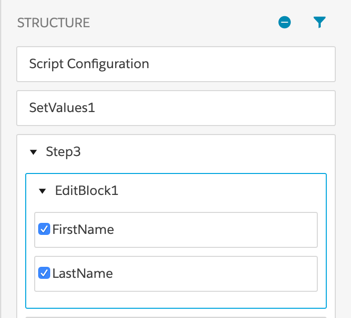
The edit block example has a JSON array.
"EditBlock1": [ { "FirstName": "John", "LastName": "Smith" }, { "FirstName": "Jane", "LastName": "Smith" } ] -
To convert back to the default view of the Set Values Action, click Edit in
Property Editor.

-
Preview the Omniscript to view the nested data in the Omniscript's data JSON.