You are here:
Analyze Log Data with Salesforce Direct
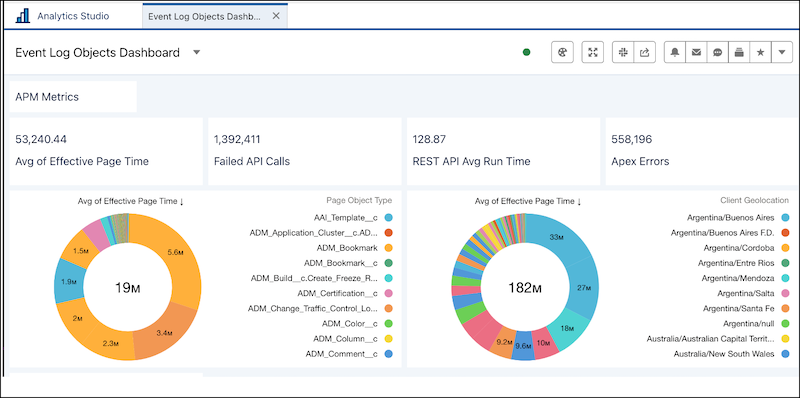
Transform your log data into clear, insightful visualizations. Explore Event Log Objects in CRM Analytics with Salesforce Direct using a variety of engaging chart types.

Important This feature is only available to Hyperforce customers. Log data is
retained for up to 30 days.
| Available in: Salesforce Classic (not available in all orgs), and Lightning Experience |
Available in: Enterprise, Performance, and Unlimited Editions Requires Salesforce Shield or Salesforce Event Monitoring add-on subscriptions. |
| User Permissions Needed | |
To query and view event log object data: |
View Event Log Object Data |
- From Setup, in the Quick Find box, enter Analytics Studio, and select Analytics Studio.
- To create a dashboard, click Create and then, from the dropdown list, select Dashboard.
- Drag the Chart option to your dashboard.
- To select a data source, click the new chart.
- In the data source window, go to the Salesforce Object tab.
- To see all event log objects, search for event log.
- Select the event log object data you want to visualize. See Visualize Data With Charts.
-
You can visualize your data in a variety of chart types using Salesforce Direct. Limit
the number of panels on your dashboard to avoid any timeouts. See Salesforce Direct Data Queries.
Did this article solve your issue?
Let us know so we can improve!
