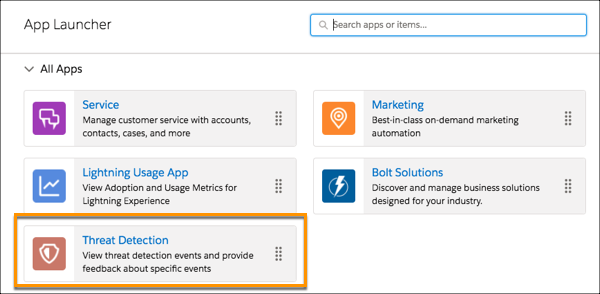
View recent or all Threat Detection events using the Threat Detection app in the
Salesforce UI. The displayed events are stored in their corresponding storage objects:
ReportAnomalyEventStore, SessionHijackingEventStore, and CredentialStuffingEventStore. Associate
a feedback object with a particular event to record the severity of the threat, such as
Malicious or Not a Threat.
Required Editions
Available in both Salesforce Classic (not available in all orgs) and Lightning
Experience.
Available in: Enterprise, Unlimited, and Developer
Editions
Requires Salesforce Shield or Salesforce Event Monitoring add-on
subscriptions.
Click the tabs for list views of recent or all events stored in the
GuestUserAnomalyEventStore, ReportAnomalyEventStore, SessionHijackingEventStore,
ApiAnomalyEventStore, or CredentialStuffingEventStore objects.
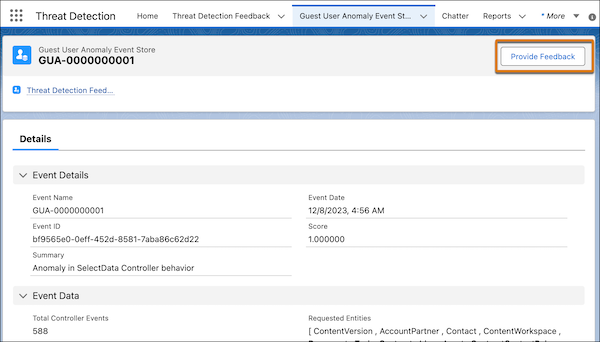
To view an event’s details, click its link. Information such as the date the event
occurred, its score, and a summary of the event is displayed.
Each type of event displays other details appropriate to the type of detected threat.
For example, the Session Hijacking Event Store tab displays previous and current browser
fingerprint information. The Report Anomaly Event Store tab displays the report ID
associated with the detected threat.
Click Related to view the associated feedback, if any.
Click Provide Feedback to specify whether a specific detected threat is Malicious,
Suspicious, Not a Threat, or Unknown.
You can associate only one feedback object with each event. If you try to provide more
than one feedback object, you get an error. If the severity of a threat changes after you
provided feedback, edit the response.
We use three kinds of cookies on our websites: required, functional, and advertising. You can choose whether functional and advertising cookies apply. Click on the different cookie categories to find out more about each category and to change the default settings.
Privacy Statement
Required Cookies
Always Active
Required cookies are necessary for basic website functionality. Some examples include: session cookies needed to transmit the website, authentication cookies, and security cookies.
Functional Cookies
Functional cookies enhance functions, performance, and services on the website. Some examples include: cookies used to analyze site traffic, cookies used for market research, and cookies used to display advertising that is not directed to a particular individual.
Advertising Cookies
Advertising cookies track activity across websites in order to understand a viewer’s interests, and direct them specific marketing. Some examples include: cookies used for remarketing, or interest-based advertising.